Prices and cost estimates
Price your stock, edge banding and laminate to get a material cost for every job.
Available onFree toolsProBusinessTeam
Updated September 27, 2026Browse all help topics
Turn on prices
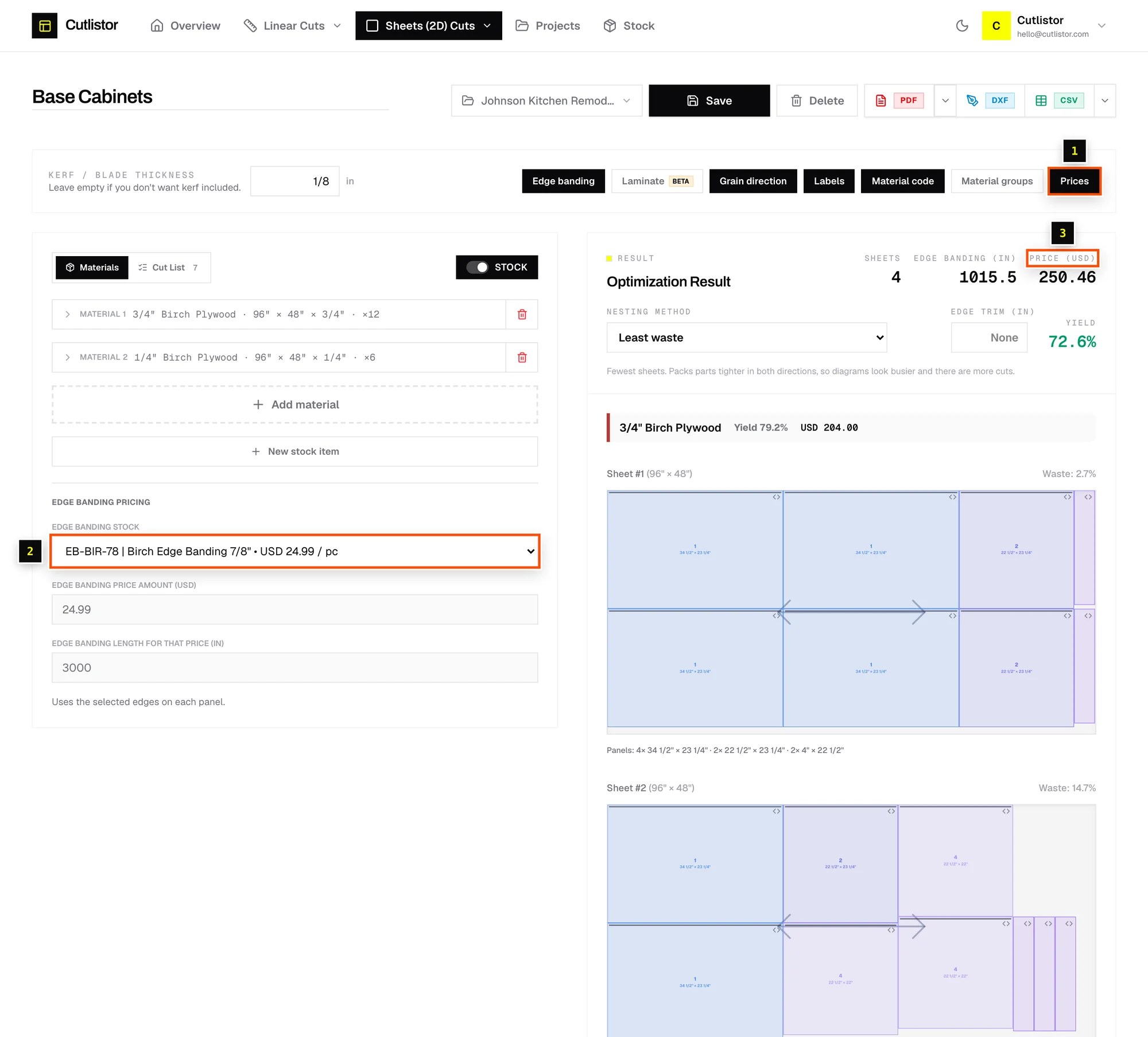
- Step 1: Click the Prices chip in the toolbar.
- Step 2: On the Materials tab, enter a price per sheet (Price) or per stick (Price / piece).
- Step 3: Sheet jobs: set Edge banding pricing and Laminate pricing if you use them.
- Step 4: The results show Price (sheet) or Total cost (linear) in your currency.
Price once in your stock library
Prices saved on stock library items come with them whenever you use the STOCK toggle. Linear stock and edge banding can be priced per piece or per length, for example $0.89 per foot.
Currency
Amounts show with the currency code, for example USD 412.50. Change it in Settings → Currency. Changing currency doesn't convert saved prices.
What the cost includes
The cost counts every whole sheet or stick the layout uses. Offcuts aren't credited back, because you paid for the full piece.
Related articles
- CurrencyChoose the currency used for stock prices and cut list totals.
- Your stock librarySave the lumber, sheet goods and edge banding you buy, with sizes, prices, codes and quantities on hand.
- Export a PDF cut sheetPrint-ready cutting diagrams and parts tables, with options for mode, orientation and content.
Didn't find what you need?
Email us and tell us which article you were reading.