Export CSV or Excel tables
Download your cut list, or every nested piece for shop labels, as CSV or Excel.
Available onProBusinessTeam
Updated September 27, 2026Browse all help topics
Choose a format
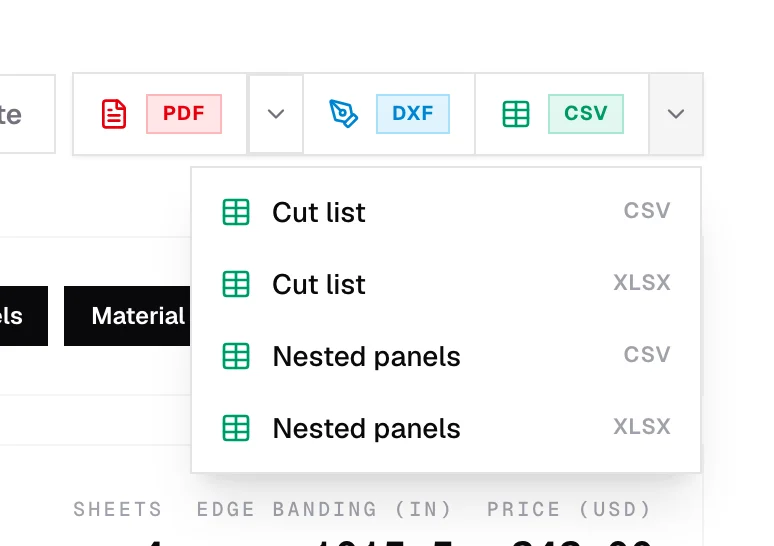
Click CSV in the cut list header for a quick CSV cut list, or click its arrow to pick a format:
| Format | One row per | Use it for |
|---|---|---|
| Cut list (CSV or XLSX) | Part | Sharing, estimating, or re-importing into Cutlistor later. |
| Nested panels / Nested pieces (CSV or XLSX) | Cut piece on each sheet or bar, with sheet #, panel # and item # | Shop-floor labels and tracking which sheet each part comes from. |
In Excel (XLSX) files, nested-piece rows are shaded in each part's diagram color so they're easy to match to the printout.
Printing part labels
Cutlistor doesn't print labels directly. Export Nested panels as CSV, then use it as the data source for a label printer or a mail-merge template (Avery, DYMO, Brother, Word or Google Docs).
Related articles
- Import from CSV or ExcelLoad a parts list from a spreadsheet: which columns are read, sample files, and tips.
- Export a PDF cut sheetPrint-ready cutting diagrams and parts tables, with options for mode, orientation and content.
- Custom fieldsAdd your own columns to a parts list, such as Room, Cabinet # or Finish.
Didn't find what you need?
Email us and tell us which article you were reading.