Create an account and sign in
Sign up with Google, an emailed sign-in link, or an email and password.
Updated September 27, 2026
Browse all help topics
Create your account
- Step 1: Go to cutlistor.com/auth (or click Sign In at the top of any page).
- Step 2: At the bottom of the card, next to No account yet?, click Create one.
- Step 3: Choose how you want to sign in: Continue with Google, Email me a sign-in link, or fill in Name, Email and Password (at least 8 characters) and click Create account.
- Step 4: Pick a plan and start your 14-day free trial. See Start your free trial.
- Step 5: Complete the short setup wizard. See The setup wizard.
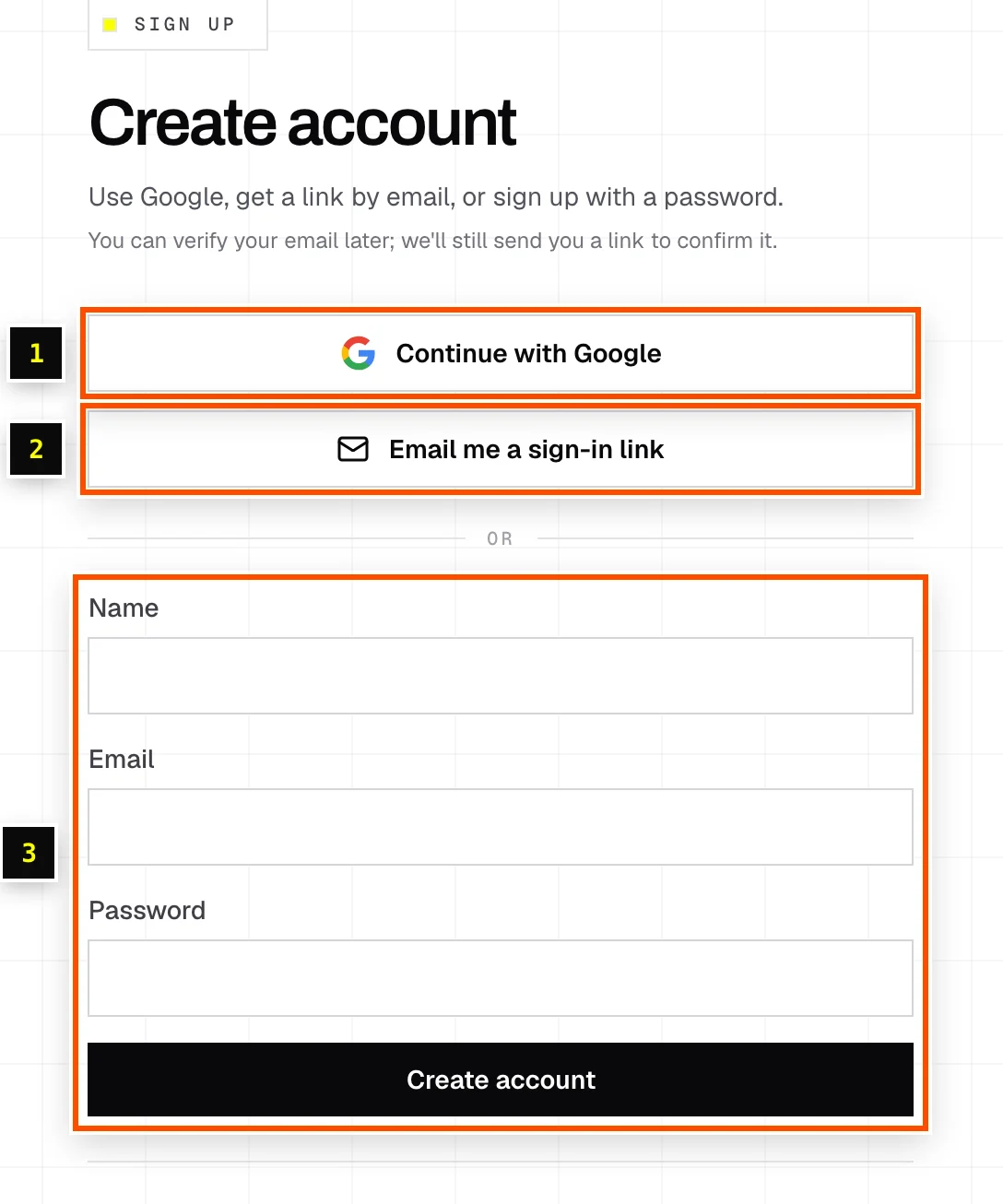
The three ways to sign in
| Method | How it works | Good for |
|---|---|---|
| Continue with Google | One click with your Google account. | Anyone with Gmail or Google Workspace. |
| Email me a sign-in link | Enter your email, click Send sign-in link, then click the link in your inbox. No password needed. | Shared shop computers, or if you don't want another password. |
| Email and password | Classic email and password. | Anyone who prefers a password manager. |
Forgot your password
- Step 1: On the sign-in page, click Forgot password? next to the Password field.
- Step 2: Enter your email and submit. We send a reset link to that address.
- Step 3: Open the link and choose a new password.
Related articles
Didn't find what you need?
Email us and tell us which article you were reading.