Your first linear cut list
Cut deck framing from 8′ and 12′ boards: stock lengths, parts, kerf and results.
Available onFree toolsProBusinessTeam
Updated September 27, 2026Browse all help topics
1. Start a new linear cut list
- Step 1: Open Linear Cuts → New cuts.
- Step 2: Name it at the top, for example
Deck framing.
2. Add stock lengths
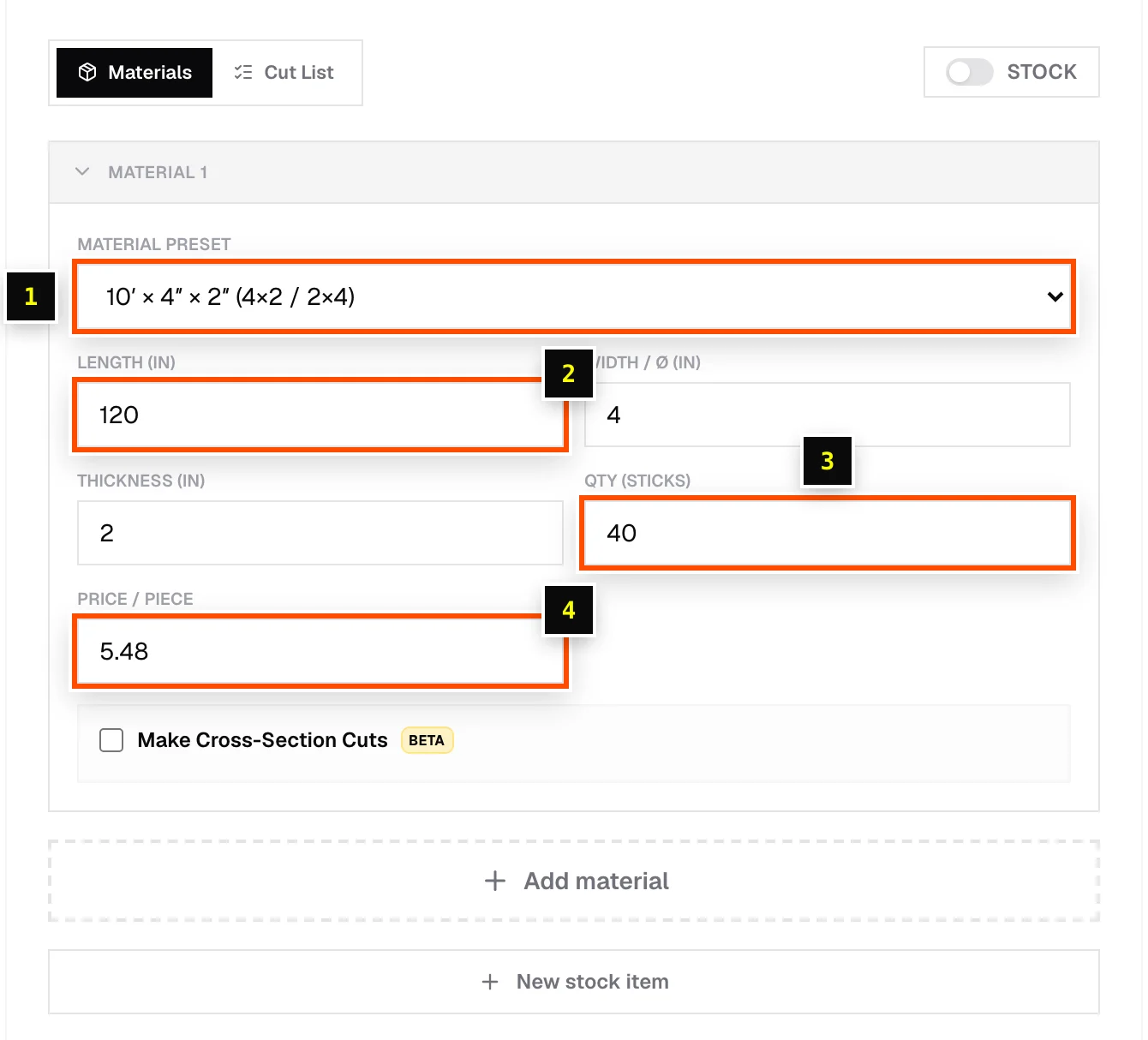
- Step 1: On the Materials tab, open Material preset and pick a close match, such as 10′ × 4″ × 2″ (4×2 / 2×4) under Wood (Dimensional Lumber), or choose Custom for a 2×6.
- Step 2: Set Length to the board you buy, for example
12'or144. - Step 3: Optionally enter Width / Ø and Thickness. They're needed for paint estimates and cross-section cuts.
- Step 4: Enter Qty (sticks), the number of boards you have on hand.
- Step 5: Enter Price / piece, for example
14.98.
3. Enter parts
- Step 1: Switch to the Cut List tab.
- Step 2: Enter each part's Name, length and Qty: for example
Joist11' 9" × 8,Rim12' × 2,Blocking14 1/2 × 16. - Step 3: Click Add part for each new row.
4. Set kerf and read the results
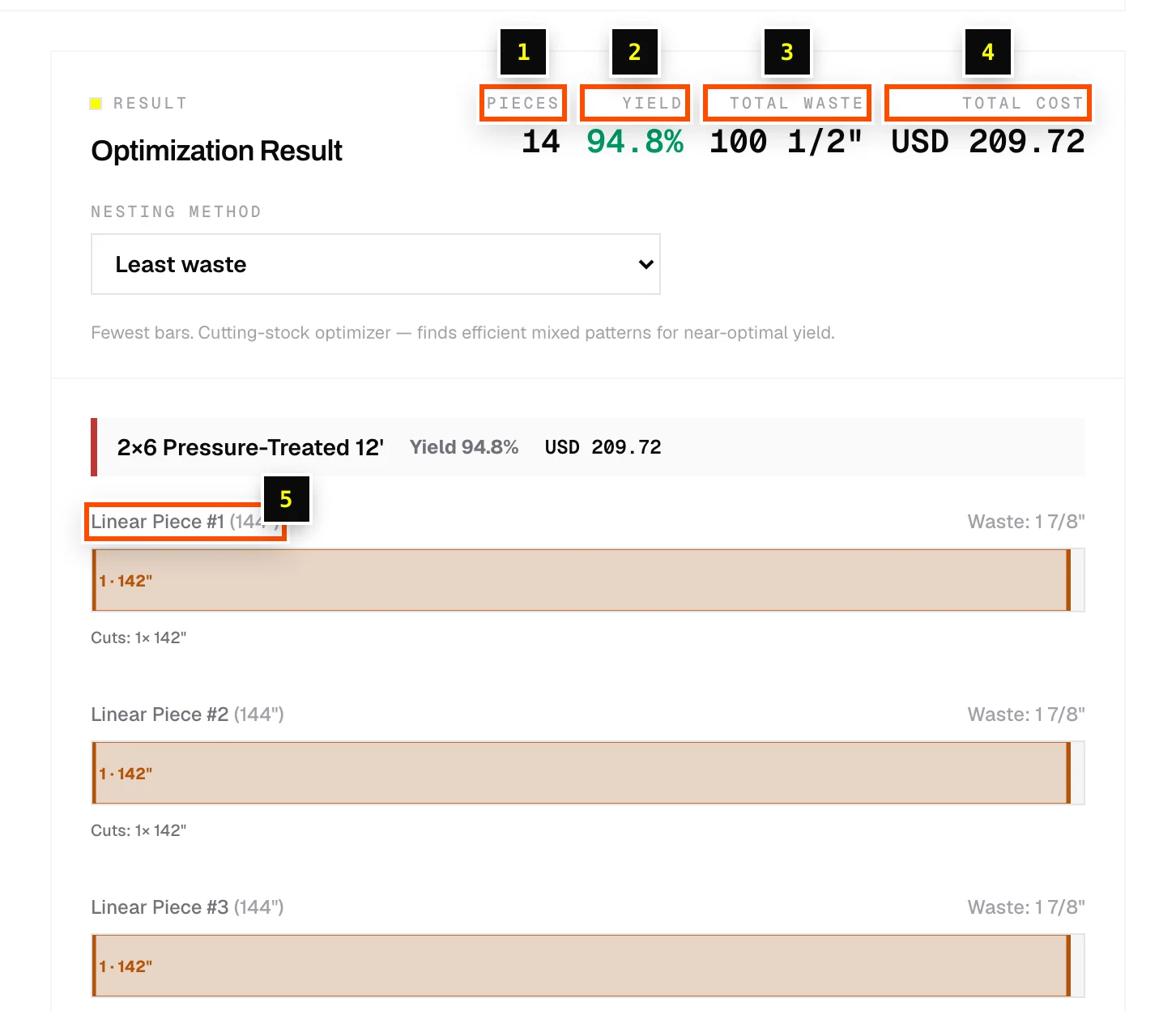
Enter the blade thickness in Kerf / Blade thickness. The Optimization Result shows total Pieces (sticks of stock), Yield, Total waste and Total cost, then a bar diagram for each board showing where every cut goes. See Reading linear results.
Related articles
- Add stock lengthsSet up the boards, bars or pipe you're cutting from, including mixed lengths like 8′, 10′ and 12′.
- Enter linear partsAdd cut lengths, set quantities, assign stock, and use Repeat list for repeated assemblies.
- Linear nesting methodsLeast waste vs Batch cutting: fewest boards, or fewest stop-block changes.
- Kerf / blade thicknessAccount for the material your saw blade removes with every cut.
Didn't find what you need?
Email us and tell us which article you were reading.