Cross-section (rip) cuts
Rip a wide timber into several smaller sticks before cross-cutting to length.
Available onProBusinessTeamBeta
Updated September 27, 2026Browse all help topics
Use this when you buy one size of timber but need thinner sticks, for example ripping 2×6s into 1 1/2" × 1 1/2" balusters.
Set it up
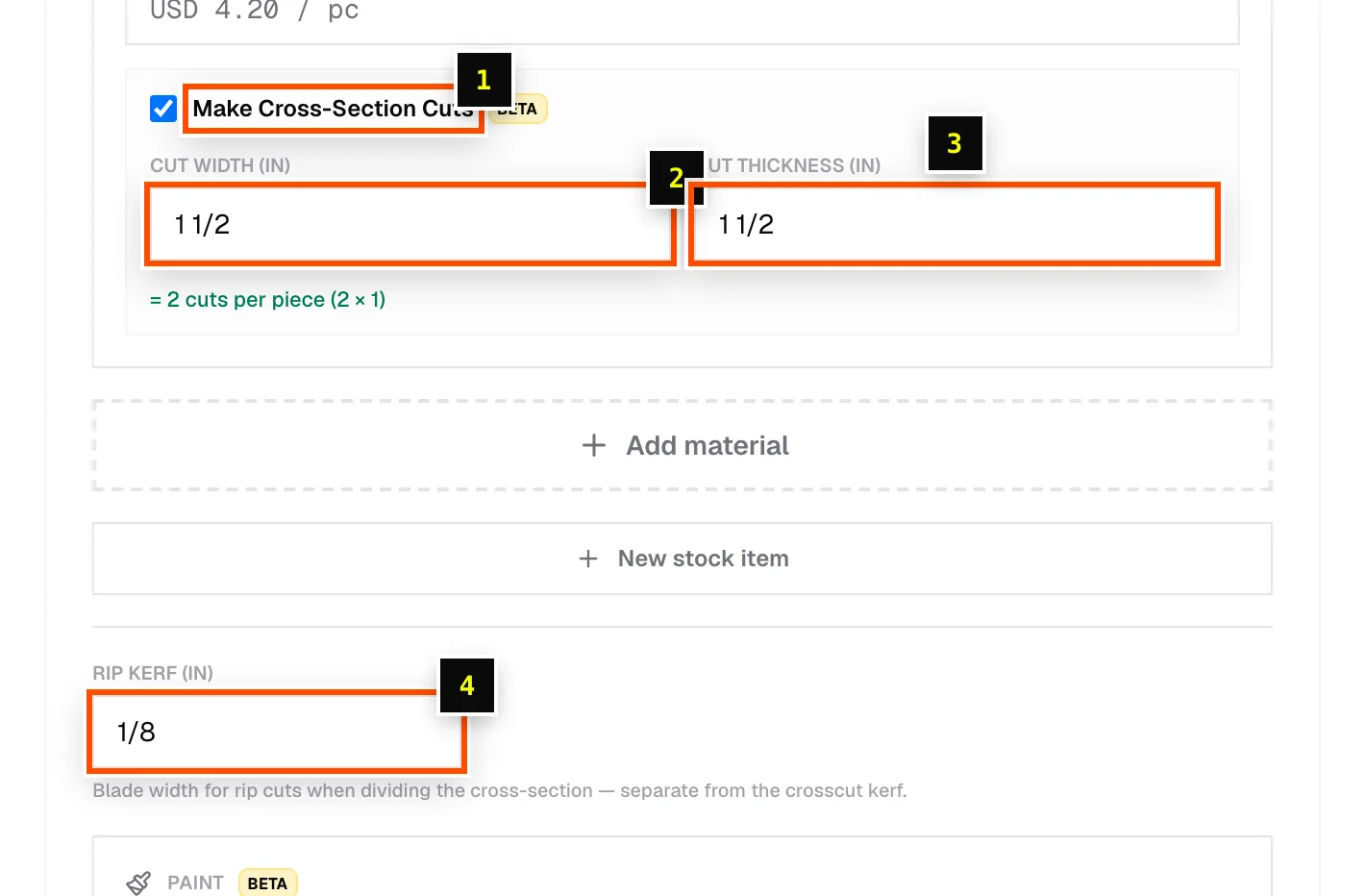
- Step 1: On the stock row, make sure Width / Ø and Thickness are filled in.
- Step 2: Tick Make Cross-Section Cuts (marked Beta).
- Step 3: Enter the Cut width and Cut thickness of the sticks you need.
- Step 4: Enter Rip kerf, the blade width for rip cuts. It's separate from the crosscut kerf in the toolbar.
Cutlistor shows how many sticks each timber yields, as cuts per piece (columns × rows), then optimizes your lengths across those sticks. It also reports how many whole timbers you need.
Related articles
Didn't find what you need?
Email us and tell us which article you were reading.