Trash: restore deleted cut lists
Deleted cut lists stay in the Trash for 30 days, and you can restore them.
Available onProBusinessTeam
Updated September 27, 2026Browse all help topics
Restore a cut list
- Step 1: Open the account menu and choose Trash.
- Step 2: Find the cut list and click its Restore icon (↺).
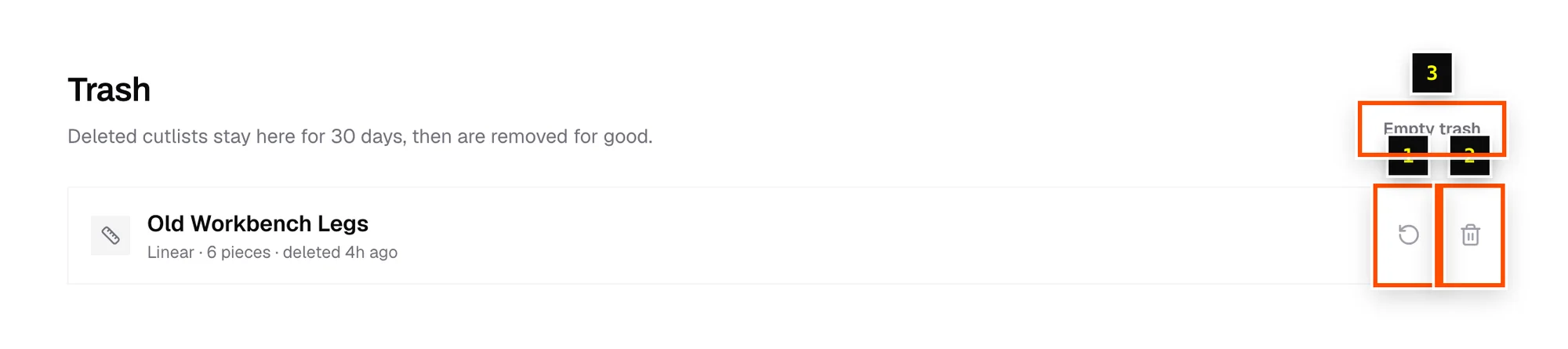
Delete forever
Click the trash can icon (Delete forever) on one cut list, or Empty trash to permanently delete everything in the Trash. This can't be undone. After 30 days, cut lists in the Trash are removed automatically.
Related articles
Didn't find what you need?
Email us and tell us which article you were reading.