Laminate
Estimate laminate sheets for panels faced on one or both sides.
Available onProBusinessTeamBeta
Updated September 27, 2026Browse all help topics
Mark faces to laminate
- Step 1: Turn on the Laminate chip (marked Beta) in the toolbar. An LM column appears.
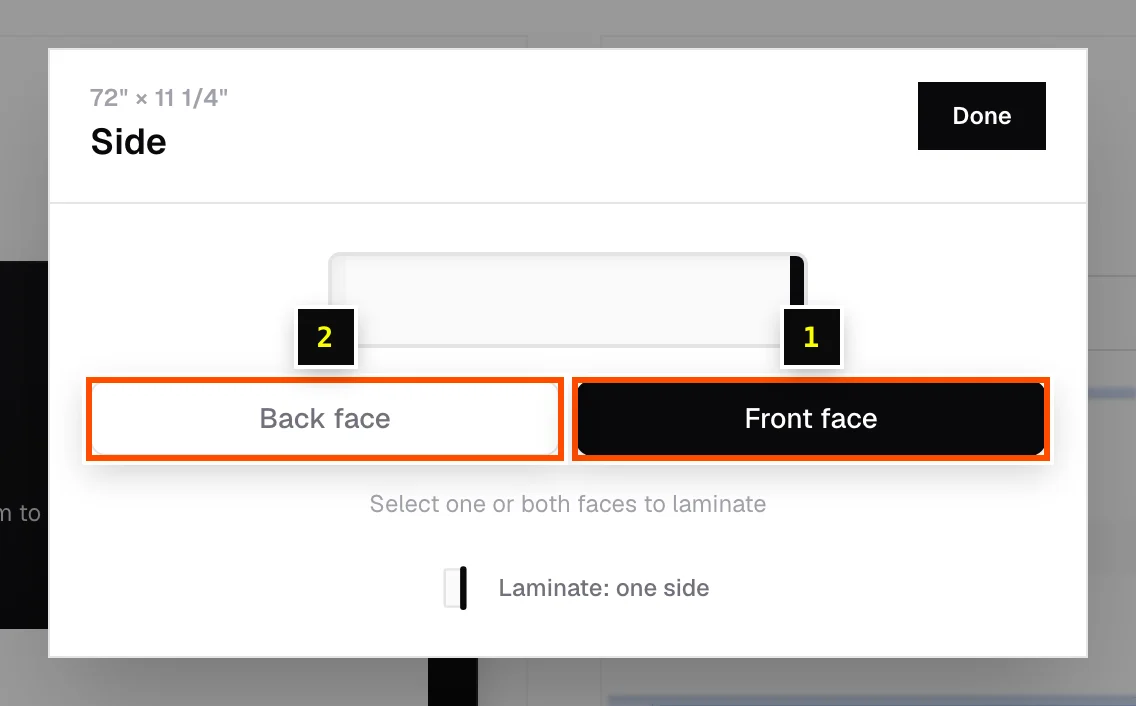
- Step 2: Click the LM cell on a part, select Front face, Back face, or both, then click Done.
Laminate sheet size and price
Under Laminate pricing on the Materials tab, enter Laminate sheet length, Laminate sheet width and Laminate price per sheet (for example 96" × 48" at $89). Laminate sheets are estimated from each panel's laminated face area, one or two sides.
The results show Laminate sheets needed and the laminate area. With Prices on, the cost is added to the total.
Related articles
Didn't find what you need?
Email us and tell us which article you were reading.