Article
6 Best Cut List Optimizers for CNC Shops in 2026 (DXF Compared)
Cutlistor Team7 min read
Introduction
CNC shops still need a cut list optimizer before CAM post-processing. CAM proves toolpaths, feeds, and speeds; it is not always the fastest place to answer simpler questions: How many sheets does this job consume? Do these panels fit with kerf and grain constraints? Can the foreman verify part IDs without opening a full machine file?
A good optimizer sits between the BOM and CAM. You validate yield, label parts, and export PDF packs for proofing even when final G-code lives in VCarve, Aspire, Fusion, or shop-specific post processors.
This guide covers where optimizers fit in CNC workflows, compares leading tools with tables and honest pros and cons, and explains how Cutlistor router/CNC layout methods help panel shops iterate before metal hits the vacuum table.
Where optimizers fit in CNC workflows
Optimizers complement CAM; they rarely replace it for contouring, drilling, or specialized aggregates.
| Stage | Tool role | Cutlistor role | CAM role |
|---|---|---|---|
| BOM / parts list | Spreadsheet or CAD export | CSV/XLSX or CAD import | Reads geometry later |
| Nesting proof | Optimizer layouts | Multiple methods incl. router/CNC style | May nest again internally |
| Documentation | PDF cut sheets | Labeled PDF export | Toolpath sheets |
| Toolpaths | CAM | Not primary | Feeds, speeds, drills, contours |
| Machine output | Post processor | N/A | G-code to controller |
What CNC shops should demand from an optimizer
Router-friendly nesting differs from generic least-waste packing. Long rips, manageable offcuts, and predictable part orientation matter as much as absolute scrap percentage when a sheet rides on a vacuum table.
Kerf must match the bit diameter or saw kerf used in breakdown, not a generic default. Grain flags should travel with parts into PDF output so operators do not nest visible faces incorrectly.
Import speed matters at scale. Retyping fifty rectangles from a CSV export wastes programmer time. Cutlistor CSV/XLSX import and optional 3D CAD import (GLTF, GLB, Collada on paid quotas) reduce manual entry.
Best cut list optimizers for CNC shops reviewed
We compare browser and cloud tools CNC panel shops commonly evaluate. None of these replace CAM; they accelerate nesting proof and shop communication.
1. Cutlistor (router/CNC layout methods)
Cutlistor includes multiple sheet layout methods, including a router/CNC-friendly nesting style, alongside rips and rows, least waste, and neat grid options. Switch methods while editing the same BOM and see layouts refresh in real time without a separate Calculate step.
CNC-relevant features
- Router/CNC-style sheet nesting for panel breakdown proofing
- Real-time layout refresh when dimensions or stock change
- Kerf, grain direction, material grouping, and labeled PDF export
- DXF export for sheet and linear layouts
- CSV and XLSX import from spreadsheet BOMs
- AI plan scanning from shop drawings (paid quotas)
- 3D CAD import via GLTF, GLB, and Collada for models from design tools (paid quotas)
- Linear optimizer for stick stock separate from panel nesting
- Metric and imperial units for mixed shop standards
Pros: fast iteration; multiple nesting philosophies in one browser app; strong PDF documentation; DXF export for CNC prep; import pipeline from Excel-driven BOMs.
Cons: does not post G-code; free tier daily limits; advanced import on paid plans; CAM still required for toolpaths and machine-specific safety zones.
Best for: panel shops that want quick yield and layout proof before CAM programming, especially on jobs with frequent revision.
2. CutList Optimizer (browser nesting proof)
CutList Optimizer provides dependable browser nesting with grain, kerf, and PDF reports many shops use for preliminary sheet counts.
Pros: proven, simple, free tier adequate for smaller panel batches.
Cons: manual Calculate after edits; no dedicated router/CNC method name; limited import automation for large BOMs.
Best for: shops needing quick browser proof on straightforward rectangular panels.
3. OptiCutter (reporting-focused online)
OptiCutter delivers polished online 1D and 2D optimization with labels and structured reports.
Pros: strong reporting for estimators comparing subscription plans.
Cons: not optimized for real-time CNC iteration; limited CAD/sketch import; free tier constraints.
Best for: businesses evaluating paid online optimizers with formal reporting needs.
4. CAM-native nesting (VCarve, Aspire, Fusion, etc.)
Many CNC shops nest inside CAM because toolpaths and nesting share one file. CAM nesting understands machine boundaries, tabs, and leads natively.
Pros: single source for nesting and G-code; machine-aware constraints.
Cons: slower iteration for quoting; non-programmers cannot easily review layouts; reprogram cost on late changes is high.
Best for: final machine files after yield is already agreed. Pair with a standalone optimizer for early proof and client-facing PDFs.
5. Spreadsheet-only planning
Spreadsheets track CNC job metadata well but do not nest rectangles with kerf. Shops that stop at Excel often underestimate sheet count until CAM reveals waste.
Pros: flexible BOM and pricing integration.
Cons: no visual nest, higher scrap risk, slow revision loops.
CNC shop optimizer comparison table
| Feature | Cutlistor | CutList Optimizer | OptiCutter | CAM nesting | Spreadsheet |
|---|---|---|---|---|---|
| Router/CNC-friendly nest method | Yes, dedicated method | Generic nest | Generic nest | Machine-specific | None |
| Real-time layout refresh | Yes | No | No | Varies | No |
| PDF proof packs | Yes | Yes | Yes | Often | Manual |
| DXF export for CAM | Yes | No | Yes | Often | No |
| Kerf + grain | Yes | Yes | Yes | Yes | Manual |
| CSV/XLSX import | Yes | Limited | CSV | Via CAD | Native |
| 3D CAD import | Paid quotas | No | Limited | Native in CAM | No |
| G-code output | No | No | No | Yes | No |
| Non-programmer review | Easy PDF | Easy PDF | Reports | Harder | Rows only |
| Quote-speed iteration | Fast | Moderate | Moderate | Slow | Slow |
Using Cutlistor layout methods before CAM
Router/CNC layout method
Select the router/CNC-oriented method when you want nests that respect how panel saws and routers break down full sheets: practical rip directions, usable offcuts, and orientations your operators recognize.
Compare sheet count against least-waste packing. Absolute minimum scrap is not always fastest on the table if it produces awkward remnant shapes or excessive handling.
Rips and rows, least waste, and neat grid
Rips and rows mirrors traditional shop breakdown. Least waste helps quoting when material cost dominates. Neat grid simplifies visual QC for repetitive cabinet parts.
Switch methods on the same BOM without re-importing. Real-time refresh shows how method choice affects sheet count before you commit in CAM.
PDF and DXF export before CAM
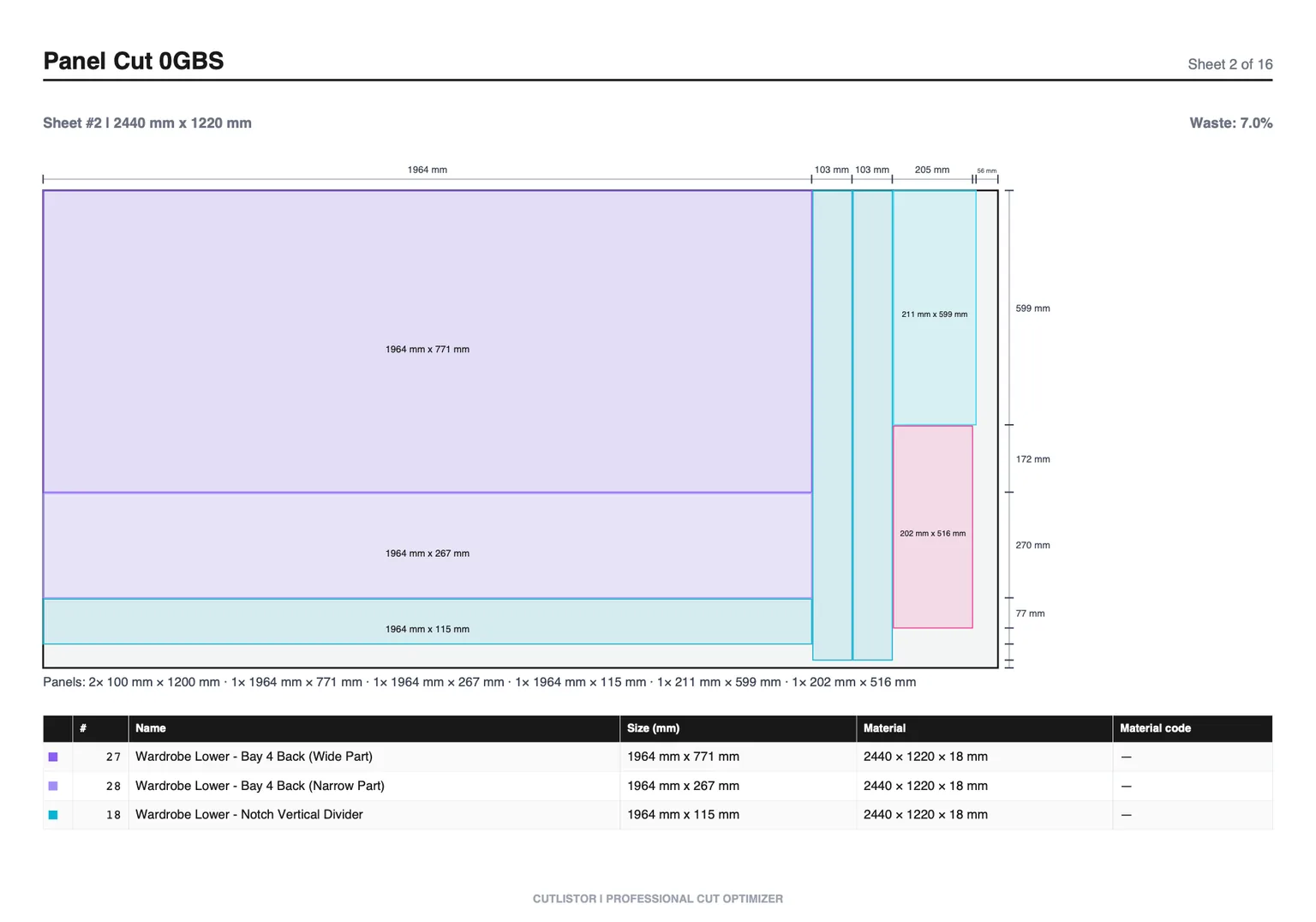
Export labeled PDF layouts for supervisors, installers, or clients who should not open CAM files. Include grain notes and part IDs matching your BOM.
Export DXF files for sheet and linear layouts when your workflow needs geometry for laser cutters, routers, and CAM post-processors — not just a PDF proof.
When CAM programming starts, programmers work from agreed dimensions and sheet count, reducing rework when someone already signed off the optimizer PDF or DXF.
Import workflows for CNC BOMs
Spreadsheet-driven shops should standardize CSV columns (name, length, width, quantity, material, grain) and import into Cutlistor instead of retyping from ERP exports.
CAD-driven shops can export GLTF, GLB, or Collada from modeling tools and use Cutlistor CAD import on paid quotas when hand entry is error-prone on large jobs.
AI plan scanning helps when you receive PDF elevations or hand-marked shop drawings without structured CAD. Verify scanned dimensions against the contract drawing before CAM.
Which optimizer should your CNC shop use?
Choose Cutlistor if:
You want browser nesting with a router/CNC layout method, real-time refresh, PDF proof packs, DXF export for CAM handoff, and CSV/XLSX import while keeping CAM for final toolpaths.
Choose CutList Optimizer if:
You need simple browser nesting for occasional panel jobs and accept manual recalculation.
Rely on CAM nesting only if:
Jobs rarely change after programming, your programmers own quoting, and non-programmers never need layout PDFs. Most mixed shops still benefit from a standalone optimizer upstream.
Conclusion
CNC shops need cut list optimizers for yield proof, labeled documentation, and fast revision before CAM locks toolpaths. Cutlistor router/CNC layout methods, real-time refresh, PDF export, and DXF export fit that upstream slot without pretending to replace post processors.
Run your next panel job through Cutlistor and your current process side by side. Compare sheet count, PDF clarity, and time to recover from a mid-job dimension change. Keep CAM for machine output; standardize the optimizer that saves programming rework.