Article · 4 min read
CutList Optimizer style workflow in Cutlistor
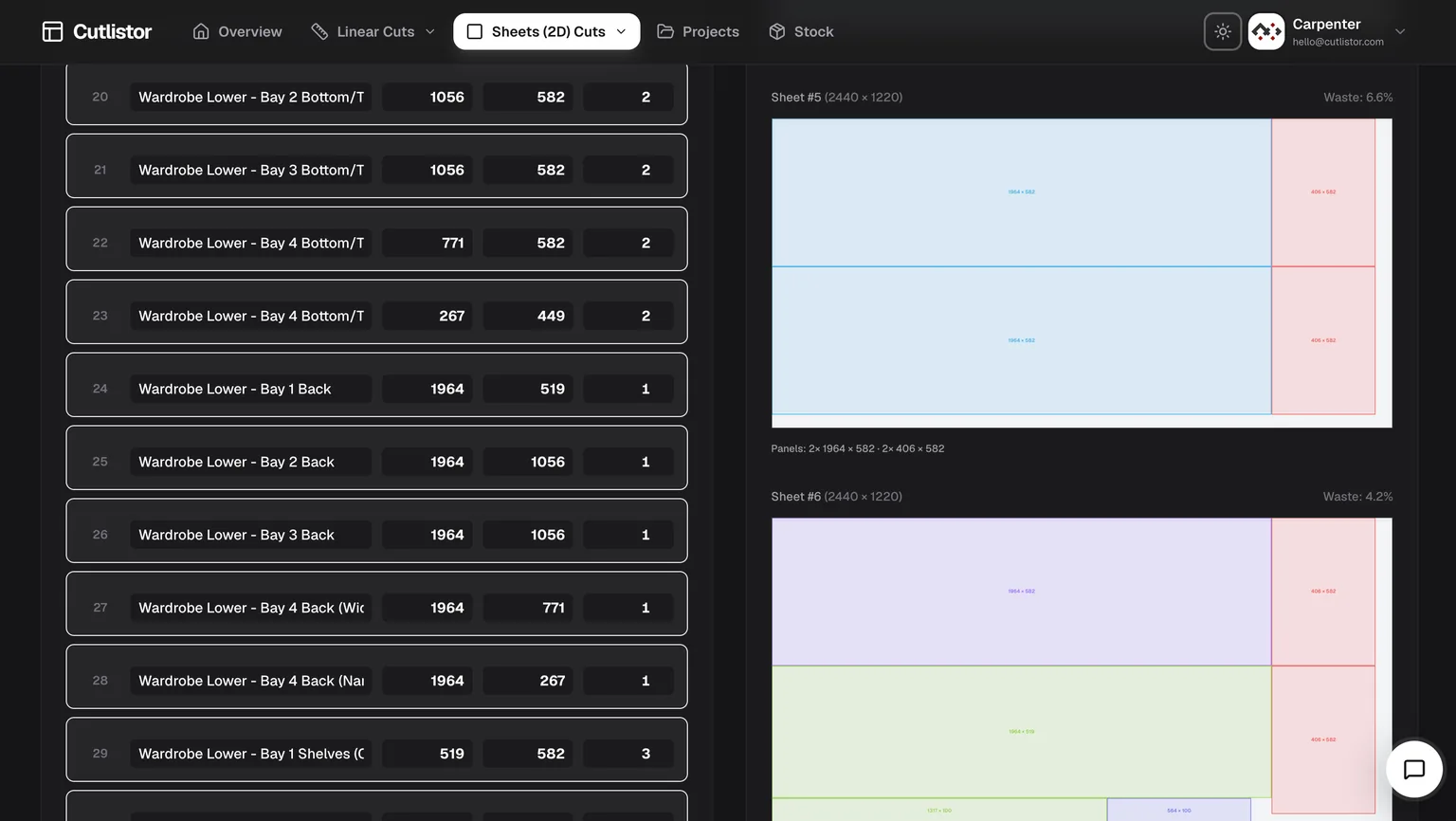
Many woodworkers search for CutList Optimizer or cutlistoptimizer.com-style tools to nest cabinet parts on sheet stock. Cutlistor provides a modern browser experience with free access to both sheet nesting and linear cutting optimizers for mixed projects — with real-time layout refresh, spreadsheet import, and optional AI plan scanning on paid plans.
What CutList Optimizer users expect
The classic online panel optimizer set the baseline: enter rectangles, set kerf and grain, calculate a nest, export a PDF. Cutlistor covers that workflow and adds features revision-heavy shops often need next.
- Sheet 2D nesting with kerf, grain, and multiple layout methods
- Dedicated linear optimizer for lumber, trim, and pipe — not just basic 1D mode
- Real-time layouts that refresh as you edit parts
- CSV/XLSX import from existing cut list spreadsheets
Feature comparison
| Capability | Cutlistor | CutList Optimizer (typical) |
|---|---|---|
| Sheet nesting | Yes — four layout methods | Yes |
| Linear optimization | Dedicated browser tool | Basic linear mode |
| Real-time editing | Yes | Manual recalculate |
| CSV/XLSX import | Yes | Limited |
| AI plan / sketch scan | Paid quotas | No |
| 3D CAD import | Paid quotas (glTF, Collada) | No |
| DXF export for CNC/CAM | Yes | No |
| Browser, no install | Yes | Yes |
| Free tier | Yes | Yes |
Pricing, side by side
CutList Optimizer publishes three tiers plus a short-term pass. Free allows 5 calculations per day and 5 saved items. Silver is $15 per month, or $13.50 per month billed yearly, for unlimited calculations, 150 saved items, priority support, premium features and the Android Pro app. Gold is $25 per month, or $22.50 billed yearly, adding high-speed calculation and 20,000 saved items. A single $4.90 payment unlocks Silver features for 3 days.
Cutlistor's free tier meters differently: editing and re-optimizing are unlimited, and only PDF export or starting a new project counts against a daily allowance of 3. Cut lists are capped at 20 rows and nothing is saved between sessions. Pro is $12 per month or $99 per year, which works out at $8.25 a month.
Three honest conclusions: on a yearly paid plan Cutlistor is cheaper than Silver by $63 a year; CutList Optimizer's free tier saves 5 items where ours saves none; and the daily numbers are not like for like, because their 5 counts every calculation while our 3 counts only PDF exports. If you have one job to cut, their $4.90 three-day pass beats subscribing to either product.
| Plan | CutList Optimizer | Cutlistor |
|---|---|---|
| Free | 5 calculations/day, 5 saved items | 3 PDF exports/day, unlimited optimizing, 20 rows, nothing saved |
| Entry paid, monthly | Silver $15/mo | Pro $12/mo |
| Entry paid, yearly | $13.50/mo ($162/yr) | $99/yr ($8.25/mo) |
| Higher tier | Gold $25/mo, 20,000 saved items | Business $25/mo, unlimited |
| Short-term pass | $4.90 for 3 days | None |
| Annual discount | 10% | 31% |
CutList Optimizer pricing checked against cutlistoptimizer.com on 23 July 2026. Verify current prices with the vendor before buying.
When to choose Cutlistor over CutList Optimizer
Choose Cutlistor when you import spreadsheet BOMs, revise dimensions constantly, mix sheet panels with linear stock, want DXF for a CNC, or want layouts that update without clicking Calculate after every edit. On yearly billing it is also the cheaper paid plan.
Stay on CutList Optimizer when you nest simple panel jobs occasionally and want work saved without paying — its free tier keeps 5 items where Cutlistor keeps none — when you want the Android Pro app, or when you have a single job and the $4.90 three-day pass is all you need.
15-minute migration test
Import the same BOM into both tools, match kerf, lock grain on visible faces, and export PDFs. Change one part width by 2 mm and time how long each tool takes to show an updated plan. Compare sheet count and diagram readability under shop lighting.
Independence note
CutList Optimizer is a separate product and trademark of its owner. Cutlistor is not affiliated with that service; this page helps you compare capabilities.
FAQ
- Is Cutlistor a free CutList Optimizer alternative?
- Yes. Cutlistor runs free sheet and linear optimizers in the browser with daily limits; accounts unlock saved projects and higher import quotas.
- Can I import my CutList Optimizer spreadsheet?
- Import CSV or XLSX using the sample headers at /samples/cutlist-import/. Column layout matches common cut list spreadsheets.
- Does Cutlistor do linear cuts too?
- Yes. A dedicated linear optimizer handles lumber, trim, pipe, and bar stock alongside sheet nesting.
Related alternatives
- Cutlist Evolution style optimization in the browserCompare part limits, pricing models, linear cutting and CNC export across the main browser optimizers, plus where Cutlist Evolution still wins.
- Real Cut 1D alternative for linear stockCompare Cutlistor with Real Cut 1D-style linear optimization: browser access, kerf-aware PDFs, and sheet plus linear tools in one product.
- OTR Cutlist alternativeOTR Cutlist alternatives compared for 2026: free browser sheet and linear optimizers with real-time layouts, kerf control, DXF export for CNC and PDF cut plans.
- GoSmarter cutting optimiser alternativeCompare GoSmarter cutting optimiser workflows with Cutlistor’s free browser sheet and linear cut list optimizers.