Article
Cutlistor vs CutList Plus: Browser Nesting vs Desktop Classic
Cutlistor Team5 min read
Introduction
Cutlistor and CutList Plus fx both help cabinet and woodworking shops nest parts and print cut plans. They differ on deployment (browser vs desktop), pricing model, and how modern spreadsheet and CNC handoffs work day to day.
This blog comparison stays practical for buy-intent readers. For the dedicated marketing compare page, see Cutlistor vs CutList Plus.
Quick Comparison
| Cutlistor | CutList Plus fx | |
|---|---|---|
| Deployment | Browser, no install | Windows desktop |
| Primary job | Sheet + linear cut list optimization | Desktop cut list and nesting |
| Cabinet design | No | No (not Cabinet Vision) |
| Spreadsheet import | CSV / XLSX | Yes (desktop workflows) |
| PDF cut plans | Yes | Yes |
| DXF export | Paid plans | Varies by version/features |
| Free access | 3 PDF exports/day (optimizing unlimited), 20 rows, nothing saved | Trial / legacy editions |
| Pricing | Published SaaS tiers | Desktop license model |
| Best for | Browser teams, Excel BOMs, mixed sheet+linear | Shops standardized on CutList Plus reports |
Deployment and Access
Cutlistor runs in any modern browser on Windows, macOS, Linux, and tablets. Estimators can nest without installing software on a shop PC image.
CutList Plus fx is a desktop application tradition. That is an advantage for offline-preferring offices and a friction point for mixed OS teams or remote estimators.
Nesting and Cabinet Workflows
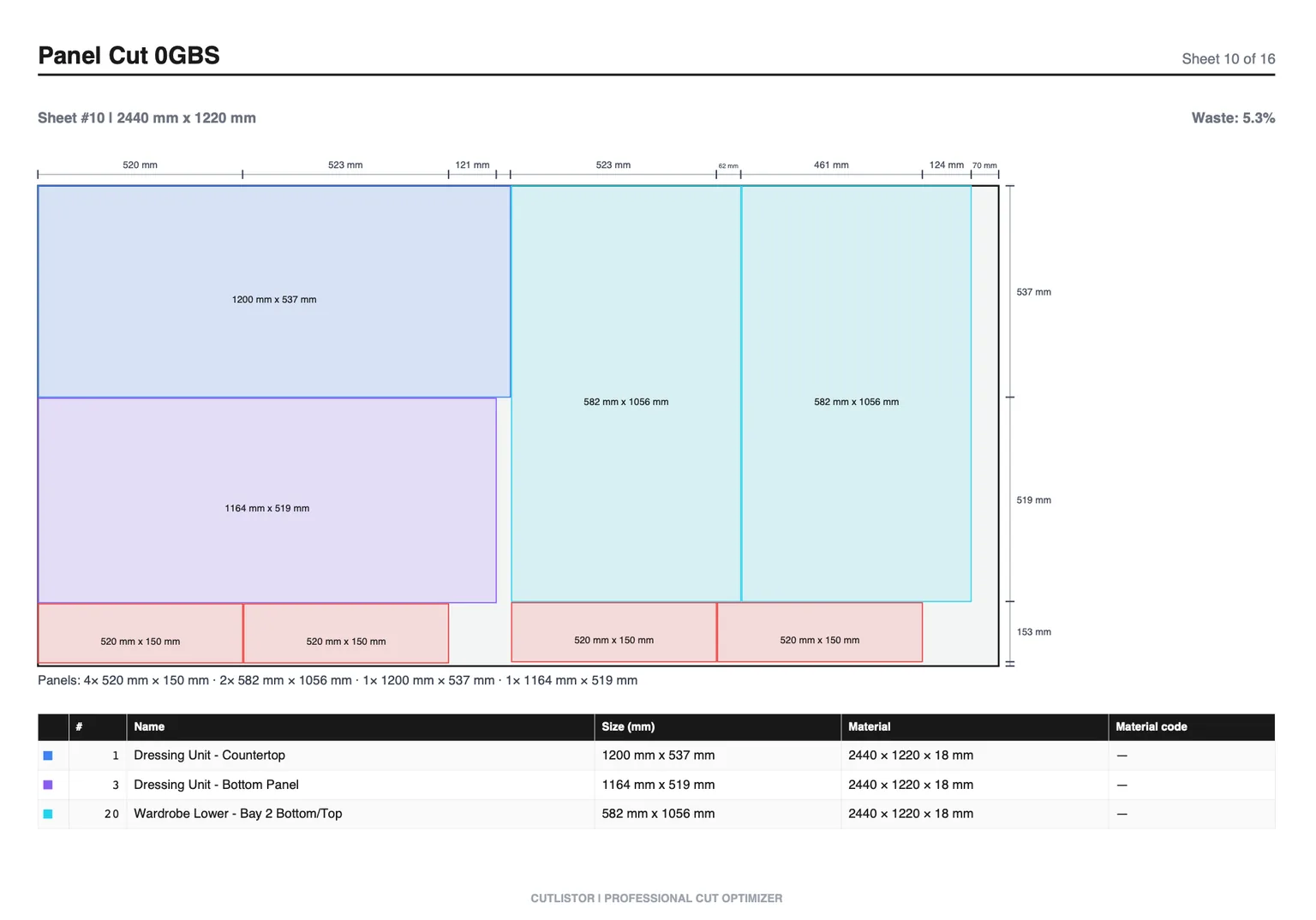
Both tools target rectangular nesting for casework panels. Cutlistor pairs 2D sheet optimization with a dedicated 1D linear optimizer for face frames, cleats, and trim. CutList Plus has long served shops that want desktop reports and established cut list habits.
Neither product is a full cabinet design suite. For rooms, construction methods, and CNC boring, look at Cabinet Vision, Mozaik, or SketchList instead.
Imports, Exports, and CNC
Cutlistor emphasizes CSV/XLSX import, PDF plans, paid DXF, plus quota-based AI plan scans and 3D mesh imports. That path fits Excel-first cabinet offices and light CNC rectangular handoff.
CutList Plus shops should evaluate their current import/export path against the BOMs they already produce. If your floor already trusts CutList Plus paperwork, switching costs are real even when a browser tool is faster for revisions.
Pricing and Free Tier
On the free plan you can edit parts and re-optimize without limit — those actions are never counted. What is counted is finished output: PDF exports and new projects draw down an allowance of 3 per day. The working list tops out at 20 rows, spreadsheet imports at 5 rows per file, and nothing persists once you leave.
Cutlistor paid plans: Pro $12/mo or $99/yr, Business $25/mo, Team $99/mo (5 seats). See /pricing for trials and current details.
CutList Plus pricing is desktop licensing; check the vendor for current editions. We do not invent competitor dollar figures here.
- 3 PDF exports per day (editing and re-optimizing unlimited)
- 20 part rows per session
- CSV/XLSX import up to 5 rows
- 3 AI plan scans and 3 3D CAD imports per month on the free tier
- No saved projects until you sign up for a paid plan
Feature-by-Feature
| Feature | Cutlistor | CutList Plus fx |
|---|---|---|
| Rectangular sheet nest | Yes | Yes |
| Linear / stick nest | Yes (dedicated 1D) | Yes (desktop cut list tradition) |
| Real-time layout refresh | Yes | Desktop recalculate model |
| Saved cloud projects | Paid | Local files |
| AI plan scan | Quota by plan | Not a core pitch |
| 3D mesh import | Quota by plan | Not a core pitch |
| True-shape CAM | No | No |
| Full cabinet designer | No | No |
Which Should You Choose?
| Choose Cutlistor when... | Choose CutList Plus when... |
|---|---|
| You want browser access and no install | Your shop is already standardized on CutList Plus |
| Excel/CSV BOM import is the daily path | Local desktop files and offline use are required |
| You need sheet + linear in one SaaS tool | Existing reports/training investment is high |
| You want published monthly/yearly pricing | Desktop licensing fits purchasing policy |
| Multiple estimators nest remotely | Single office PC owns nesting |
Buying Reality Check for Shops
When you evaluate tools around “Cutlistor vs CutList Plus: Browser Nesting vs Desktop Classic”, score them against last month’s real jobs—not a vendor feature matrix. Count how many sheet sizes you buy, whether grain lock matters on your doors, and whether your office lives in Excel or a design suite.
The practical difference is where each tool puts its weight. One assumes you arrive with parts and want them nested and exported now; the other assumes you want cabinets generated from dimensions first. Neither answer is wrong, but buying against the wrong assumption is how shops end up with a licence nobody opens.
Give each tool the same real job and compare the outputs side by side: sheet count, time to first usable plan, and how painful a mid-job revision turns out to be. That last one decides most renewals.
Record which tool you settled on and the reason, so the comparison does not get re-run at every renewal.
- Can you re-nest after a mid-job revision without rebuilding the BOM?
- Do PDF plans match how your sawyers actually stage sheets?
- Are free-tier caps honest enough for a real pilot week?
- Does the tool do sheet and linear, or only one of them?
Conclusion
Cutlistor vs CutList Plus is browser SaaS versus desktop classic. Cutlistor wins remote access, transparent pricing, and modern import/DXF paths with clear free-tier meters. CutList Plus wins when your shop already runs on its desktop reports and offline habits.
Read the full feature marketing page at /compare/cutlistor-vs-cutlist-plus, then nest a real cabinet BOM in Cutlistor before you switch tools.