Article
Manual Cut Lists vs Cut List Optimization Software
Cutlistor Team3 min read
Introduction
Every woodworker starts with a manual cut list—notebook, whiteboard, or Excel. Optimization software does not replace the idea of a cut list; it replaces the guessing that happens when you try to pack parts onto sheets and sticks by eye.
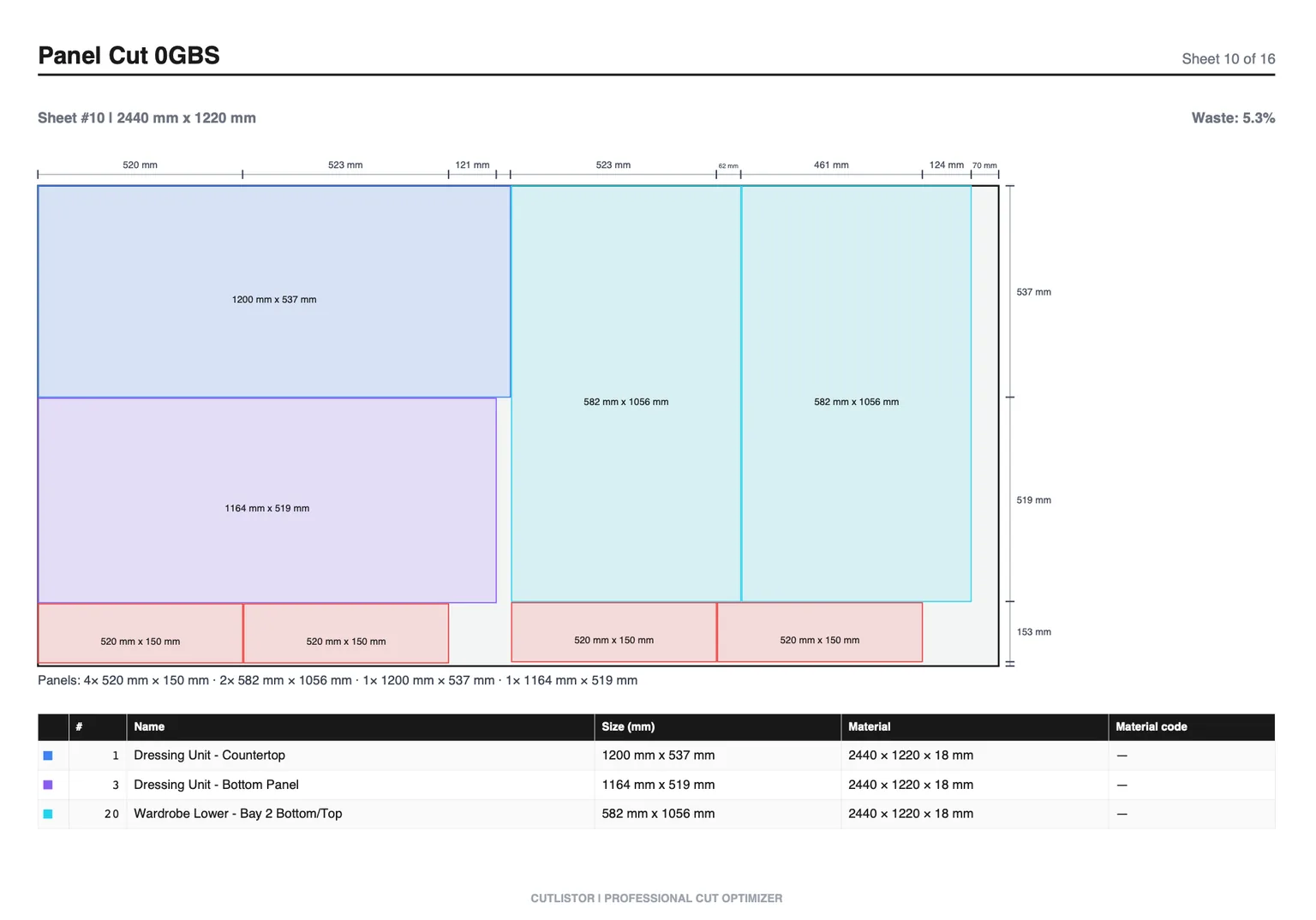
This comparison is practical: what manual methods do well, where they fail, and how browser-based tools like Cutlistor change the workflow without forcing a desktop CAD install.
What “manual” usually means
| Manual artifact | Strength | Weakness |
|---|---|---|
| Notebook list | Fast for tiny jobs | No yield math; easy to miss parts |
| Excel BOM | Great for quotes & revisions | Poor rectangle / stick packing |
| Pencil nest on sheet | Visual for one sheet | Fails at scale; kerf often ignored |
| Memory / tribal knowledge | Zero tooling | Not transferable; fragile |
What cut list optimization software adds
On the free plan you can edit parts and re-optimize without limit — those actions are never counted. What is counted is finished output: PDF exports and new projects draw down an allowance of 3 per day. The working list tops out at 20 rows, spreadsheet imports at 5 rows per file, and nothing persists once you leave.
Head-to-head comparison
| Criterion | Manual / Excel only | Cut list optimizer |
|---|---|---|
| Part inventory accuracy | Good if careful | Good + import reduces retype errors |
| Sheet yield | Variable; often low | Systematically higher with kerf |
| Linear stick packing | Tedious | Dedicated 1D solve |
| Revision speed | Edit cells; redraw nest by hand | Edit row; layout refreshes |
| Shop communication | Verbal / sketch | Labeled PDF (DXF paid) |
| Learning curve | None | Short for browser tools |
| Best job size | Jigs, 1–2 sheets | Cabinets, furniture, trim packages |
When manual still wins
One shelf from scrap, a single cleat, or a prototype with sizes changing every ten minutes may not need a nest. Manual is also fine for pure BOM tracking if someone else already nested. The failure mode is using manual nesting for multi-sheet cabinets out of habit.
The hybrid workflow most shops want
Keep Excel (or your CAD BOM) for pricing and client revisions. Import into Cutlistor for nesting. Export PDF for the saw. That is Cutlistor vs Excel as complements, not enemies.
- BOM & quote live in spreadsheet or job software
- CSV/XLSX import into sheet and linear optimizers
- Kerf + grain set once per material run
- PDF cut plan is the floor document of record
- Re-import when the BOM revision changes
Error modes compared
| Error | Manual risk | Software mitigation |
|---|---|---|
| Missed part | High on long lists | Import from source BOM |
| Ignored kerf | Very common | Explicit kerf setting |
| Wrong grain | Easy on sketches | Per-part grain lock |
| Stale nest after change | Redraw forgotten | Real-time re-optimize |
| Mixed job parts | Sorting chaos | Label prefixes + PDF |
Choosing for your shop size
Hobbyists and small shops can start on the free tier. Growing cabinet and furniture shops should evaluate paid features (saved projects, DXF, higher import quotas). See dedicated small-shop and furniture-maker guides plus 2026 roundups.
Next steps
If you are still building your first structured list, start with how to make a cut list. Then run the optimizer tutorial on a real past job and compare sheet counts.