Article
Cut List Software for Face-Frame Cabinets: Sheets Plus Stick Nesting
Cutlistor Team4 min read
Introduction
Face-frame cabinet shops run two cut problems at once: sheet goods for boxes and linear stock for rails, stiles, mullions, and sometimes door frames. Software that only nests panels leaves half the waste on the table.
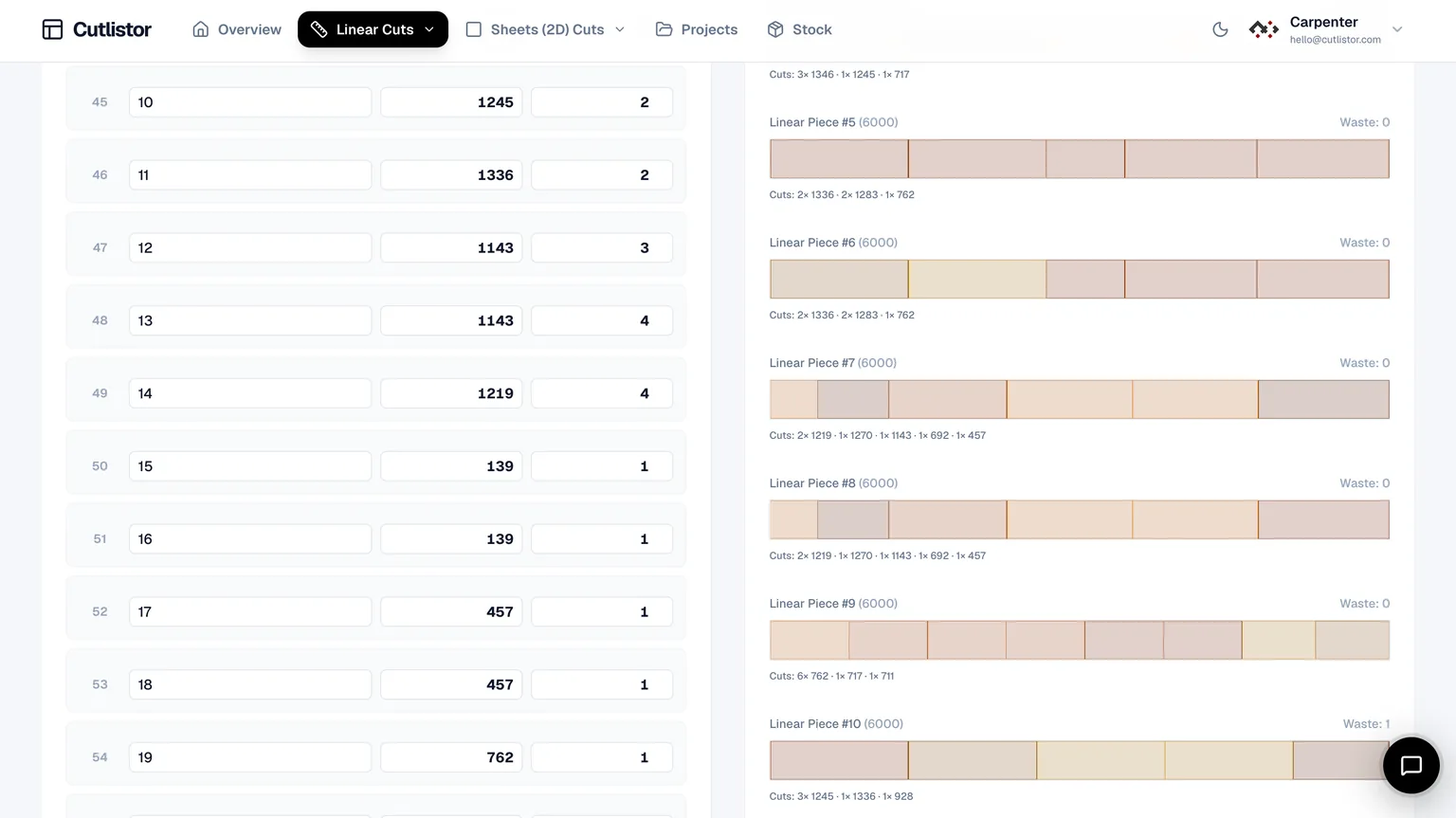
This guide shows what face-frame teams should demand from cut list software and how Cutlistor pairs sheet and linear optimizers. For frameless-only shops, see the frameless companion.
Two Problems, One Job
| Face-frame component | Stock | Optimizer |
|---|---|---|
| Sides, bottoms, shelves, backs | Plywood / melamine sheet | 2D sheet nest |
| Rails and stiles | Hardwood or plywood strips | 1D linear nest |
| Mid-stiles / mullions | Stick stock | 1D linear nest |
| Toe kicks / cleats | Sheet rip or stick | 1D (sometimes 2D) |
| Doors (frame & panel) | Mix of sticks + panels | Both tools |
Buying Requirements for Face-Frame Shops
- Sheet nesting with kerf and grain for carcass plywood
- True linear optimization on supplier stick lengths
- BOM import that can split panels vs frame members
- PDF plans labeled so frame parts do not mix with case parts
- Revision speed when a stile width or opening changes
- Optional DXF if CNC cuts rectangular panels after frames are planned
Cutlistor for Face-Frame Work
Run carcass panels in the sheet optimizer and frame members in the linear optimizer. Keep Excel as the quote workbook; import each list separately so hardware never enters a nest.
On the free plan you can edit parts and re-optimize without limit — those actions are never counted. What is counted is finished output: PDF exports and new projects draw down an allowance of 3 per day. The working list tops out at 20 rows, spreadsheet imports at 5 rows per file, and nothing persists once you leave.
Paid plans unlock larger imports, saved projects, and DXF. Pro starts at $12/mo or $99/yr. Cutlistor does not replace face-frame design rules inside Cabinet Vision or SketchList.
- 3 PDF exports per day (editing and re-optimizing unlimited)
- 20 part rows per session
- CSV/XLSX import up to 5 rows
- 3 AI plan scans and 3 3D CAD imports per month on the free tier
- No saved projects until you sign up for a paid plan
- Sheet + linear in one browser product
- Not a full face-frame designer or CNC boring package
Recommended Face-Frame Nest Workflow
- Step 1: Finalize openings and frame member sizes in design or Excel
- Step 2: Export/import sheet parts; nest with kerf and grain
- Step 3: Export/import rails and stiles; nest on real stick lengths
- Step 4: Print separate PDFs (or clearly labeled sections) for saw and chopsaw
- Step 5: Re-run linear nest when a single opening width changes; do not hand-edit stick maps
Other Tools Face-Frame Shops Compare
| Tool | Sheet | Linear / frames | Notes |
|---|---|---|---|
| Cutlistor | Yes | Dedicated 1D | Browser; strong Excel path |
| CutList Plus fx | Yes | Yes (desktop tradition) | Offline shops |
| CutList Optimizer | Yes | Basic | Small lists |
| OptiCutter / MaxCut | Yes | Varies | Evaluate stick workflows |
| Cabinet Vision / SketchList | Via suite | Via construction | Design + machining |
| Excel alone | No nest | Manual stick math | Quotes only |
Common Face-Frame Mistakes
- Nesting rails as skinny sheet parts (wrong kerf model, wrong stock)
- Ignoring stick kerf on the chopsaw while obsessing over panel saw kerf
- Mixing species or thicknesses in one linear nest
- Updating the case nest after a design change but forgetting the frame list
- Expecting cut list software to invent joinery and cope angles
Buying Reality Check for Shops
When you evaluate tools around “Cut List Software for Face-Frame Cabinets: Sheets Plus Stick Nesting”, score them against last month’s real jobs—not a vendor feature matrix. Count how many sheet sizes you buy, whether grain lock matters on your doors, and whether your office lives in Excel or a design suite.
Face-frame shops need two optimizers, not one: sheet nesting for carcasses and linear optimization for stile and rail stock. Tools that only do sheets leave you estimating hardwood by hand, which is usually where the money actually leaks.
Pilot a job that includes both carcasses and face frames, and check that the hardwood side is handled as well as the sheet side. Shops that only test the plywood half discover the gap on the next job.
Write the face-frame conventions down once. Stile and rail assumptions are exactly what drifts between builds.
- Can you re-nest after a mid-job revision without rebuilding the BOM?
- Do PDF plans match how your sawyers actually stage sheets?
- Are free-tier caps honest enough for a real pilot week?
- Does the tool do sheet and linear, or only one of them?
Conclusion
Cut list software for face-frame cabinets must win on both sheets and sticks. Cutlistor is built for that split: browser sheet nesting plus a real linear optimizer, with honest limits on design and CAM. Keep Excel for quotes; keep design suites when construction and CNC own the product.
Pack a frame list on the free linear optimizer and nest carcass panels on the free sheet tool before your next hardwood order.