Guide · 3 min read
How to build a cabinet cut list
Cabinetmakers often blend dozens of rectangles across a small set of sheets. This guide covers what belongs on a cabinet cut list and how nesting shows how many sheets you really need before you rip the first ply. The workflow is the same for frameless melamine runs, face-frame shops on plywood, and mixed interior batches: capture finished sizes, group by stock SKU, nest with kerf, export PDFs the floor can follow. Prefer to skip straight to the tool? The cabinet cut list calculator link below opens the sheet optimizer directly.
What belongs on a cabinet cut list
Include cabinet sides, stretchers, shelves, decks, toe kicks, fillers, backs, drawer parts, and door parts with finished sizes and quantities.
Separate interior melamine panels from veneer core if buying stock differently; mismatched thickness is a classic source of wrong reveals.
Tag material codes per SKU so the optimizer nests each thickness on the correct stock entry.
From cut list to nested layout
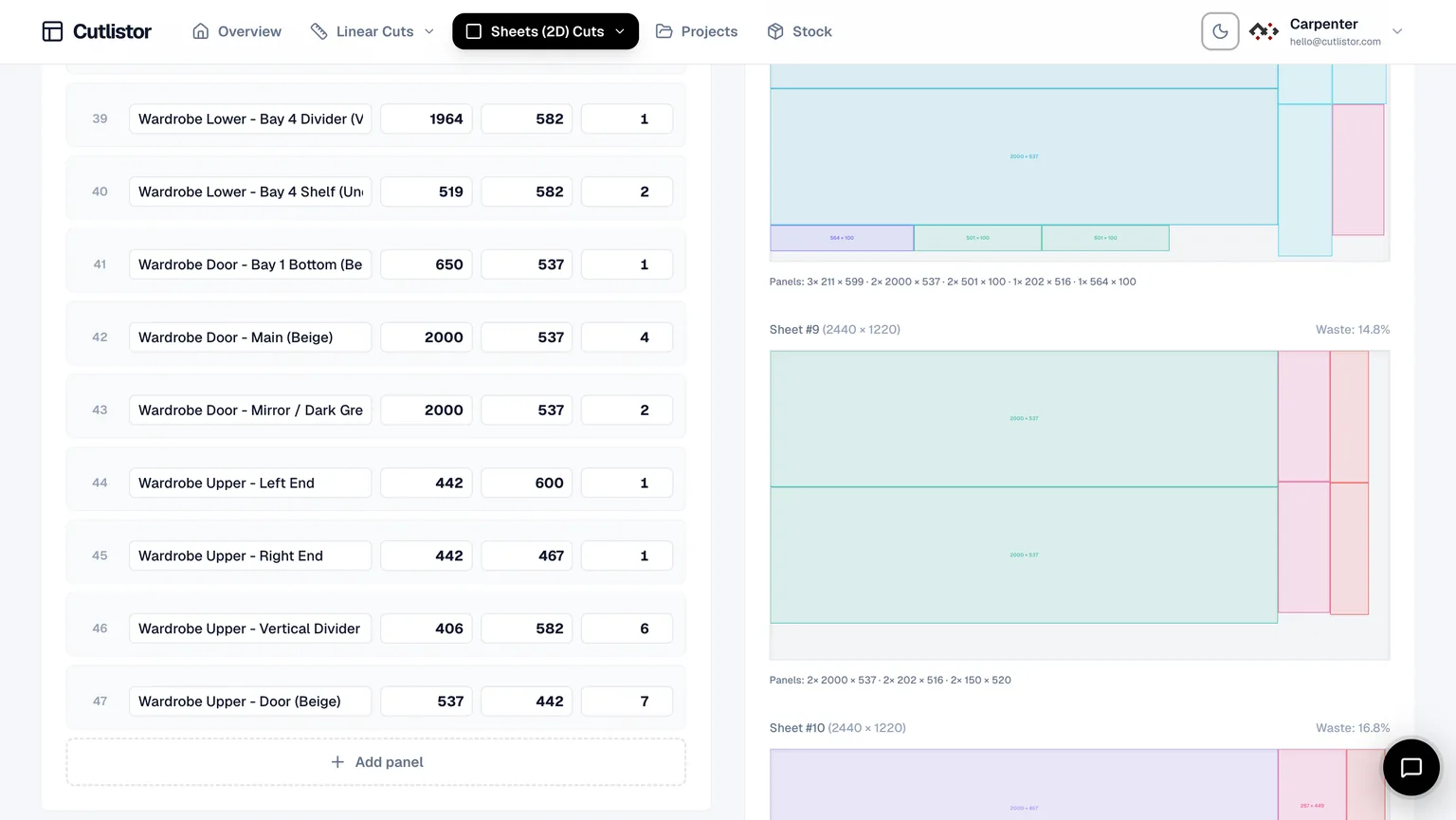
Once parts exist, the sheet optimizer places them on real stock sizes, subtracts kerf, and lets you export a PDF for the floor. That is cabinet cut list optimization with software instead of hand sketches.
Switch layout methods to match production: rips and rows for panel saw crews, least waste when sheet cost dominates, router-style packing for CNC tables.
Lock grain on visible doors and end panels before accepting a layout.
Frameless vs face frame sizing notes
Frameless cases often use full-height sides with separate decks and stretchers. Face-frame shops may size cases differently but still nest the same rectangles once engineering is done.
The optimizer does not replace construction method decisions. It keeps purchased sheet counts honest once your part list is final.
Worked example: base cabinet row
Three 610 mm wide base cabinets on 18 mm melamine might include six sides at 720×560 mm, three decks at 568×560 mm, six shelves at 448×560 mm, and three backs at 720×568 mm on 2440×1220 mm stock.
Set kerf near 3.2 mm, run the layout, and read sheet count before ordering melamine.
Pair with linear cuts
Cleats, nailers, and toe-kick strips often come from dimensional lumber. Run those in the linear optimizer while panels stay in the sheet tool.
Import and documentation
Import CSV or XLSX cabinet BOMs from /samples/cutlist-import/ when design lives in a spreadsheet. Export nested PDFs per room or elevation.
FAQ
- Melamine or plywood for cabinet sides?
- Both nest the same way once you enter the correct stock SKU. Use separate material codes when you buy both.
- Does Cutlistor handle edge banding?
- You can track edge-banding flags while planning. Finished sizes should reflect banding allowance before nesting.
- How many sheets will my kitchen need?
- Enter all parts and run the sheet optimizer. It reports sheet count from nested layouts.
- Can I save cabinet jobs?
- Paid plans include saved projects. Free tools prove yield first.
- Frameless and face frame the same?
- Part lists differ by method, but nesting workflow is identical once sizes are final.
Related guides
- Linear cut list calculator for 1D stockLinear cut list calculator guide: 1D cutting, kerf, stock lengths, use cases for lumber and pipe, and Cutlistor’s free linear cut list optimizer.
- The cutting stock problem in workshopsPlain-language guide to the cutting stock problem in woodworking: 1D bar cutting vs 2D sheet nesting, heuristics, and practical tools including Cutlistor.
- 1D cutting optimizer explainedWhat a 1D cutting optimizer does for lumber, pipe, and bar stock, how kerf changes results, and how to try Cutlistor’s free linear optimizer online.
- 2D nesting optimizer for sheet goodsOverview of 2D nesting for sheet goods: rectangles, kerf, grain, yield, and Cutlistor’s free browser-based sheet cut list optimizer.