Guide · 3 min read
2D nesting optimizer for sheet goods
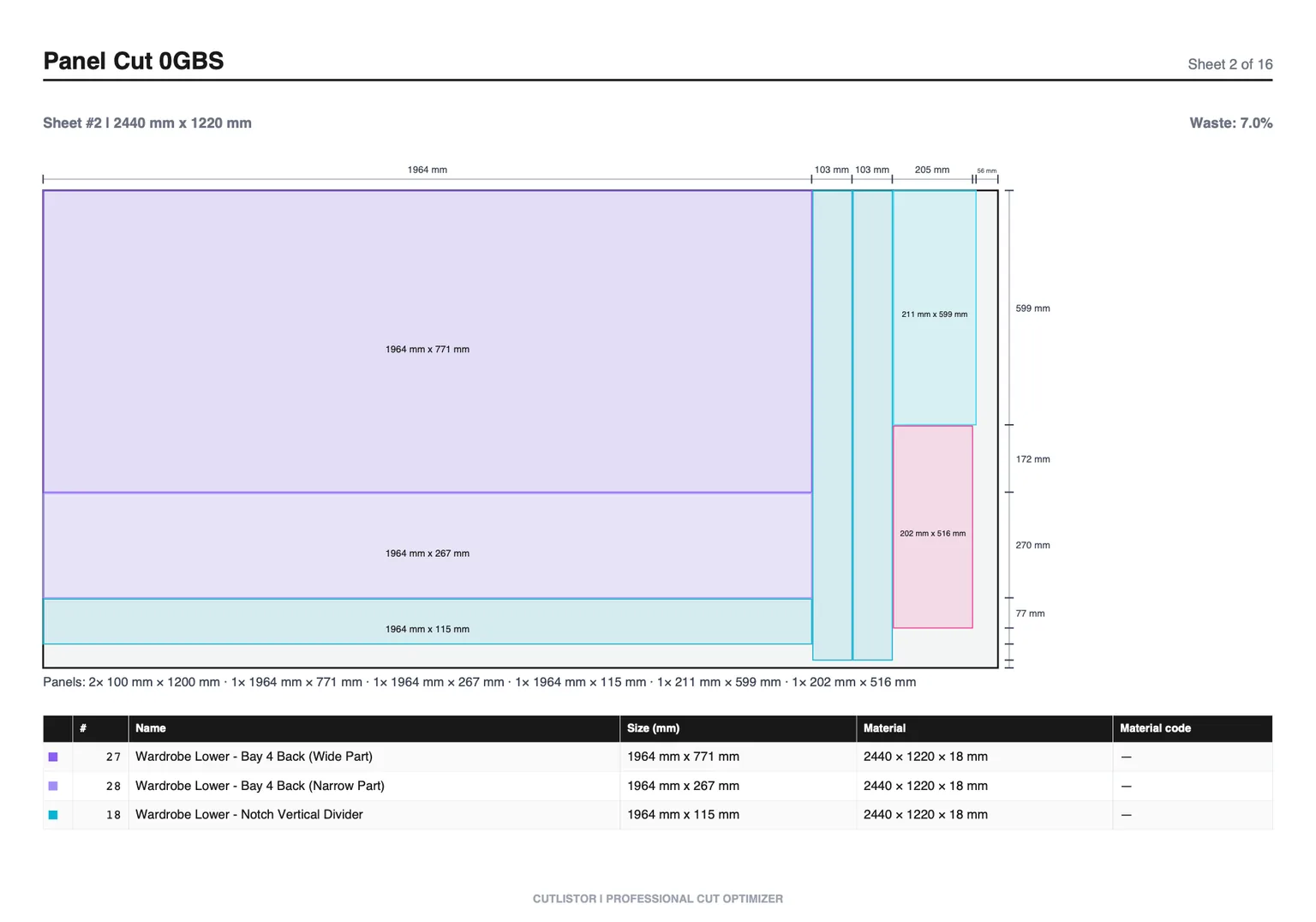
A 2D nesting optimizer places parts on rectangular sheets. Cabinet cases, furniture panels, and architectural casework all depend on this workflow when you buy 4×8 or metric full sheets. The optimizer packs rectangles, subtracts kerf, respects grain when configured, and reports how many sheets to pull.
Why nesting is harder than it looks
Kerf, grain direction, edge banding, and common sheet sizes all constrain good layouts. Software keeps you from inventing a plan that cannot be cut on your table saw or CNC bridge.
Yield percentage compares finished part area to purchased panel area. Low yield often traces to locked grain, mixed thicknesses, or one oversized part forcing an extra sheet.
Layout methods for different shops
Rips and rows suits panel saw crews. Least waste pushes material savings. Router and CNC layouts help dense packs when spoilboard spacing is set.
Switch methods on the same part list to see which matches floor habits before exporting PDFs.
Grain and rotation
Premium plywood and melamine doors often cannot rotate freely. Lock grain on show faces before accepting a nest.
Interior carcass parts may rotate freely when finish and structure allow, which can recover yield.
Stock size honesty
Enter 2440×1220 mm, 96×48 in, 5×5 Baltic birch, or pre-cut remnant sizes exactly as purchased. Wrong stock dimensions invalidate sheet counts.
Worked example
A batch of bookcase sides, shelves, and backs on birch ply: list rectangles, set kerf, run nest, export PDF, adjust one shelf depth and recalculate in seconds.
Import and export
Import CSV/XLSX from /samples/cutlist-import/. Export kerf-aware PDFs and DXF for CNC/CAM handoff. Paid plans add AI plan scanning and 3D CAD import when you want to skip manual entry.
Common 2D nesting mistakes
Fix inputs first, then compare layout methods. Yield changes are often input problems, not algorithm problems.
- Entering textbook 4×8 instead of actual purchased sheet size
- Setting kerf to zero on dense nests
- Mixing thicknesses on one stock row
- Forgetting grain locks on visible plywood faces
FAQ
- What is 2D nesting?
- Packing rectangular parts on sheet stock with kerf and optional grain rules.
- Does Cutlistor rotate parts?
- Yes where grain and settings allow.
- Which sheet sizes?
- Any rectangle you enter: metric, imperial, or custom remnants.
- CNC and table saw?
- Pick layout methods that match your equipment and crew.
- Free tool?
- Yes. Browser sheet optimizer with daily free-tier limits.
Related guides
- Guillotine cutting on panel stockWhat guillotine-style cuts mean for nested panels, how they differ from freeform nesting, and how Cutlistor helps you plan practical shop cuts.
- Cut list optimization workflowCut list optimization techniques: stock setup, kerf discipline, sheet vs linear choice, and free tools on Cutlistor for instant cut layouts.
- Cut list template: columns, samples, and PDF exportWhat belongs on a cut list template: part columns for CSV/XLSX import, sample spreadsheets, and how to export kerf-aware PDF cut plans from Cutlistor.
- What is a cut list?A cut list is the table of parts to be cut from stock, with sizes and quantities. What it contains, how it differs from a BOM, and how shops actually use it.