Guide · 6 min read
What is a cut list?
A cut list (also called a cutting list) is a structured inventory of every piece you must cut before assembly: finished sizes, quantities, and material. It is the bridge between design dimensions and what actually happens at the saw, panel saw, or CNC table. Unlike a shopping list of SKUs, a cut list answers how long and how wide each part should be after allowances, and how many copies you need. Shops use cut lists in framing, finish carpentry, cabinetry, metal fabrication, and anywhere purchased stock gets subdivided into buildable pieces.
Cut list vs bill of materials
A bill of materials (BOM) often tracks what to buy: SKUs, vendors, rough lengths, hardware kits, and lump quantities. It is essential for purchasing and estimating, but it may not tell the saw operator where to set the fence on Tuesday morning.
A cut list specifies buildable numbers: finished length and width (for panels), finished length only (for sticks and bar stock), quantity per size, and which material batch each part comes from. Kerf belongs in the optimizer, not scribbled in the margin of a BOM line.
Many jobs need both documents. The BOM gets plywood onto the truck; the cut list tells you how to divide each sheet into sides, shelves, and backs with minimal scrap.
What every cut list should include
At minimum each line needs a part name, finished dimensions, quantity, and material reference. Names matter when similar sizes differ by role: left side vs right side, or upper stretcher vs lower stretcher.
Sheet cut lists add a second dimension (width) because panels are nested in two axes. Linear cut lists only need length because the stock is treated as one-dimensional bars or sticks.
Optional fields improve downstream work: grain direction on visible plywood, edge banding notes, room or elevation tags, and miter angles on trim (supported in Cutlistor dashboard projects on linear parts).
| Field | Sheet job example | Linear job example |
|---|---|---|
| Part name | Cabinet side left | Stud wall C |
| Finished size | 1829 × 610 mm | 2438 mm long |
| Quantity | 1 | 12 |
| Material | 18 mm birch ply | SPF 2×4 × 8 ft |
| Notes | Grain vertical, band top edge | Precut for 8 ft plate |
Cut lists in construction and site work
Framing crews think in linear cut lists: studs, plates, headers, blocking, and jack studs cut from 8 ft, 10 ft, or 12 ft bundles. The math is 1D: total inches of parts plus kerf compared to stick length purchased.
Finish carpentry adds long trim runs, crown miters, and casing lengths. Even when pieces look flat, the planning problem is still length nesting on purchased sticks unless you are machining sheet goods for built-up assemblies.
Roof and floor sheathing can be modeled as sheet cut lists: each rectangle is a panel patch or full sheet placement on OSB or plywood. Openings become explicit part sizes rather than vague field notes.
Cut lists in cabinetry and casework
Cabinet shops typically run two parallel lists. Panel parts (sides, decks, shelves, backs, toe skins) live on a sheet cut list with grain and edge-band rules. Cleats, face frames, or hardwood edging may move to a linear list when bought as dimensional lumber.
Repeatability is the hidden value. A base cabinet line might always use the same side height with only width changing. Capturing those as rows with quantities lets optimizers reuse patterns job to job.
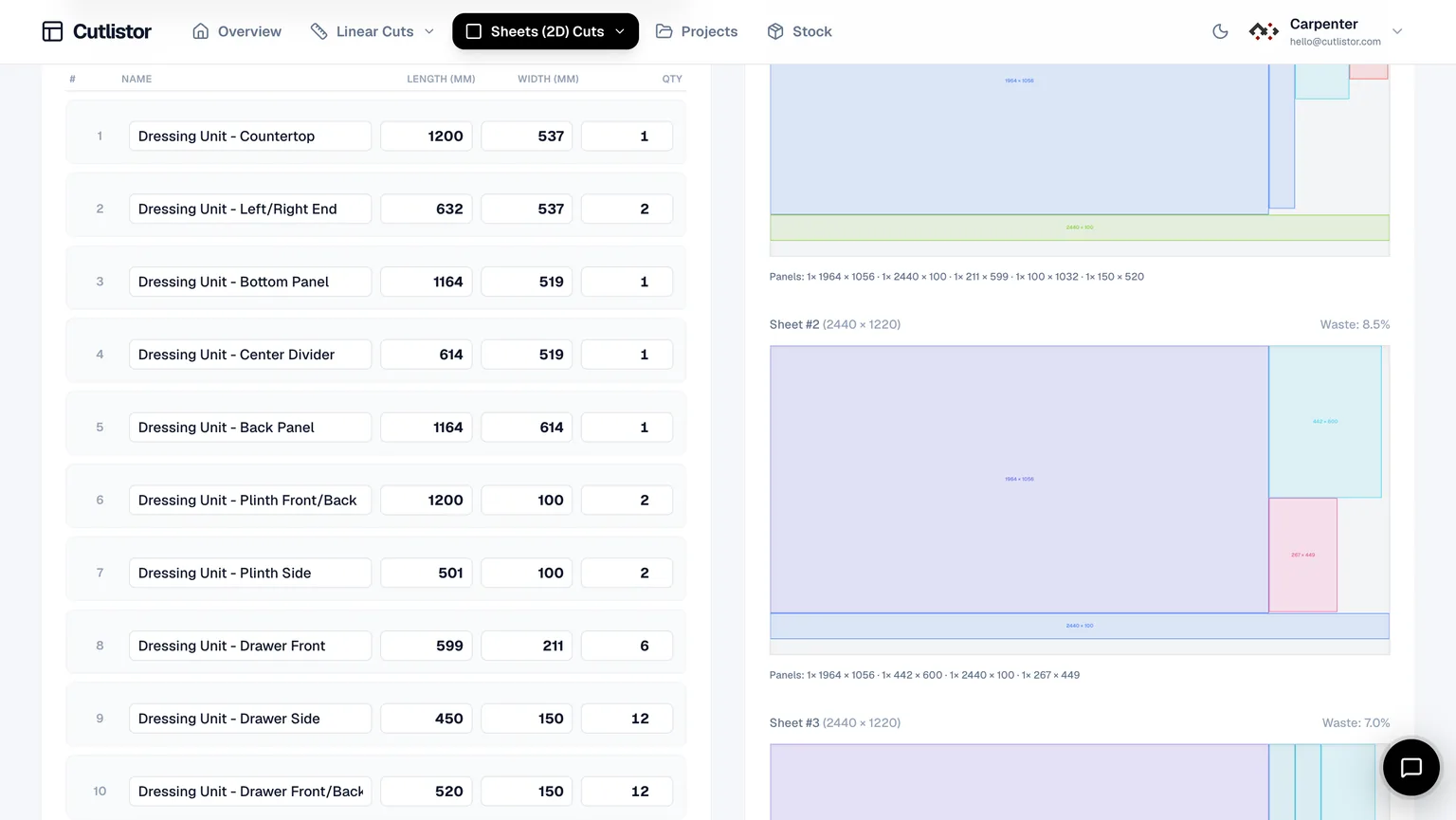
Cutlistor connects the list to layout: import or type parts, nest on real stock sizes, subtract kerf, and export PDF diagrams so assemblers see the same numbers the saw room used.
Worked example: one base cabinet wall
Consider a 610 mm wide × 720 mm tall base box in 18 mm melamine, stock 2750×1830 mm sheets. Finished parts might be: sides 720×610 qty 2, bottom 568×610 qty 1, shelf 568×610 qty 1, back 720×568 qty 1 (thinner back material if you track it separately).
Those five lines are the cut list. Purchasing might only say two sheets of white melamine 18 mm, but optimization might prove you only need one sheet plus a small offcut if nesting is tight and kerf is honest.
If the designer widens the cabinet to 760 mm, every 610 mm width becomes 760 mm. A spreadsheet or Cutlistor table update propagates to a new nested layout without redrawing by hand.
From cut list to optimized cut plan
A cut list alone does not show where each rectangle sits on sheet two. That is the job of a cut list optimizer. Cutlistor provides free browser tools for sheet nesting and linear length nesting with PDF export.
Workflow: finalize finished sizes, choose stock SKU dimensions, set kerf, pick a layout method on sheets, review yield, export PDF. Saved projects on paid plans keep stock libraries and larger jobs organized.
If you are starting from Excel, use the column templates in the cut list template guide and import CSV or XLSX rather than retyping dozens of rows.
FAQ
- What is a cutting list?
- Cutting list is another name for cut list. UK and US shops use the terms interchangeably.
- Should the cut list show rough or finished sizes?
- List finished sizes after squaring, edge treatment, and design allowances. Put kerf in the optimizer so layouts match actual blade loss.
- Is a cut list the same as a cut plan?
- The cut list is the data (parts and sizes). The cut plan adds layout: where each part sits on stock. Cutlistor generates both from the same inputs.
- Do I need separate lists for sheet and linear parts?
- Yes when materials differ. Run panels in the sheet optimizer and sticks in the linear optimizer. Mixed jobs are normal in cabinetry.
- Can Cutlistor build a cut list from a sketch?
- On supported plans you can use AI plan scanning to extract part rows from PDFs or sketches, then edit before optimizing. Free accounts include limited monthly AI imports.
Related guides
- What is material grouping?Material grouping splits a cut list by thickness, finish, and stock SKU so each batch nests on the right sheet or stick — without mixing melamine and plywood.
- Cutting plan efficiency explainedWhat cutting plan efficiency means, how yield is measured on sheet and linear jobs, and how linear cutting optimisation software improves results.
- Length nesting for linear stockLength nesting for lumber, pipe, and bar stock: how 1D nesting works, kerf, stock lengths, and Cutlistor’s free linear cut list optimizer.
- Cut list software that runs in your browserCut list software comparison: browser-based sheet and linear optimizers, AI plan scan, 3D CAD import, PDF and DXF export. No PC download required.