Guide · 4 min read
Cutting list optimization that works in real shops
Cutting list optimization is the practice of planning cuts so you buy the right amount of material, avoid surprise scrap, and keep assemblies moving. For sheet stock you need two-dimensional nesting; for dimensional lumber or bar stock you need one-dimensional (linear) planning with kerf between cuts. Good optimization starts with honest inputs: real purchased sizes, measured kerf, and finished part dimensions your crew will actually cut.
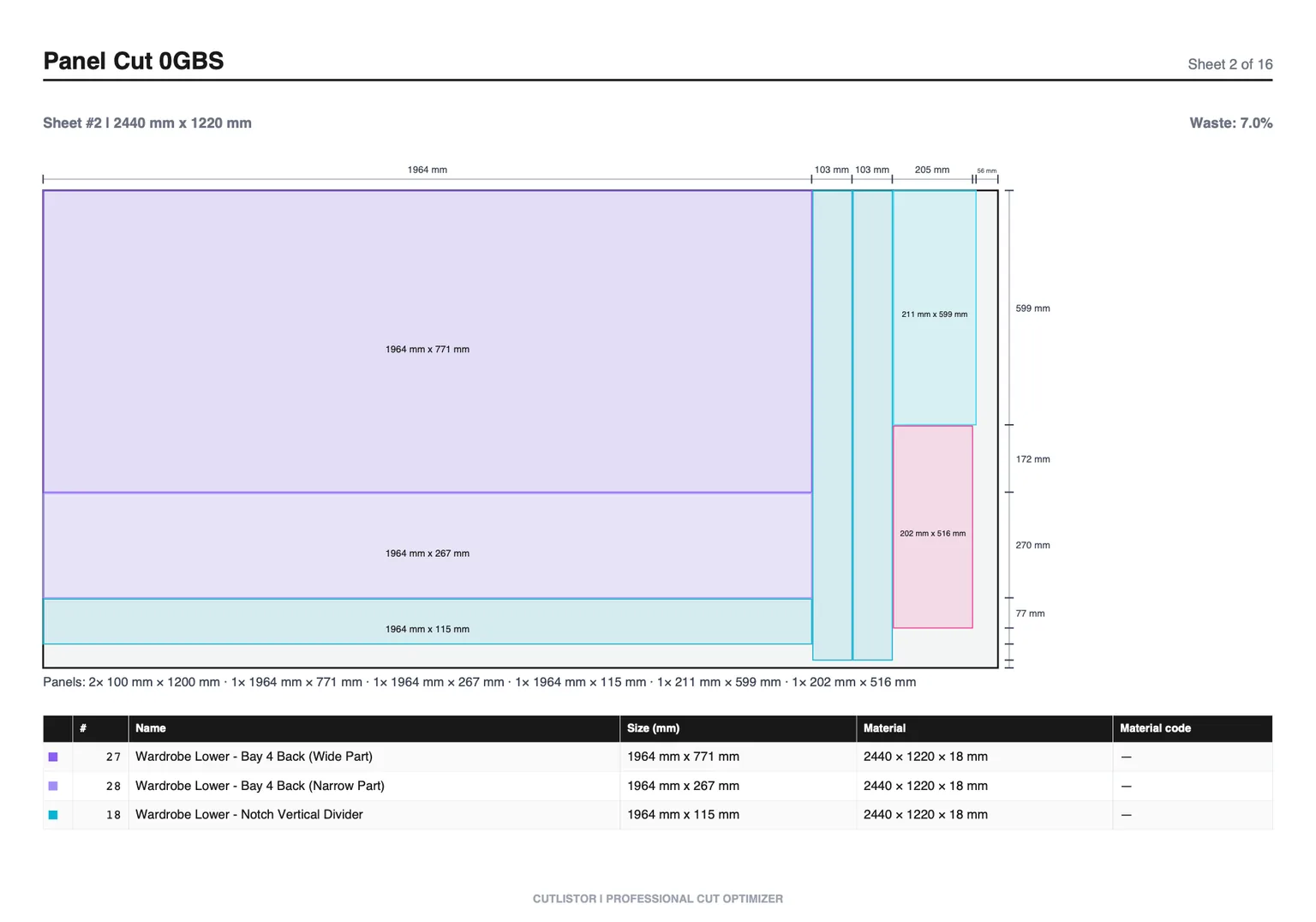
Optimize cutting lists on plywood and panels
Panel jobs benefit from a sheet cutting optimizer mindset: standard sheet sizes, grain direction, edge banding, and kerf all change what optimal looks like. Cutlistor’s free sheet tool keeps those constraints visible while you iterate.
Enter the sheet SKU you buy (2440×1220 mm, 96×48 in, or a pre-cut remnant size). List every rectangle with width, height, and quantity. Set kerf to your blade or router bit, then compare layout methods before committing to a purchase order.
Yield percentage tells you how much of the purchased panel area becomes finished parts. When yield drops, check grain locks, mixed thicknesses, or parts that belong on a different stock code.
Optimize linear cutting lists
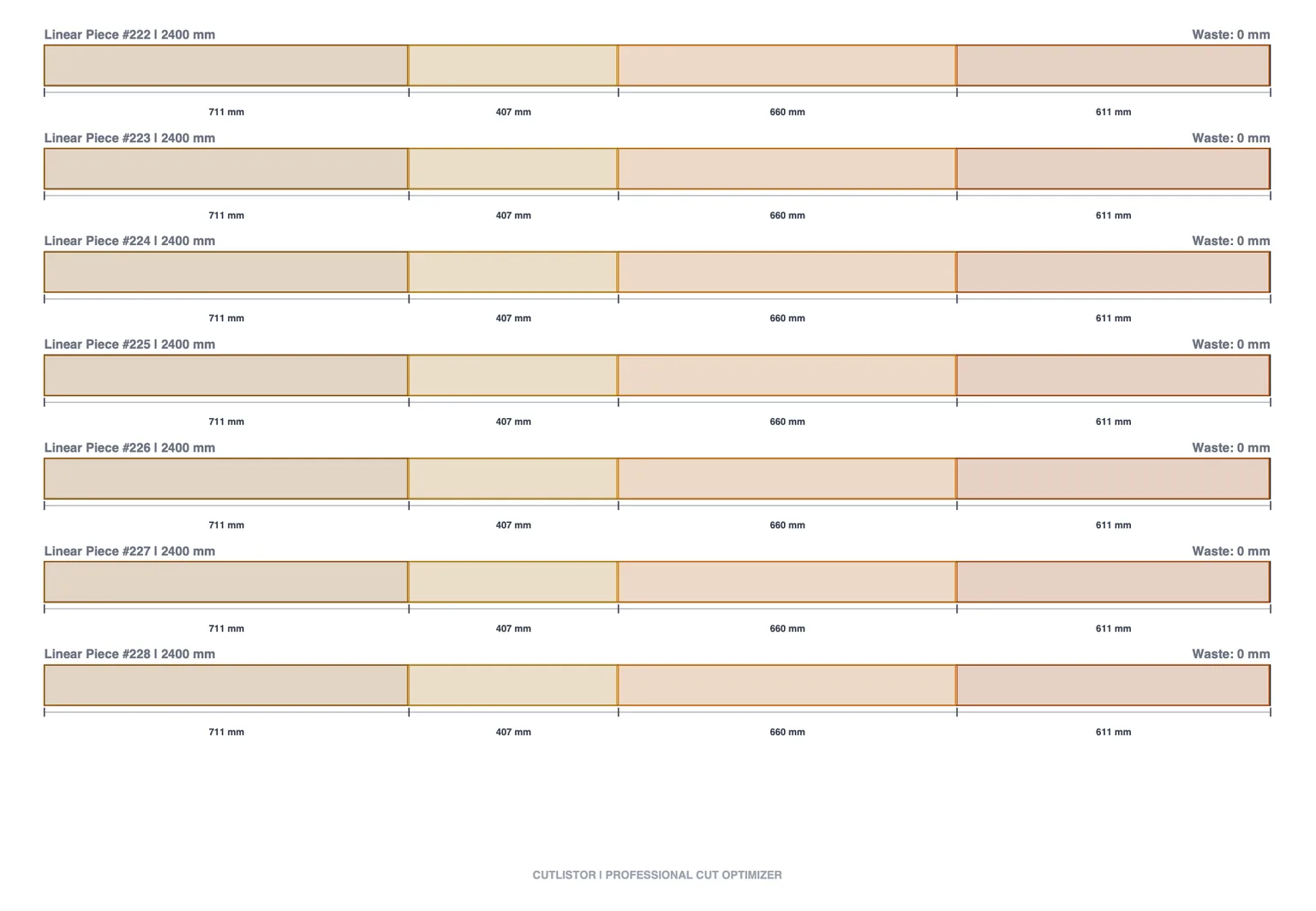
Linear optimization answers which bars to buy and where to slice so offcuts remain useful. Pipe, tubing, studs, molding, and metal bars share the same 1D pattern even when the vocabulary differs.
Enter every stock length you might purchase. The optimizer sequences cuts with kerf subtracted so you see stick count before the truck arrives. Compare 8 ft versus 10 ft bundles on the same cut list when price per foot differs.
Mitered ends and fitting allowances belong in the finished lengths you enter. The optimizer plans from your numbers; it does not guess field adjustments you have not documented.
Sheet vs linear: pick the right tool
If parts have meaningful width and height on panel stock, use the sheet optimizer. If the job is length-only on sticks, bars, or pipe, use the linear optimizer. Mixed cabinet jobs often need both in the same project folder.
| Material form | Tool | Typical examples |
|---|---|---|
| 2D panels | Sheet cut list optimizer | Plywood, melamine, MDF casework |
| 1D sticks | Linear cut list optimizer | Studs, trim, pipe, tube, bar stock |
| Mixed job | Both tools | Kitchen cabinets plus 2×4 cleats |
Kerf discipline across the shop
Kerf is the material removed by the blade or bit. A 3.2 mm kerf on a thin-kerf rip blade differs from a 4 mm dado stack or a plasma kerf width. Measure once on scrap and reuse the value until you change tooling.
When kerf is wrong, crews blame the software. When stock sizes are aspirational, purchasing blames the optimizer. Fix inputs first, then compare layout methods.
Worked example: small casework run
A wall cabinet batch might list twelve melamine rectangles on 2440×1220 mm stock plus eight 2×4 cleats at 584 mm from 2400 mm sticks. Run panels in the sheet tool with grain locked on doors, cleats in the linear tool with 3.2 mm kerf.
Export both PDFs to the job folder. When the designer widens one shelf by 16 mm, edit the row and recalculate both tools if the change affects stick lengths or panel nesting.
From spreadsheet to shop floor
Import CSV or XLSX from /samples/cutlist-import/ when Excel already holds quantities. Paid plans add saved projects, AI plan scanning, and 3D CAD import when you want to skip retyping.
The goal is one source of truth: part names, sizes, quantities, and material codes that flow into kerf-aware layouts without duplicate data entry.
FAQ
- What is cutting list optimization?
- Planning cuts on purchased stock to minimize waste and buying mistakes, using kerf-aware layouts for sheets or sticks.
- Do I need separate tools for plywood and lumber?
- Use the sheet optimizer for panels and the linear optimizer for stick stock. Many jobs need both.
- How much does kerf matter?
- A lot on dense panel nests and repeated stud cuts. Measure your blade or bit and enter that value.
- Can I import my existing cut list?
- Yes. CSV and XLSX import follow the sample headers at /samples/cutlist-import/.
- Is Cutlistor free for optimization?
- Yes. Free browser tools have daily limits; accounts unlock saved projects and higher caps.
Related guides
- How to build a cabinet cut listHow to build a cabinet cut list and nest it on sheet stock: what to include, kerf-aware panel nesting, MDF/melamine/plywood sizing, and yield.
- Linear cut list calculator for 1D stockLinear cut list calculator guide: 1D cutting, kerf, stock lengths, use cases for lumber and pipe, and Cutlistor’s free linear cut list optimizer.
- The cutting stock problem in workshopsPlain-language guide to the cutting stock problem in woodworking: 1D bar cutting vs 2D sheet nesting, heuristics, and practical tools including Cutlistor.
- 1D cutting optimizer explainedWhat a 1D cutting optimizer does for lumber, pipe, and bar stock, how kerf changes results, and how to try Cutlistor’s free linear optimizer online.