Comparison · 12 min read
Cutlistor vs CutList Optimizer
CutList Optimizer (cutlistoptimizer.com) is the tool most people mean when they type “cutlist optimizer” into Google - it has been the default browser panel optimizer for years and it is genuinely good at the job it was built for. This page compares it with Cutlistor on the criteria that actually decide a purchase, and is explicit about the two areas where CutList Optimizer is the better pick.
The short verdict
If you nest rectangles on panels and want a fast, familiar, free tool with an Android app, CutList Optimizer is hard to beat and you should stay with it.
Choose Cutlistor if your week involves more than panel nesting: linear cutting from bar, pipe or trim; DXF handoff to a CNC; importing parts from spreadsheets, PDFs or 3D CAD; or keeping a persistent stock inventory across jobs. Those are the workflows that Cutlistor was built around and where the difference is structural rather than cosmetic.
Price, compared like for like
Both tools run a free tier and both sell subscriptions, and the honest summary is that CutList Optimizer's free tier is more generous while Cutlistor's paid tier is cheaper.
CutList Optimizer's free tier allows 5 calculations per day and 5 saved items. Silver is $15 per month ($13.50 billed yearly) for unlimited calculations, 150 saved items, priority support, premium features and the Android Pro app. Gold is $25 per month ($22.50 billed yearly) and adds high-speed calculation and 20,000 saved items.
It also sells something Cutlistor does not: a single $4.90 payment that unlocks Silver-level features for 3 days, with your saved data still loadable after it expires. For one kitchen, once, that is the right purchase and nothing here beats it.
Cutlistor's free tier meters something different, and the distinction matters: editing parts and re-optimizing the layout are unlimited, and only PDF export and starting a new project count against a daily allowance of 3. Cut lists are capped at 20 rows and nothing is saved between sessions. Paid plans start at $12 per month or $99 per year.
| Cutlistor | CutList Optimizer | |
|---|---|---|
| Free: what the daily limit meters | 3 PDF exports - optimizing is unlimited | 5 calculations |
| Free: saved items | None - nothing persists | 5 |
| Entry paid plan | Pro $12/mo | Silver $15/mo |
| Entry plan billed yearly | $99/yr ($8.25/mo) | $13.50/mo ($162/yr) |
| Top paid plan | Business $25/mo | Gold $25/mo ($22.50 yearly) |
| Annual discount | 31% | 10% |
| One-off short-term option | None | $4.90 for 3 days (Silver features) |
| Pay for faster calculation | No - one speed for everyone | Yes - Gold tier |
Competitor pricing checked 23 July 2026. Prices change - verify on the vendor's own site before buying.
Reading that price table honestly
Three things fall out of it, and only one of them favours us. On a yearly plan Cutlistor Pro works out at $8.25 a month against Silver's $13.50 - roughly $63 a year cheaper for a comparable tier.
On free tiers the answer splits. CutList Optimizer saves 5 items where ours saves nothing, which is a clear win for them. But the daily numbers are not comparable: their 5 counts every calculation, while our 3 counts only PDF exports - editing and re-optimizing are unlimited. If you are iterating on a design, ours lets you work all day and export three times; if you need work saved between sessions, theirs is the better free tool.
And the $4.90 three-day pass has no equivalent here. Someone building one set of wardrobes should pay them $4.90 rather than subscribe to anything, including us. We would rather say that than pretend a monthly plan is the right answer for a one-off job.
Sheet nesting: closer than you would expect
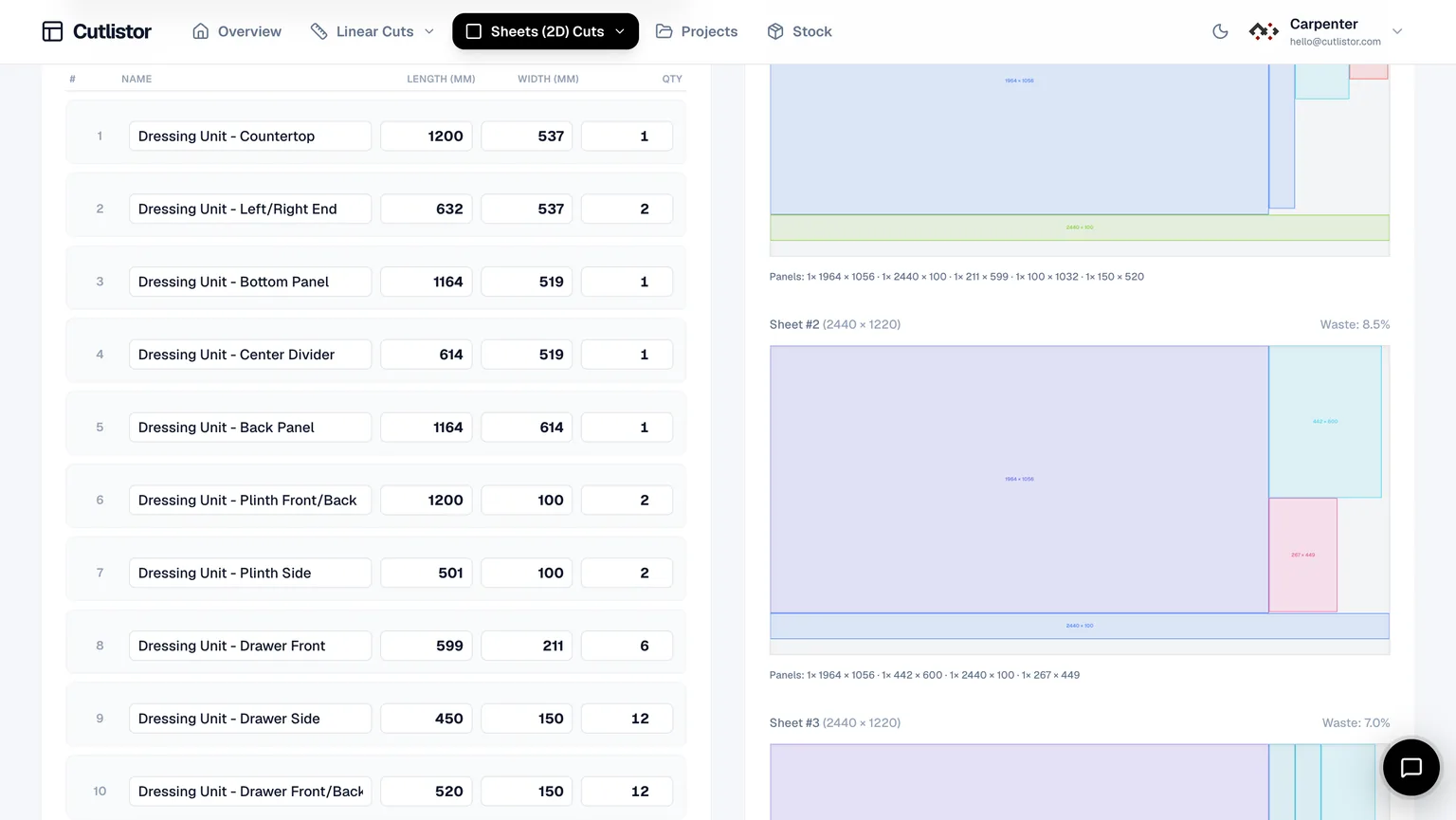
On the core task - nest a set of rectangles onto sheets with a kerf allowance - both tools produce comparable yields on realistic cabinet and casework jobs. Anyone claiming a dramatic material saving from switching between two mature optimizers is selling something.
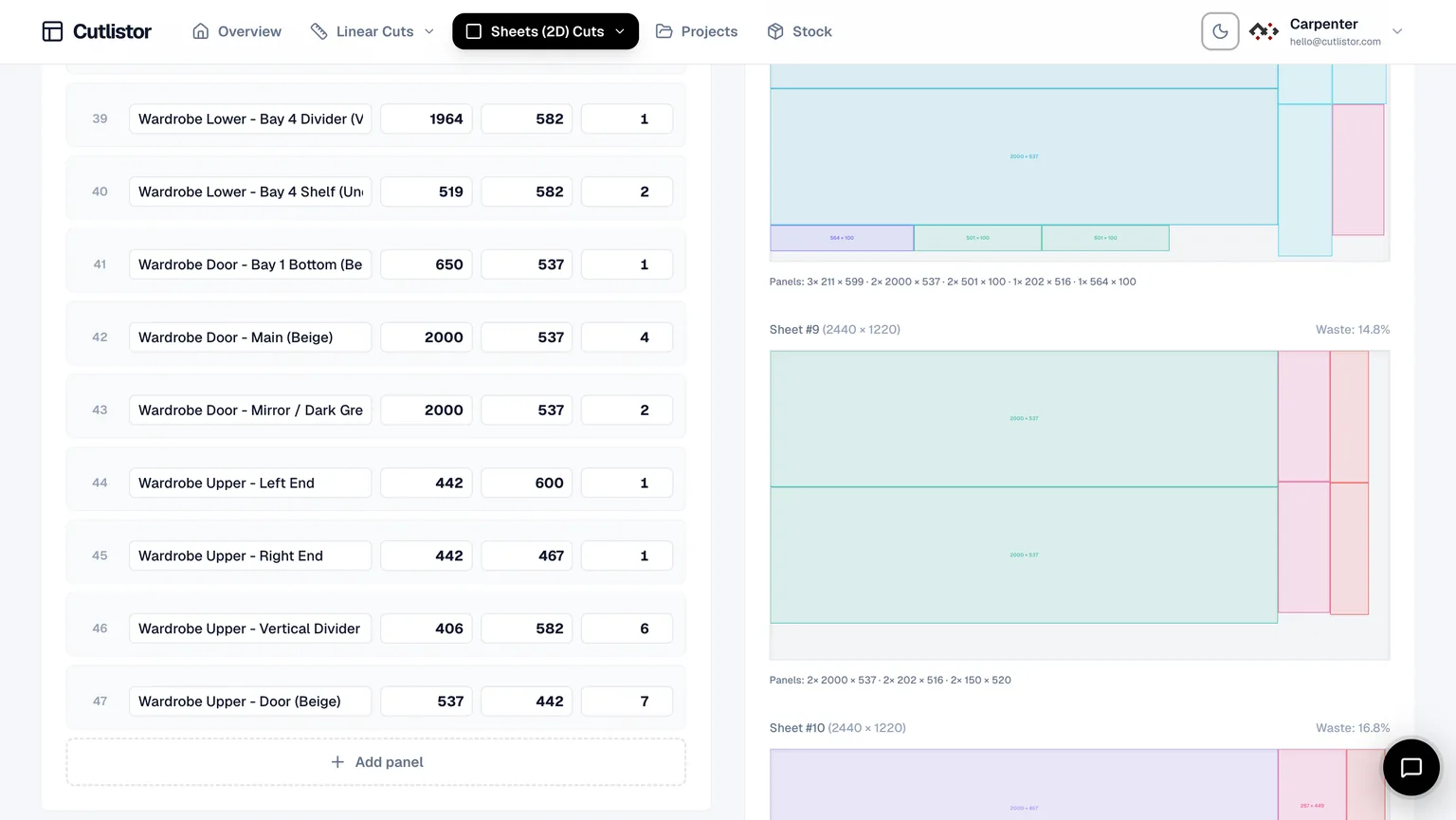
The practical differences are in the editing loop rather than the solver. Cutlistor refreshes layouts as you change a dimension, and lets you flip between sheet layout strategies to see which produces a more cuttable diagram. CutList Optimizer's flow is closer to enter-then-calculate, which some people prefer precisely because it is predictable.
Linear cutting is the clearest gap
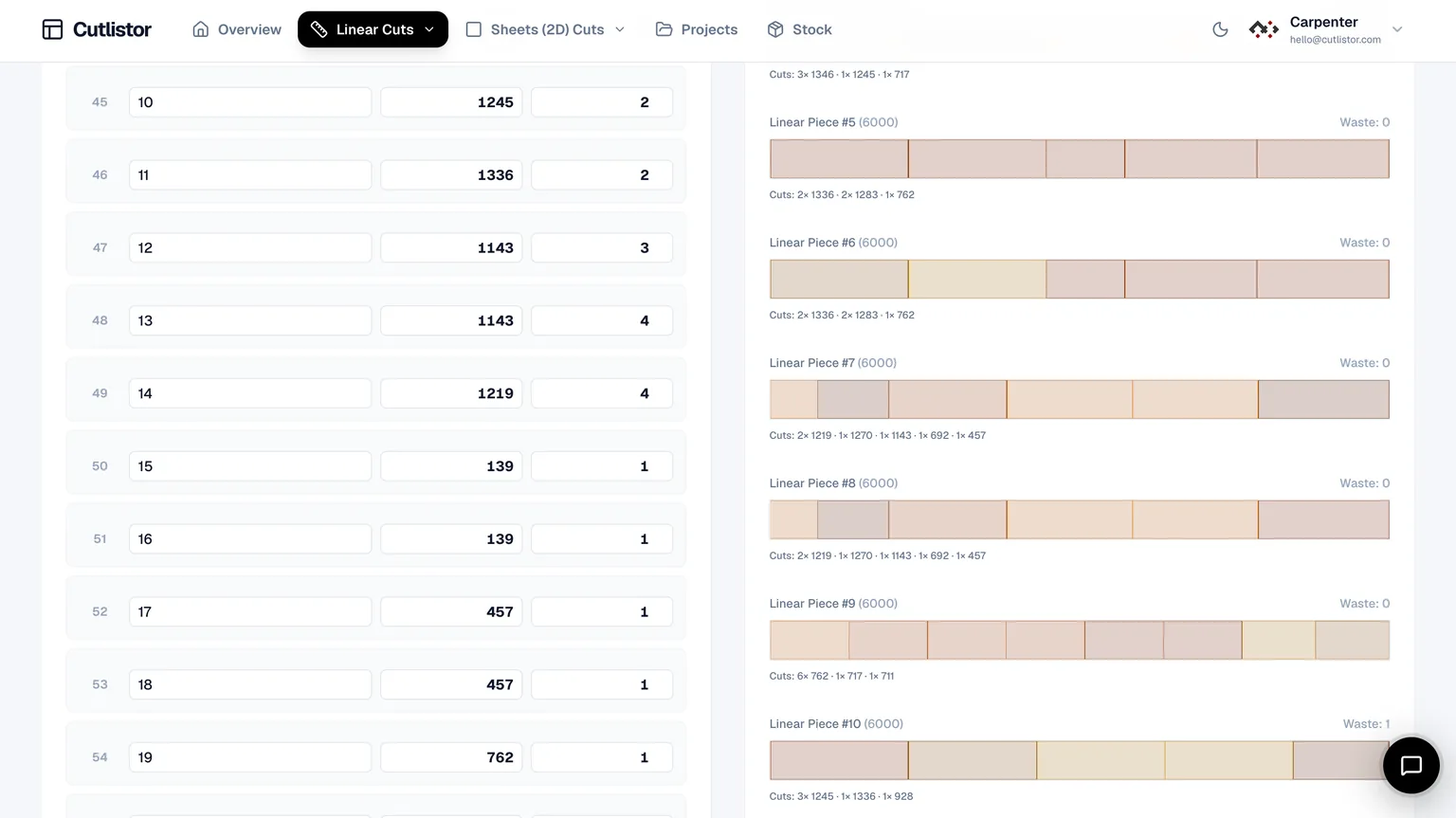
CutList Optimizer is a panel tool. If your work includes cutting fixed lengths from lumber, trim, conduit, pipe or bar stock, you are either using a second tool for that or doing it by hand.
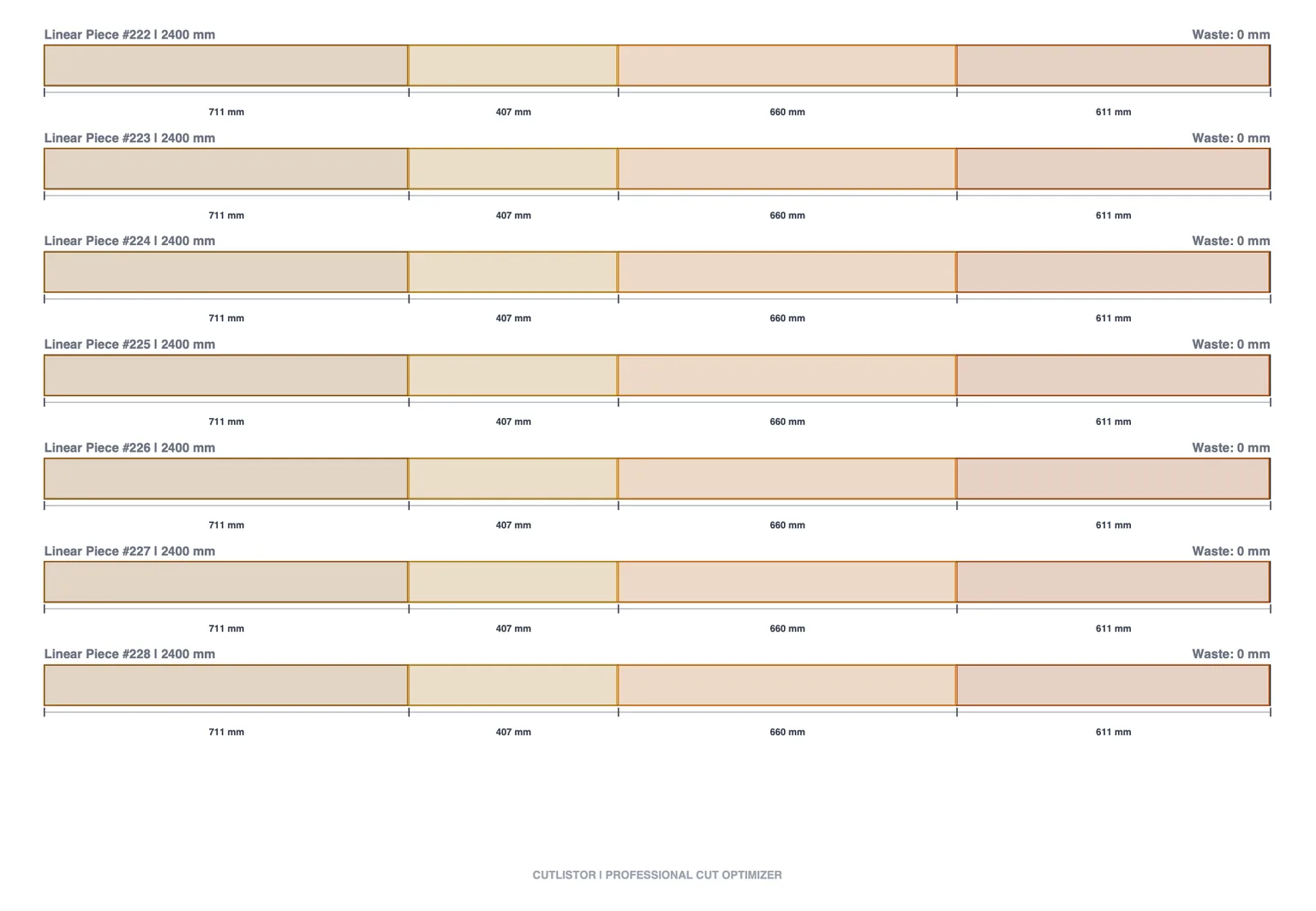
Cutlistor runs 1D linear optimization as a first-class workflow alongside 2D nesting, with the same kerf handling and the same PDF and DXF export. For trim carpenters, metal fabricators and anyone whose job mixes sheet goods with sticks, this is usually the deciding factor rather than a nice-to-have.
Getting parts in, and cut plans out
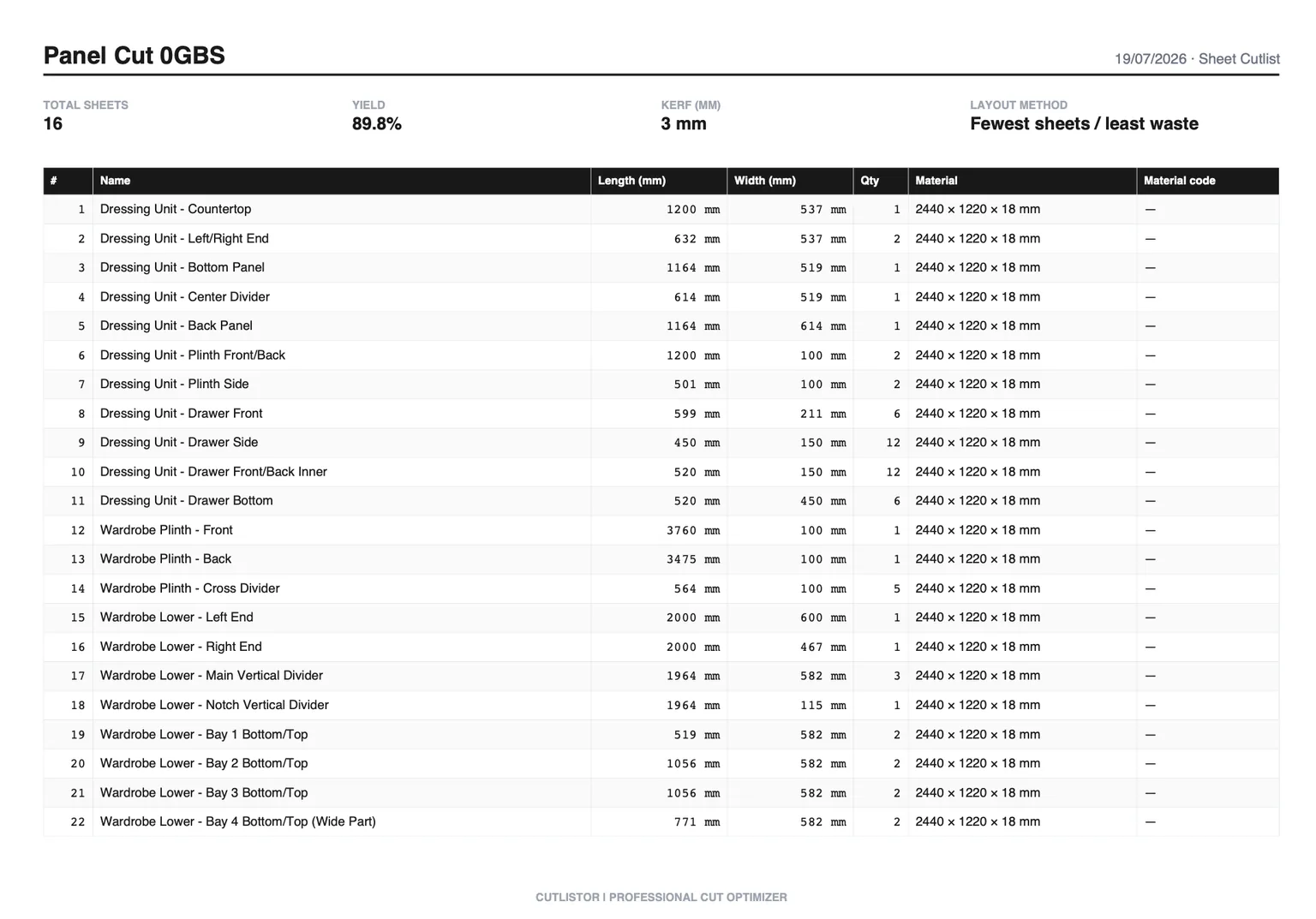
Most of the time lost on a cut list is not spent optimizing - it is spent typing parts in and getting the result to whoever cuts.
Cutlistor imports CSV and XLSX spreadsheets, scans PDF plans and sketches with AI, and imports 3D CAD meshes in glTF, GLB and Collada format so panels come straight out of a SketchUp or Fusion model. On the way out it exports kerf-aware PDF cut plans and DXF for CNC and CAM post-processors.
CutList Optimizer covers the essentials of this - manual entry, spreadsheet paste and PDF output - without the CAD and AI ingestion paths.
| Capability | Cutlistor | CutList Optimizer |
|---|---|---|
| Sheet (2D) nesting | Yes | Yes |
| Linear (1D) optimization | Yes - dedicated tool | No |
| Kerf handling | Yes | Yes |
| Grain direction lock | Yes | Yes |
| PDF cut plans | Yes | Yes |
| DXF export for CNC/CAM | Yes | No |
| CSV / XLSX import | Yes | Partial |
| AI plan / sketch import | Yes (paid quotas) | No |
| 3D CAD mesh import | Yes | No |
| Android app | No - browser only | Yes |
| Saved projects | Yes (paid) | Yes (paid) |
| Stock inventory across jobs | Yes (paid) | No |
No Calculate button, and no paying for speed
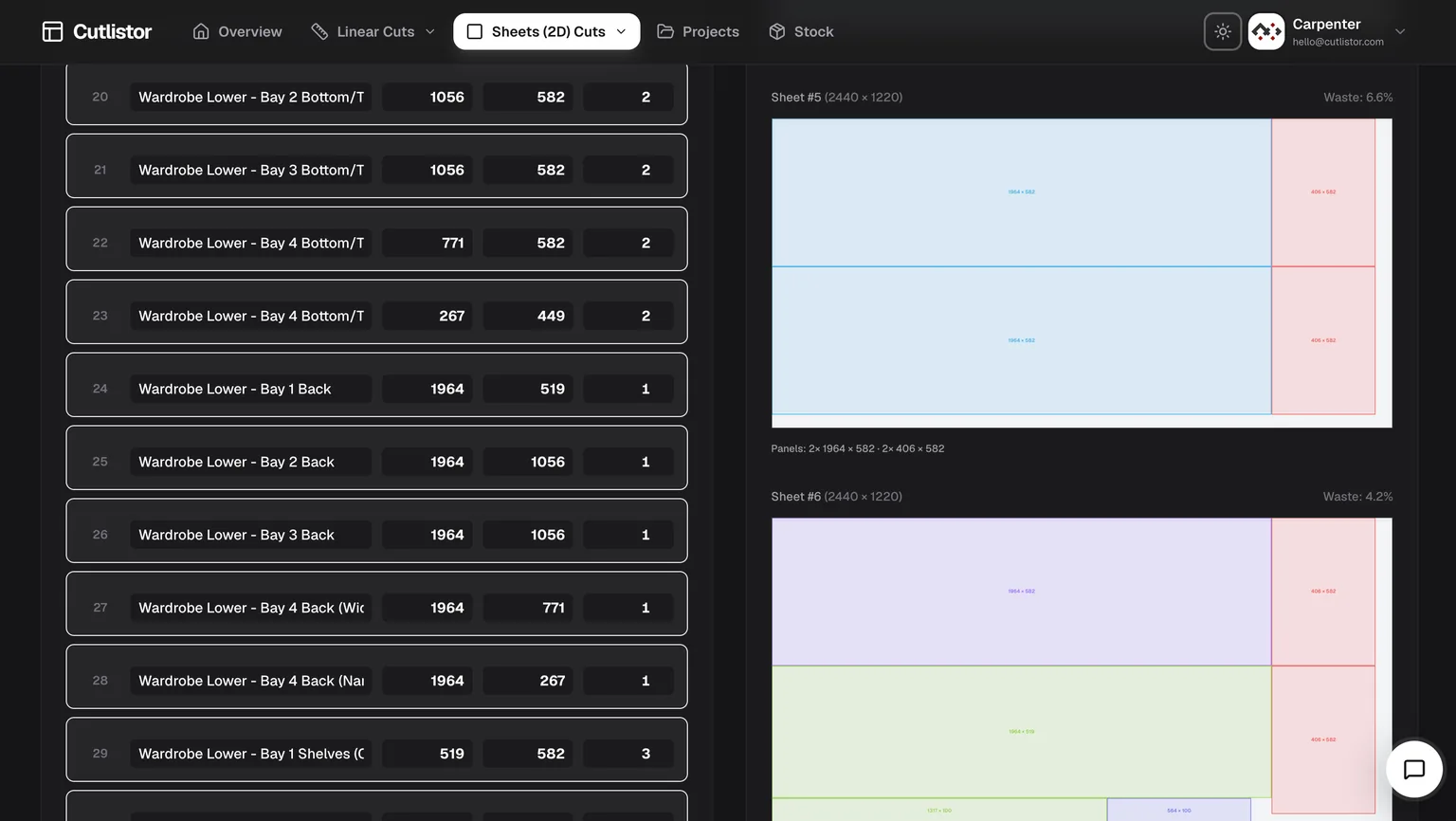
Cutlistor recalculates as you type. Change a part width, add a sheet, adjust the kerf - the layout redraws immediately. There is no Calculate button in the interface, because there is nothing to wait for.
That sounds cosmetic until you price a real job. Cut lists are not entered once; they are edited twenty times as a design settles. A tool that recalculates on demand charges you a click and a pause for every one of those edits, and the cost lands precisely when you are iterating hardest.
It is also worth noting what Cutlistor does not do: charge for calculation speed. Every plan, including the free tier, runs the same solver at the same speed. Some competitors reserve faster calculation for a higher tier - so the customer who edits most, and therefore waits most, is the one asked to pay extra to stop waiting.
Four ways to get parts in - most tools have one
Typing a cut list by hand is where the time actually goes, and it is where almost every optimizer leaves you. Cutlistor accepts parts from four directions:
- CSV import, with automatic column matching so your existing headings work without renaming anything.
- Excel / XLSX import, reading the workbook directly rather than asking you to export to CSV first.
- AI scanning of PDF plans, drawings and photographed sketches - point it at an emailed elevation and get parts out.
- 3D CAD model import from glTF, GLB and Collada, so panels come straight out of a SketchUp or Fusion model.
You do not have to guess the format. Download a sample below, replace the rows with your own parts, and import it - sheet files take name, length, width, qty, grain direction, material code, material name and a free-text column; linear files take name, length, qty, material code, material name and a free-text column. Column matching handles the common variations, so headings like “Width (mm)” or “Quantity” are recognised without renaming.
| Import path | Cutlistor | Typical browser optimizer | Typical desktop optimizer |
|---|---|---|---|
| Manual entry | Yes | Yes | Yes |
| CSV | Yes, with column matching | Sometimes, fixed format | Usually |
| Excel / XLSX direct | Yes | Rarely | Sometimes |
| PDF plan or sketch (AI) | Yes | No | No |
| 3D CAD mesh | Yes (glTF, GLB, Collada) | No | Rarely |
Checked against each vendor's published feature list on the date shown at the foot of this page.
The detail features nobody else bothers with
Most optimizers stop at rectangles and lengths. Real work has awkward parts, and these are the ones that usually get handled by hand on a notepad:
- Laminate calculations - panels that gain thickness and cost on one or both faces, accounted for in the layout and carried into the exported documents rather than added afterwards.
- Edge banding, tracked per edge and shown on the diagram so whoever is banding knows which edges without asking.
- Mitered ends on linear cuts, with the miter angle affecting the length consumed on the stock - a 45-degree return does not cost the same as a square cut, and pretending otherwise is how trim runs come up short.
- Cross-section aware linear stock for pipe, tube, bar and angle, so the material is not treated as an abstract line.
- Grain direction locking on visible faces, honoured through nesting rather than applied as an afterthought.
- DXF export from both sheet and linear layouts, with the miter geometry preserved for a CNC.
Where CutList Optimizer wins
Four real advantages, and none of them are small.
Saved items on the free tier. Theirs keeps 5; ours keeps nothing between sessions. If you want to close the tab and come back to your work without paying, that is a straight win for them.
The $4.90 three-day pass. There is no honest argument for subscribing to anything monthly when you have one job to cut, and Cutlistor has no equivalent product.
The native Android Pro app, included on Silver and Gold. Cutlistor is browser-only; it works on a tablet, but it is not an installed app and it does not work without a connection. If you optimize on a phone in a workshop with patchy signal, that alone is a reason to stay.
And familiarity. It is the tool most woodworking forums link to, most tutorials use, and most of your peers already know. Switching has a real retraining cost, and “ours has more features” does not automatically clear that bar.
Which should you choose
- One job, once: CutList Optimizer's $4.90 three-day pass. Do not subscribe to anything monthly for a single kitchen.
- Hobbyist on a zero budget who needs work saved: CutList Optimizer's free tier keeps 5 items; ours keeps none.
- Cabinet shop running weekly casework: Cutlistor, for saved projects, stock inventory and spreadsheet import.
- CNC shop: Cutlistor, for DXF export - this is usually decisive on its own.
- Metal fabricator or trim carpenter cutting lengths: Cutlistor, because linear optimization is not a CutList Optimizer feature.
- Someone who optimizes on an Android phone in the shop: CutList Optimizer, for the native app.
How to test both in twenty minutes
Do not take either vendor's word for it, including ours. Take one real job - a job you have already cut, so you know what the answer should look like - and run it through both tools with identical stock sizes and kerf.
Then change one part width by 2 mm and time how long each takes to show you an updated plan. Print both PDFs and read them under shop lighting. If CNC is in your loop, try to get a DXF out of each. The tool that survives that test is the one to pay for.
If it does not do what your shop needs, ask
Cutlistor is small enough that feature requests reach the person who writes the code. Several of the features above - laminate handling, miter-aware linear cuts, cross-section stock - exist because someone cutting material asked for them and explained why the workaround was costing them time.
If your workflow needs something that is not here, describe it and we will look at building it. That is a genuinely different proposition from filing a ticket against a twenty-year-old desktop product or a tool maintained as a side project, and it is worth weighing alongside a feature table.
FAQ
- Is Cutlistor a CutList Optimizer clone?
- No. They solve the same core problem - nesting rectangles on sheets with a kerf allowance - because that problem has a well-known shape. Cutlistor adds linear (1D) optimization, DXF export, spreadsheet and 3D CAD import, AI plan scanning and a persistent stock inventory, none of which CutList Optimizer offers.
- Which is cheaper, Cutlistor or CutList Optimizer?
- On paid plans, Cutlistor: Pro is $12 per month or $99 per year ($8.25 a month) against CutList Optimizer Silver at $15 per month or $13.50 billed yearly, which is $162 a year. On free plans it depends what you need: CutList Optimizer saves 5 items and Cutlistor saves none, but Cutlistor's daily limit of 3 applies only to PDF exports while optimizing stays unlimited, where CutList Optimizer's 5 counts every calculation.
- What are CutList Optimizer's Silver and Gold plans?
- Silver is $15 per month ($13.50 billed yearly) and gives unlimited calculations, 150 saved items, priority support, premium features and the Android Pro app. Gold is $25 per month ($22.50 billed yearly) and adds high-speed calculation plus 20,000 saved items. The free tier is capped at 5 calculations per day and 5 saved items.
- Is there a way to use CutList Optimizer without subscribing?
- Yes, and for a one-off job it is the right choice. A single $4.90 payment unlocks Silver-level features for 3 days, and saved data remains loadable after the pass expires. Cutlistor has no short-term equivalent - our free tier is permanent but does not save work.
- Can CutList Optimizer do linear cutting?
- No - it is a panel nesting tool. For cutting fixed lengths from lumber, pipe, tube or bar stock you need a separate 1D optimizer. Cutlistor includes one alongside its sheet tool, using the same kerf settings and export formats.
- Does either tool export DXF for a CNC?
- Cutlistor exports DXF from both sheet and linear layouts. CutList Optimizer does not, so a CNC workflow means recreating the nest in CAM software. If you run a CNC, this difference usually decides the comparison by itself.
- Is Cutlistor available on Android?
- There is no native Android app - Cutlistor is browser-only, though the site works in mobile and tablet browsers. CutList Optimizer has a native Android app, which is a real advantage if you optimize away from a desk or without a reliable connection.