
Article
How to Reduce Cabinet Material Waste
Cutlistor Team4 min read
Introduction
Cabinet material waste shows up as full sheets you bought but never billed, skinny strips too narrow for the next shelf, and remakes when a door grain went the wrong way. Most of that waste is visible in the nest before the first cut if the BOM, stock, and kerf inputs are honest.
This checklist focuses on commercial casework: melamine kitchens, plywood carcasses, and MDF doors. The goal is higher yield, tighter sheet POs, and quotes that survive material price swings.
Where cabinet shops lose material
| Waste type | Shop symptom | Primary fix |
|---|---|---|
| Layout waste | Large unused rectangles on every sheet | Optimize nest; combine jobs |
| Kerf loss | Parts short after many rips | Measure kerf; enter it before nesting |
| Grain over-constraint | Doors force empty sheet regions | Lock grain only on show faces |
| Wrong stock SKU | Nest assumes 4×8; shop buys 5×10 | Match supplier sheet size |
| Untagged offcuts | Scrap bin fills; next job buys new sheets | Label and re-enter usable remnants |
| Remakes | Wrong size or grain after cut | BOM QC and PDF cut plans |
Start with an accurate cabinet BOM
Duplicate rows inflate sheet count. Missing backs show up as a second lumberyard run. Group by material so white melamine never shares a nest with oak plywood.
- One line per unique finished size and material
- Separate thickness and finish codes
- Confirm quantities after hardware or drawer changes
- Re-nest after any size edit before purchasing
Set kerf and real sheet sizes
A nest at 0 mm kerf always looks better on paper than the floor can cut. Panel saw blades commonly remove about 3 mm; CNC bits vary. Enter the number for the machine that will cut the job, and use the sheet size you actually purchase.
Use grain rules that protect looks without killing yield
Lock grain on doors, finished gables, and matching drawer fronts. Allow rotation on interior shelves, cleats, and paint-grade parts. Over-locking grain is one of the fastest ways to add a full sheet to a kitchen PO.
Worked example: waste dollars on a kitchen pack
| Metric | Manual pad | Optimized | Delta |
|---|---|---|---|
| Sheets | 14 | 12 | −2 |
| Material cost | $1,260 | $1,080 | $180 saved |
| Waste area (approx.) | 30% | 18% | Less scrap handling |
| Quote risk | Overbuys or mid-job pickup | Sheet count tied to nest | Tighter margin |
Plan remnant reuse
Usable offcuts only help if they enter the next nest as stock. Set a minimum remnant size (many shops use about 300 × 300 mm or a shelf-width strip) and label grade, thickness, and finish on the rack.
- Enter prior-job remnants as stock before buying full sheets
- Prefer remnants for cleats, fillers, and small shelves
- Do not mix finishes on one remnant tag
- Combine small jobs on the same material to consume awkward drops
Nest before you buy
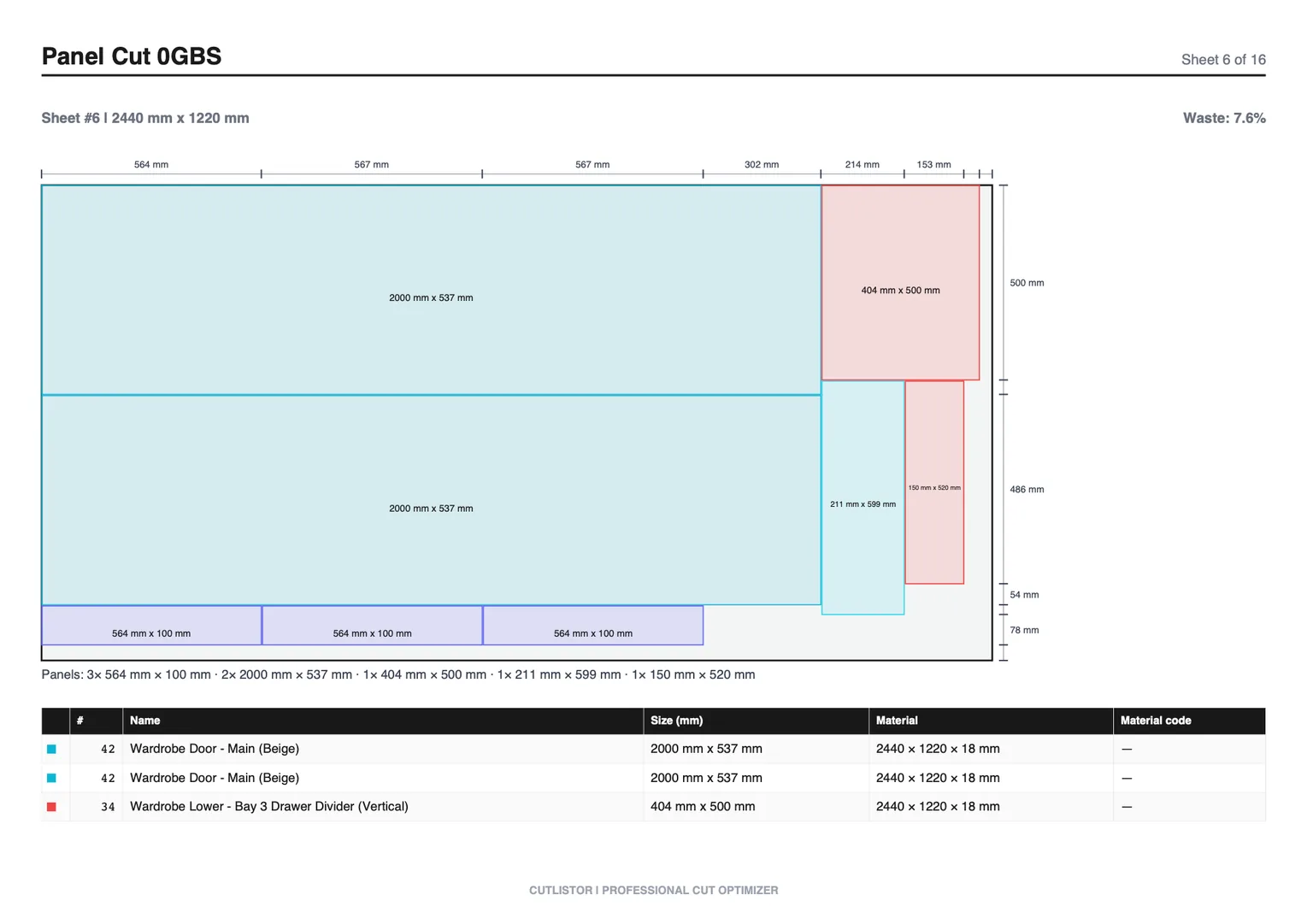
Read the free tier this way: iteration is free, delivery is budgeted. Editing parts and re-optimizing the sheet cost nothing and are unlimited, while PDF export and starting a fresh project draw on 3 per day. The row cap is 20 per list, spreadsheet import is 5 rows per file, and projects are not saved.
Printable waste-reduction checklist
Before every sheet PO:
- BOM verified by material and thickness
- Stock SKUs match supplier sheets
- Kerf set for the machine on this job
- Grain locked only where the customer will see it
- Remnants entered as stock when usable
- Sheet nest run; yield and sheet count on the quote
- PDF cut plan exported for the floor
FAQ
What yield percent should a cabinet shop target?
It depends on door grain rules and part mix. Many production kitchens land in the high 70s to mid 80s on melamine when grain is locked only on show faces. Track your own baseline for a month, then aim to beat it.
Is all scrap avoidable?
No. Kerf and some trim are unavoidable. The goal is to stop paying for avoidable empty regions and forgotten remnants, not to claim zero waste.
What tool should we use?
A browser sheet optimizer with kerf and grain controls is enough for most rectangular casework. Pair it with a linear optimizer for trim sticks. See our calculator roundup for cabinet-specific options.
Conclusion
Reducing cabinet material waste is mostly data discipline plus nest-before-buy. Fix BOM, kerf, grain, and remnant habits first; software then turns those inputs into a sheet count you can purchase against.
Cutlistor gives shops free browser nesting to test real jobs, unlimited re-optimization while you edit parts, and a clear path to saved projects when the shop is ready.