Free Sheet Cut List Optimizer
Optimize plywood, MDF, melamine, and other sheet materials to reduce waste and determine how many sheets you need.
Open Free Sheet OptimizerCreate Better Cut Lists. Waste Less Wood.
Plan cuts for plywood, MDF, melamine, hardwood, lumber, trim, and other woodworking materials. Cutlistor combines sheet optimization and linear cut optimization in one browser-based tool, helping woodworkers calculate material requirements, reduce waste, and create cutting plans before they make the first cut.
Free sheet and linear cut list optimizers — no signup required.
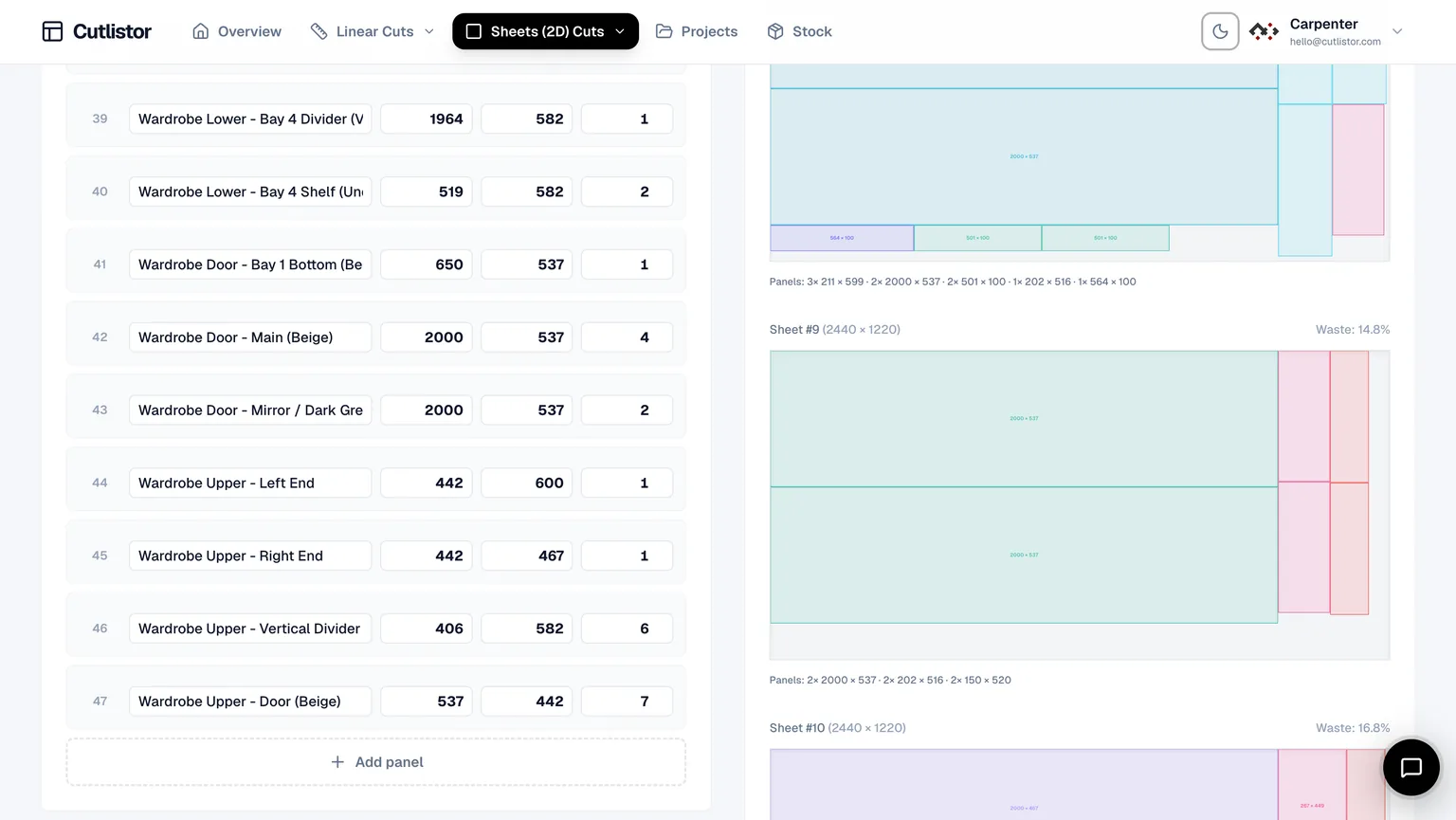
Woodworking projects often involve more than one type of material. A cabinet might require plywood panels, hardwood face frames, drawer parts, and trim — all of which need to be planned differently.
Cutlistor lets you optimize both sheet goods and linear stock in one workflow.
Optimize plywood, MDF, melamine, and other sheet materials to reduce waste and determine how many sheets you need.
Open Free Sheet OptimizerOptimize lumber, hardwood, trim, moulding, and other stock sold by length.
Open Free Linear OptimizerEnter the sheet sizes, board lengths, or stock you actually purchase. Then add each part's dimensions, quantity, and material.
For example:
Cutlistor calculates how your parts can be arranged on your available stock while accounting for kerf, grain direction, material type, and stock dimensions.
For sheet materials, Cutlistor uses 2D nesting.
For lumber and other linear materials, it uses 1D cutting optimization.
Once your layout is optimized, export a clear PDF cutting plan for the workshop or DXF files for CNC workflows.
No manual spreadsheet calculations or drawing layouts by hand.
Material waste is one of the easiest costs for a woodworking business to overlook.
A poorly planned sheet can leave behind large unusable offcuts. A poorly planned bundle of lumber can result in several extra boards being purchased.
This matters even more when working with:
A good cut list tells you what you need to cut.
A good cut list optimizer tells you how to cut it with less waste.
That's the difference between simply making a cut list and actually optimizing your material.
Optimize panels for:
Choose your actual sheet dimensions and optimize your parts around the material you purchase.
For directional materials, control grain direction so cabinet doors, drawer fronts, tabletops, and other visible parts are oriented correctly.
See how efficiently each sheet is being used and identify layouts that reduce unnecessary waste.
Not everything in a woodworking shop comes from a sheet. Use linear optimization for:
Enter your available stock lengths and let Cutlistor determine an efficient cutting sequence while accounting for kerf.
Already have your BOM or cut list in a spreadsheet?
Import your existing CSV or Excel file instead of entering every part manually.
This is especially useful for professional woodworking shops that already generate cut lists through CAD, estimating, or cabinet design software.
Step-by-step: import an Excel cut list or import a CSV cut list, then nest with kerf and grain in the browser.
You don't always have to start with a spreadsheet.
Cutlistor supports 3D model imports from formats such as:
This allows workflows from applications such as SketchUp, Fusion, and Blender.
Have a drawing instead of a structured cut list?
See our step-by-step guide: how to create a cut list from a PDF.
Cutlistor can use AI-assisted scanning to extract part information from:
You can then review the extracted dimensions before generating your cutting plan.
How to create a cut list from a PDFPlan cabinet sides, shelves, doors, drawer components, and other parts from plywood or sheet goods.
Optimize tables, desks, bookshelves, benches, and other furniture projects.
Combine sheet materials with hardwood or other linear stock in the same workflow.
Batch multiple identical projects and optimize the complete quantity instead of planning each piece individually.
Create your cut list, optimize your materials, and cut with confidence.
Whether you're building a single bookshelf or producing cabinets for customers, Cutlistor helps you plan your materials before you make the first cut.