Article
Cut List Software for Small Cabinet Shops: Buy What You Will Actually Use
Cutlistor Team4 min read
Introduction
Small cabinet shops lose money two ways on software: paying for a design suite they never fully implement, or staying in Excel until melamine waste eats the margin. The right cut list tool sits in the middle: fast nesting, clear PDFs, price that fits one to five people.
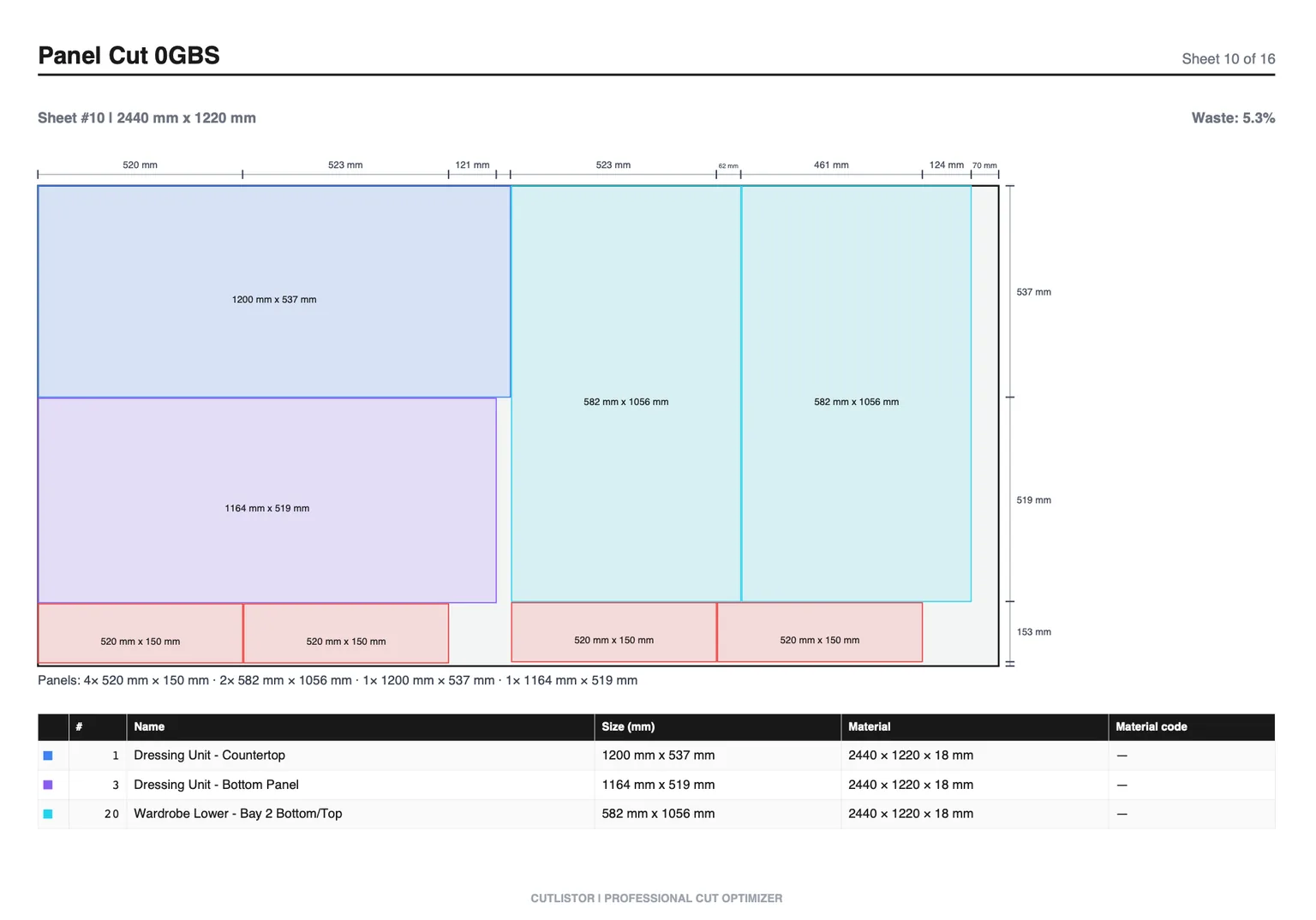
This guide is for custom and semi-custom shops that need cabinet cut list software without a full production IT project. For high-volume cells, see the production shop companion article.
What Small Shops Actually Need
| Shop size | Typical weekly jobs | Software posture |
|---|---|---|
| Solo / pair | 1–2 kitchens or vanities | Free tier → Pro |
| 3–5 people | Mixed custom casework | Pro or Business |
| Growing toward production | Repeat SKUs + customs | Evaluate design suite + optimizer |
Why Cutlistor Fits Small Shops
Browser access means no install fight on the office laptop. Sheet plus linear covers most custom kitchens. Transparent SaaS pricing beats surprise desktop renewals.
Cutlistor's free tier meters something different: editing parts and re-optimizing the layout are unlimited, and only PDF export and starting a new project count against a daily allowance of 3. Cut lists are capped at 20 rows, CSV and XLSX import is limited to 5 rows per file, and nothing is saved between sessions.
Most small shops land on Pro ($12/mo or $99/yr) once free row and CSV caps block real BOMs. Team ($99/mo, 5 seats) appears when estimators and the owner both nest.
- 3 PDF exports per day (editing and re-optimizing unlimited)
- 20 part rows per session
- CSV/XLSX import up to 5 rows
- 3 AI plan scans and 3 3D CAD imports per month on the free tier
- No saved projects until you sign up for a paid plan
- Not full cabinet design (no room planner / hinge boring)
- Not true-shape CAM
- DXF available on paid plans when a small CNC arrives
Other Options Small Shops Shortlist
| Tool | Small-shop fit | Watch-out |
|---|---|---|
| CutList Optimizer | Easy free start | Outgrow on imports/revisions |
| CutList Plus fx | Known desktop nest | Install + license fit |
| OptiCutter | Clean online reports | Subscription vs free needs |
| MaxCut | Desktop floor focus | Less browser-friendly |
| OpenCutList | Free if on SketchUp | SketchUp-only path |
| Cabinet Vision / Mozaik | When design+CNC is core | Cost and implementation time |
| Excel alone | Quotes only | No nesting |
Budget Decision Table
| Budget move | When it makes sense |
|---|---|
| Stay on Cutlistor free | Tiny lists, DIY, learning nests |
| Pay Pro ($12/mo) | Weekly kitchens, Excel import, saves, DXF later |
| Pay Business ($25/mo) | Heavy AI/3D import and unlimited scale solo |
| Buy design suite | You sell design+CNC as the product |
| Stay Excel-only | Almost never for nesting (quotes only) |
One-Week Implementation Plan
- Day 1: Nest last week's kitchen on the free optimizer; compare sheet count to purchases
- Day 2: Clean the Excel BOM template (columns, materials, grain)
- Day 3: Import on a paid trial/plan if free CSV cap blocks you
- Day 4: Standardize kerf and stock sizes for your yard
- Day 5: Train the sawyer on PDF labels; retire redrawn sheet sketches
Buying Reality Check for Shops
When you evaluate tools around “Cut List Software for Small Cabinet Shops: Buy What You Will Actually Use”, score them against last month’s real jobs—not a vendor feature matrix. Count how many sheet sizes you buy, whether grain lock matters on your doors, and whether your office lives in Excel or a design suite.
In a small shop the honest constraint is not features, it is who will maintain the software. A browser optimizer needs no library building and no administrator. A design suite pays off only if someone has time to keep the cabinet library accurate, and in a three-person shop that person usually does not exist.
Trial it on a job that is already sold, not a made-up one. Real jobs bring the messy inputs — a revised opening, a material substitution — that decide whether a tool actually fits how you work.
Write the choice down even in a two-person shop. Verbal standards evaporate the first genuinely busy week.
- Can you re-nest after a mid-job revision without rebuilding the BOM?
- Do PDF plans match how your sawyers actually stage sheets?
- Are free-tier caps honest enough for a real pilot week?
- Does the tool do sheet and linear, or only one of them?
Conclusion
Cut list software for small cabinet shops should nest real BOMs this week, not after a three-month ERP project. Cutlistor is built for that: browser sheet and linear planning, Excel import, PDF plans, and published prices. Buy a design suite when design and CNC are the business, not when you only needed yield.
Start on the free sheet optimizer with a past job before you sign anything.