Article
Cabinet Cut List Software vs Excel: When Spreadsheets Stop Nesting
Cutlistor Team4 min read
Introduction
Excel still runs most cabinet offices: quotes, hardware, client options, and part tallies. It does not pack rectangles on melamine with kerf, and it does not print labeled sheet layouts your sawyer can trust under pressure.
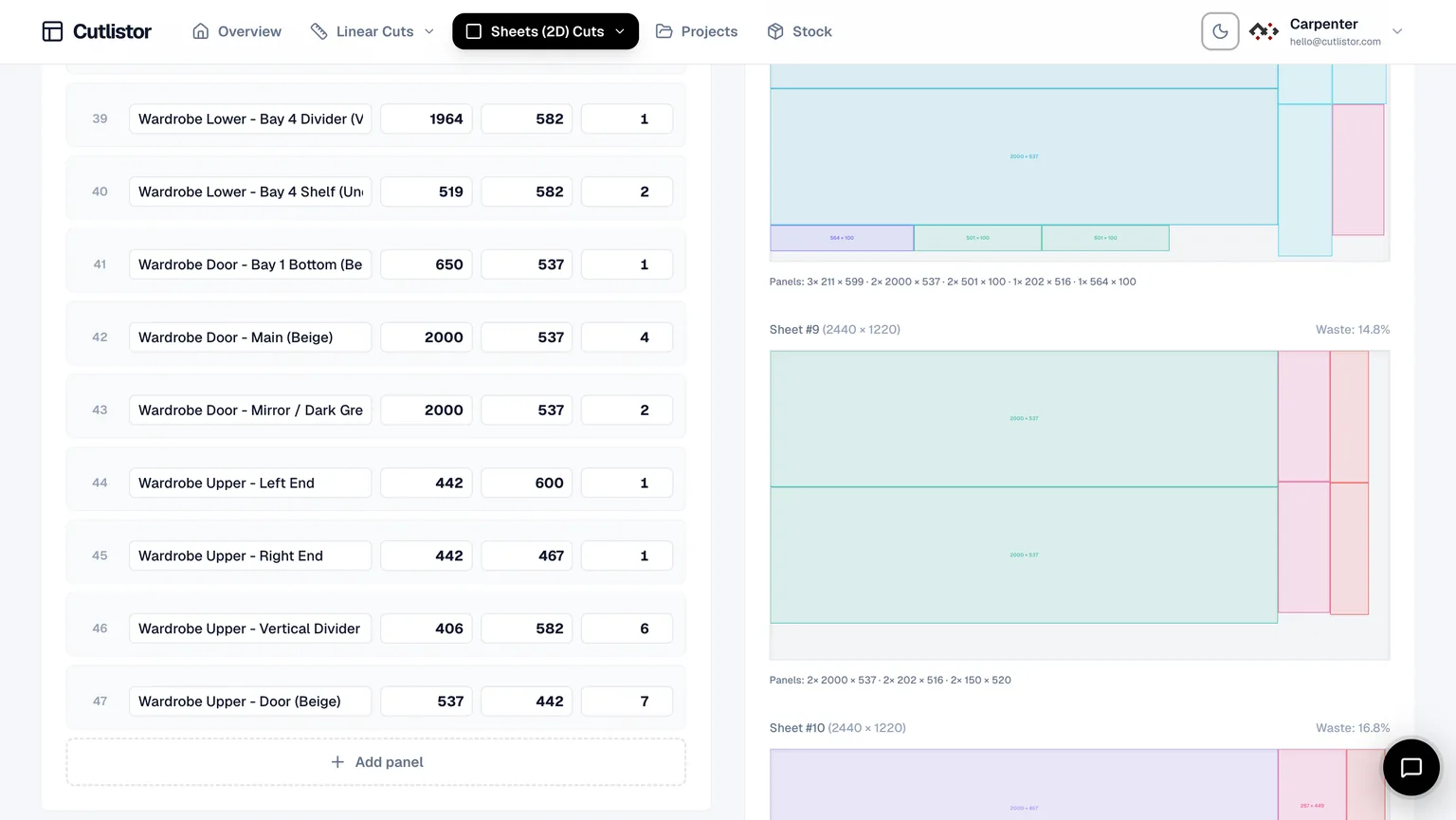
This comparison is not "Excel bad, software good." It is a split workflow: keep Excel as the BOM brain, then use cabinet cut list software for nesting and floor output. Cutlistor is built for that handoff.
Where Excel Still Wins
Do not rip Excel out of the office. It wins on flexibility that optimizers should not try to replace.
- Client quotes with formulas, tax, and option packages
- Hardware and finish schedules mixed with panel sizes
- Job metadata, revision notes, and email-friendly workbooks
- Custom columns your shop invented years ago
- Offline editing anyone on the team already understands
Where Excel Fails for Cabinet Nesting
| Task | Excel alone | Cut list software |
|---|---|---|
| Sum quantities | Excellent | Good (imports your totals) |
| Pack 4×8 sheets with kerf | Manual / error-prone | Automatic nesting |
| Respect grain on faces | Manual notes | Grain flags in nest |
| Linear face-frame sticks | Separate tab guesswork | 1D optimizer |
| Floor PDF with labels | Print grid rows | Layout diagrams |
| Mid-quote depth change | Retype and redraw | Edit row; re-nest |
| CNC DXF handoff | Rare / custom | Paid Cutlistor DXF |
Recommended Split Workflow
Commercial shops that scale keep one source of truth for sizes in Excel (or a design export to Excel), then nest in software.
- Maintain the cabinet BOM in Excel with length, width, qty, material, grain
- Import CSV/XLSX into Cutlistor sheet optimizer for panels
- Import stick lengths into the linear optimizer for frames and cleats
- Set kerf to match the breakdown saw or CNC bit
- Export PDF cut plans for the floor; keep Excel for the office quote
- On paid plans, save the project and export DXF when CNC needs rectangles
Where Cutlistor Fits vs Excel
Cutlistor's free tier meters something different: editing parts and re-optimizing the layout are unlimited, and only PDF export and starting a new project count against a daily allowance of 3. Cut lists are capped at 20 rows, CSV and XLSX import is limited to 5 rows per file, and nothing is saved between sessions.
Free CSV/XLSX import is capped at five rows, so real kitchen BOMs usually need a paid plan. Pro starts at $12/mo or $99/yr. Cutlistor is not a replacement for Excel quoting or for Cabinet Vision-class design.
- 3 PDF exports per day (editing and re-optimizing unlimited)
- 20 part rows per session
- CSV/XLSX import up to 5 rows
- 3 AI plan scans and 3 3D CAD imports per month on the free tier
- No saved projects until you sign up for a paid plan
Other Cut List Tools vs Excel
CutList Plus fx, CutList Optimizer, OptiCutter, and MaxCut all beat Excel at nesting. They differ on install model, import depth, linear tools, and price. Excel remains the common upstream for all of them.
Cost Reality
| Approach | Cash cost | Hidden cost |
|---|---|---|
| Excel only | Office license (sunk) | Waste, redraw time, floor errors |
| Excel + free optimizer | Low | Row/export caps on large kitchens |
| Excel + Cutlistor Pro | $12/mo or $99/yr | Learning import mapping once |
| Full design suite | High | Worth it if design/CNC is the product |
Shop Checklist Before You Hit Import
Treat the spreadsheet as a controlled document, not a scratch pad. Freeze part sizes after field measure or design sign-off, then export a clean nest sheet. If the designer is still moving toe-kick height or door overlays, nesting early only creates scrap when the revision lands.
Keep hardware, hinges, and finishes out of the cut-part import. Those rows belong in the quote workbook. The optimizer should only see rectangles and sticks that will meet a blade or bit.
After the first successful import, save a mapped template (column order, units, material names). The second kitchen should take minutes, not another afternoon of cleanup.
Put the winning split in writing — which tool owns quoting, which owns nesting — so the next kitchen does not reopen the debate.
- One header row; no merged title cells above the data
- Units consistent across every numeric cell
- Material names match how you buy stock (not marketing labels)
- Grain lock flags on doors and exposed ends before you nest
Conclusion
Cabinet cut list software vs Excel is a false either/or. Excel wins BOMs and quotes. Cut list software wins nesting, kerf-aware layouts, linear packing, and PDF shop plans.
Import a real kitchen sheet into the Excel cut list optimizer workflow, keep your workbook for the office, and stop redrawing sheets by hand.