Article
Cut List Software for Small Woodworking Shops
Cutlistor Team3 min read
Introduction
Small woodworking shops need cut list software that earns its keep on Tuesday afternoon—not a six-month ERP rollout. You want fewer wasted sheets, a PDF the helper can read, and imports from the Excel file you already use.
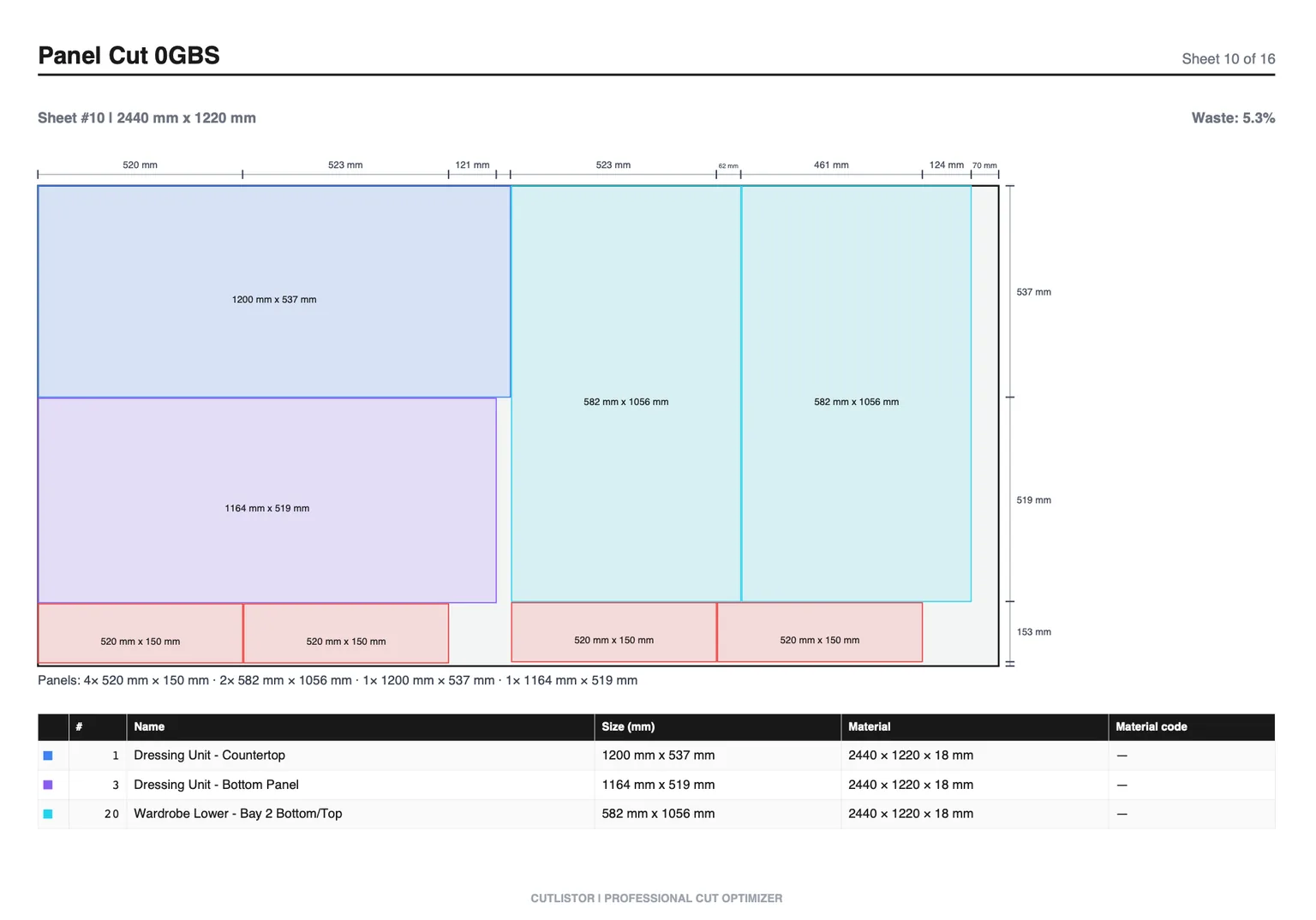
This guide lists must-have features for one- to ten-person shops, shows how Cutlistor fits, and links deeper process articles so software choice matches how you actually cut.
Constraints unique to small shops
One person may quote, nest, and cut. Computers are shared. Internet in the shop may be a phone hotspot. You cannot afford software that only runs on the office CAD seat.
- Browser-based tools beat desktop installs on shared PCs
- Sheet and linear in one vendor reduces tool sprawl
- Free tier must be usable for real jobs, not demos only
- PDF export matters more than fancy dashboards
- Learning time measured in minutes, not courses
Feature checklist for small shops
| Feature | Why small shops care | Cutlistor |
|---|---|---|
| 2D sheet nesting | Cabinets & furniture panels | Yes |
| 1D linear optimization | Hardwood, trim, frames | Yes |
| Kerf + grain | Parts fit; show faces correct | Yes |
| CSV / XLSX import | Keep Excel quotes | Yes |
| AI plan / image import | Faster takeoff from PDFs | Yes (quotas) |
| 3D glTF/GLB/Collada | From CAD models | Yes (quotas) |
| Real-time re-optimize | Clients change sizes | Yes |
| PDF export | Floor communication | Yes |
| DXF export | CNC shops | Paid |
| Browser only | No install | Yes |
Start free, upgrade when limits bind
The free tier draws its line at output, not at effort. Rearranging parts and re-running the nest as many times as you like costs nothing; the daily allowance of 3 is spent only when you export a PDF or open a new project. Sessions hold up to 20 part rows, CSV and XLSX files import up to 5 rows each, and closing the tab clears the work.
Recommended small-shop workflow
- Freeze the cut list (or import from Excel/PDF/3D)
- Prep materials—acclimate, label, check thickness
- Nest sheets; optimize lumber separately
- Export PDF; cut; sort; assemble
- Batch multiple small jobs when SKUs match
Cabinets vs custom furniture in a small shop
Cabinet-heavy shops live in sheet nesting and may like our cabinet calculator roundup. Furniture-heavy shops need linear optimization for legs and frames plus sheet nests for carcasses—see the furniture makers software guide.
CNC optional, not required
Many small shops cut on table saws and track saws. PDF layouts are enough. When you add CNC, paid DXF export and the CNC-oriented roundup become relevant—without changing the browser nesting habit.
What small shops should avoid
- Buying enterprise nesting for a two-person crew
- Tools that only do sheets when you also cut trim
- Workflows that require retyping every inventory change
- Ignoring kerf because “it is close enough”
- Skipping remnant tracking—see true cost of wood waste
A One-Week Pilot for a Small Shop
Pick three real jobs from the next week—not a demo file. Run each through the candidate cut list tool: enter or import parts, set kerf, nest, print, cut. Track sheets bought vs sheets the tool predicted.
If the free tier blocks a real kitchen BOM, that is data. Either the tool is wrong for your volume or you need a paid seat. Guessing from a five-part toy list hides the truth.
Keep Excel for the quote if you want, but stop nesting in cells. The pilot’s job is to prove that labeled plans and sheet counts reduce scramble on install day.
- Three live jobs, not sample data
- Sheets predicted vs sheets bought
- Time to first printable plan measured
- Honest call on free-tier caps after the week
Next steps
Try Cutlistor on a real job today. Import a CSV, set kerf, export a PDF. Then read process guides for plywood, lumber, and multi-job optimization as your volume grows.