Guide · 3 min read
Cut list optimization workflow
Cut list optimization is part software and part shop discipline. Good inputs (real stock sizes, realistic kerf, accurate part sizes) matter as much as the algorithm behind the layout. The workflow below keeps purchasing honest and reduces mid-job surprises on the floor.
Watch the product demo
See how to enter stock and parts, run layouts, and export a cut plan in Cutlistor.
Start from purchased stock
Enter the sizes you actually buy, not idealized numbers from a textbook. That single change often explains differences between the optimizer is wrong and the stock list was aspirational.
Include every SKU you might pull: full sheets, pre-cut panels, 8 ft and 10 ft sticks, metric pipe lengths.
Build the part list once
Use consistent column headers for CSV/XLSX import at /samples/cutlist-import/. One row per part type with quantity, not one row per physical piece unless that is your shop standard.
Material codes group parts onto the correct stock entries when thickness or finish differs.
Set kerf before comparing layouts
Measure kerf on scrap for each process: table saw, panel saw, router, abrasive wheel. Reuse until tooling changes.
Compare layout methods only after kerf and stock are correct.
Sheet vs linear split
Panels go to the sheet optimizer. Sticks, trim, pipe, and bar go to the linear optimizer. Mixed jobs need both PDFs in the folder.
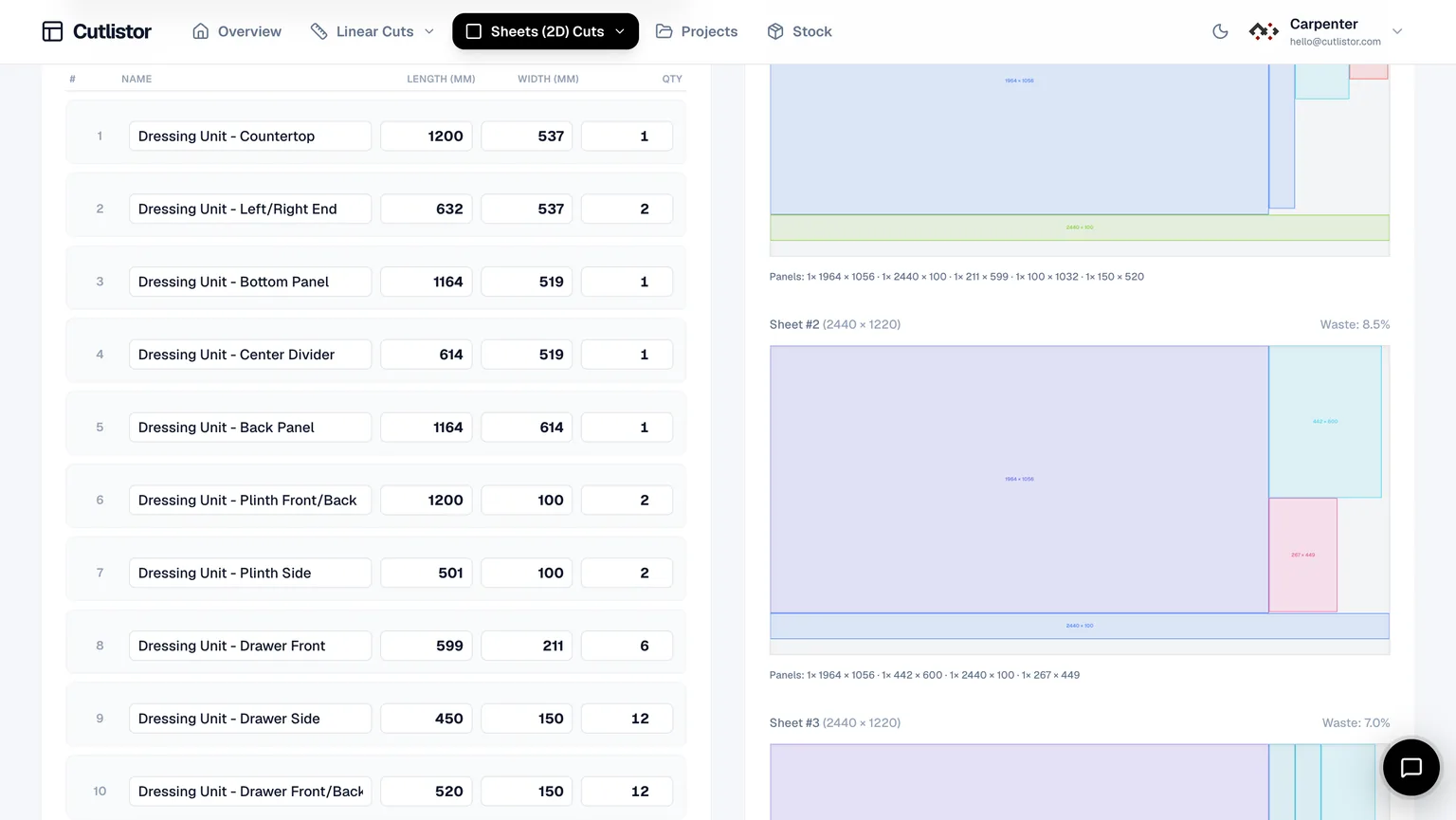
Iterate when dimensions change
Edit a row and recalculate instead of redrawing sketches. Client-driven changes are normal; speed of iteration separates useful software from static spreadsheets.
Export and verify
Export PDF cut plans when diagrams match shop habits. Verify critical dimensions against field measurements before structural or finish cuts.
Paid plans add saved projects, AI plan scanning, and 3D CAD import when you outgrow manual entry.
Related calculators and guides
Use specialized landing pages when a material family dominates the job. They include stock-size tables and worked examples tuned to that stock.
Quality checks before the first cut
Spot-check the largest panel against field measurements. Confirm grain direction on every visible face. Walk the PDF with the saw operator — if they cannot follow the diagram, simplify the layout method before cutting expensive sheet goods.
FAQ
- What is cut list optimization?
- Planning cuts on real stock with kerf-aware layouts to reduce waste and buying mistakes.
- Spreadsheet enough?
- Spreadsheets list parts but rarely auto-nest with kerf and PDF diagrams.
- Most common input mistake?
- Wrong purchased stock size or ignored kerf.
- Free Cutlistor tools?
- Yes. Sheet and linear optimizers in the browser.
- When to create an account?
- When repeat jobs, saved projects, or imports justify persistence.
Related guides
- Cut list template: columns, samples, and PDF exportWhat belongs on a cut list template: part columns for CSV/XLSX import, sample spreadsheets, and how to export kerf-aware PDF cut plans from Cutlistor.
- What is a cut list?A cut list is the table of parts to be cut from stock, with sizes and quantities. What it contains, how it differs from a BOM, and how shops actually use it.
- What is material grouping?Material grouping splits a cut list by thickness, finish, and stock SKU so each batch nests on the right sheet or stick — without mixing melamine and plywood.
- Cutting plan efficiency explainedWhat cutting plan efficiency means, how yield is measured on sheet and linear jobs, and how linear cutting optimisation software improves results.