Calculator page · 3 min read
Hardwood cut calculator
Hardwood plywood and veneer core panels benefit from grain-aware nesting. Enter sheet size, enable grain direction where needed, and export PDF cut plans.
How Cutlistor nests hardwood plywood
Use the free sheet cut list optimizer to enter hardwood plywood stock sizes, parts, kerf, and optional grain or edge-banding notes. You will see nested layouts and can export a PDF for the shop.
Grain direction
Lock grain on visible faces before accepting a layout for premium hardwood ply.
Grain on hardwood ply
Show faces often cannot rotate. Interior carcass parts may rotate when structure allows — unlocking rotation can recover yield.
- Lock grain on tabletops and doors
- Tag veneer direction in part names
- Separate species by material code
Step-by-step hardwood plywood sheet workflow
Start with the hardwood plywood sheet SKU you actually purchase — 4×8, 5×5 Baltic birch, or metric hardwood ply. Add every finished part as width × height × quantity. Set kerf to 3.2 mm fine rip blade so the optimizer subtracts realistic blade loss for hardwood plywood.
Run the layout and read sheet count plus yield before buying. If yield looks low on hardwood plywood, check grain locks, mixed thicknesses, or whether fewest sheets — hardwood cost is high fits your crew better.
Export the PDF when the diagram matches shop habits. If a dimension changes, edit the row and recalculate — the hardwood plywood nest refreshes immediately.
Layout methods for hardwood plywood
Cutlistor offers multiple sheet strategies because no single algorithm wins every hardwood plywood job. Rips and rows suits table-saw-first shops. Fewest sheets pushes yield when hardwood plywood cost dominates. Router / CNC layout helps dense packs when spoilboard spacing is set.
Lock grain on visible faces before accepting a nest on premium hardwood ply or veneer core.
| Layout method | Best for hardwood plywood |
|---|---|
| Fewest sheets / least waste | Premium hardwood ply runs |
| Rips & rows | Table saw furniture breakdown |
| Router / CNC layout | CNC hardwood parts |
Worked example: visible top in walnut ply
Tabletop 1800×900 mm qty 1 with grain locked plus four apron parts 1800×100 mm on 2440×1220 mm walnut ply — compare methods; one sheet vs two depends on grain rules.
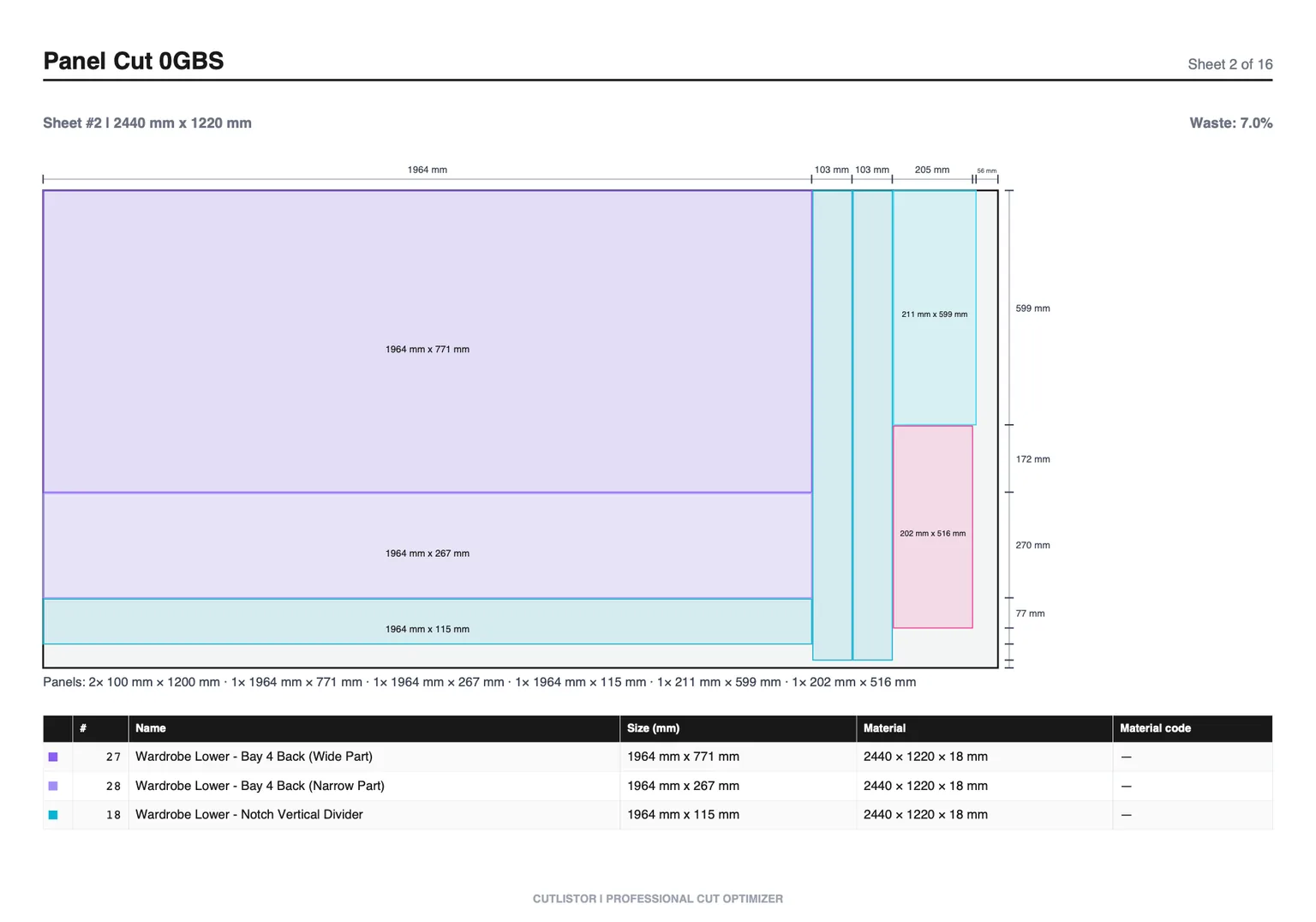
Import, export, and verification
Import CSV or XLSX from /samples/cutlist-import/ when your hardwood plywood cut list already lives in a spreadsheet. Group rows with material codes when you buy multiple hardwood plywood SKUs.
Export kerf-aware PDF cut plans for the floor. Paid plans add saved projects, stock inventory, AI plan scanning, and 3D CAD import (glTF, GLB, Collada).
Free anonymous use includes 3 calculations per day, up to 20 part rows per session, and CSV/XLSX imports of up to 5 rows.
Before you cut hardwood plywood: checklist
Confirm hardwood plywood stock size matches inventory. Confirm kerf matches today's blade or bit.
Split mixed jobs: panels in the sheet optimizer, sticks in the linear optimizer.
FAQ
- Is this hardwood plywood calculator free?
- Yes. The sheet cut list optimizer runs in your browser with daily limits. Accounts unlock saved projects and higher caps.
- What sheet sizes work for hardwood plywood?
- Enter any rectangle you purchase — 4×8, 5×5 Baltic birch, or metric hardwood ply. Match the delivery note, not a generic label.
- Does kerf matter on hardwood plywood?
- Yes. Set kerf to 3.2 mm fine rip blade. Underestimating kerf on dense hardwood plywood nests can shift sheet count.
Related calculators
- 2×6 cut list calculator2x6 cut list calculator for joists, rafters, and heavy framing: linear optimization with kerf on standard lengths.
- Closet cut list calculatorCloset cut list calculator: nest shelves, sides and backs on melamine or MDF sheets with kerf and grain control, then export a shop-ready PDF.
- Bookcase cut list calculatorBookcase cut list calculator for sides, shelves and backs: nest parts on plywood sheets with kerf and grain control, then export a PDF cut plan.
- Rebar cutting calculatorRebar cutting calculator for standard bar lengths: 1D nesting with kerf and offcut tracking, plus free PDF cut lists you can take to site.