Calculator page · 3 min read
Panel cut list calculator
Millwork and architectural panel jobs are still rectangle packing problems. A panel cut list calculator workflow captures each finished module, then nests it on the sheet sizes your supplier delivers.
How Cutlistor nests architectural panels
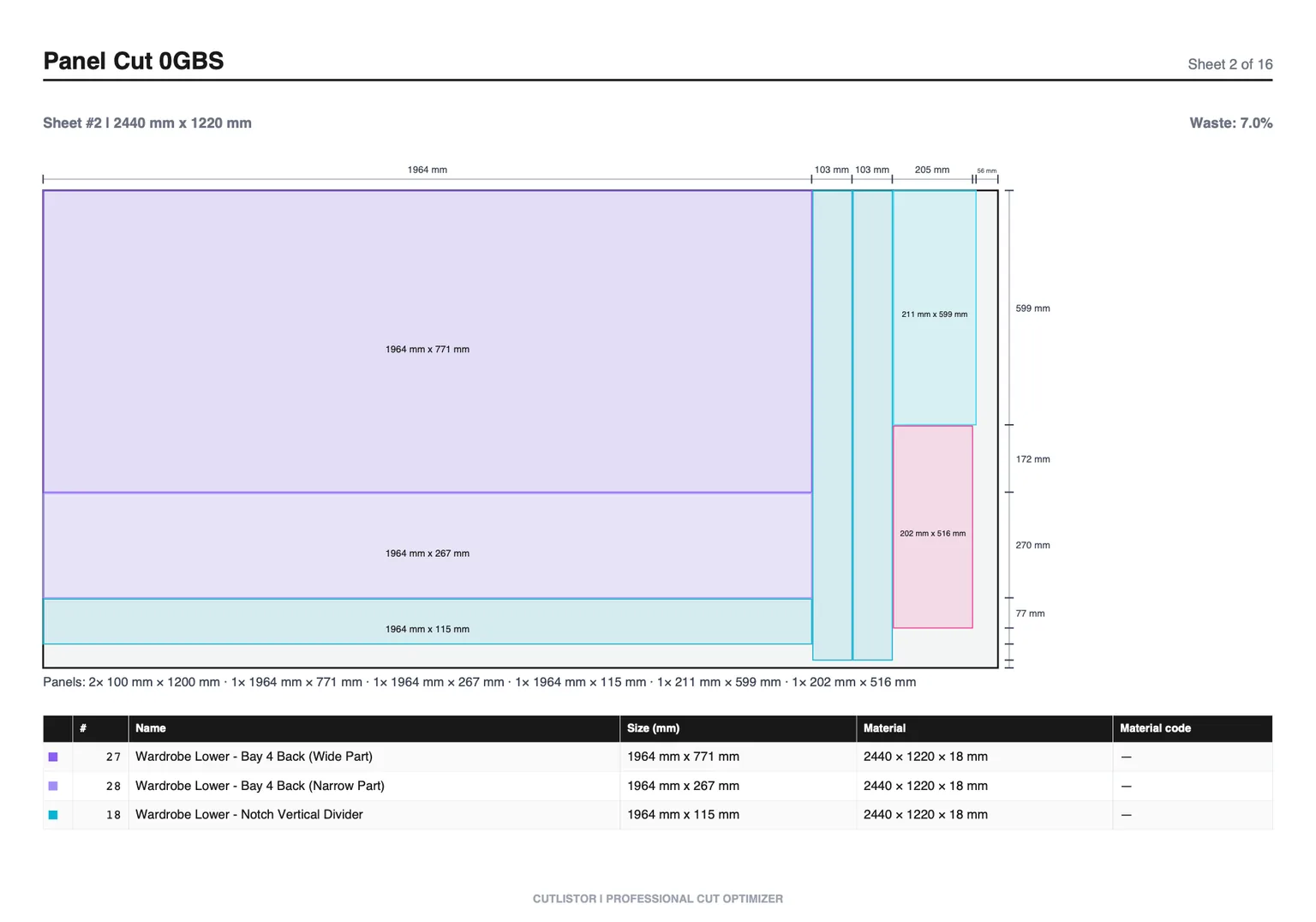
Use the free sheet cut list optimizer to enter architectural panels stock sizes, parts, kerf, and optional grain or edge-banding notes. You will see nested layouts and can export a PDF for the shop.
Large parts
Oversized panels may need multiple sheets or seam logic the software will not invent for you - validate long seams in CAD or field measurements before cutting.
Large panels and seams
When a finished module exceeds stock width, split into nestable rectangles that reflect how you will seam in the field.
- Document seam locations on PDF notes
- Lock grain across adjacent modules
- Verify field measurements against shop drawings
Step-by-step architectural panels sheet workflow
Start with the architectural panels sheet SKU you actually purchase — full sheets or pre-cut architectural panel sizes from supplier. Add every finished part as width × height × quantity. Set kerf to panel saw or CNC kerf per substrate so the optimizer subtracts realistic blade loss for architectural panels.
Run the layout and read sheet count plus yield before buying. If yield looks low on architectural panels, check grain locks, mixed thicknesses, or whether router layout for large format CNC fits your crew better.
Export the PDF when the diagram matches shop habits. If a dimension changes, edit the row and recalculate — the architectural panels nest refreshes immediately.
Layout methods for architectural panels
Cutlistor offers multiple sheet strategies because no single algorithm wins every architectural panels job. Rips and rows suits table-saw-first shops. Fewest sheets pushes yield when architectural panels cost dominates. Router / CNC layout helps dense packs when spoilboard spacing is set.
Millwork panels may exceed one sheet width — validate seams in CAD; the optimizer nests rectangles you enter, not field-fit logic.
| Layout method | Best for architectural panels |
|---|---|
| Router / CNC layout | Large format wall panels |
| Fewest sheets / least waste | Minimize expensive architectural sheet stock |
| Rips & rows | Straight breakdown on panel saw |
Worked example: feature wall modules
Six 2400×600 mm veneer panels and two 2400×300 mm trim panels on 3050×1220 mm substrate — check grain continuity across modules before export.
Import, export, and verification
Import CSV or XLSX from /samples/cutlist-import/ when your architectural panels cut list already lives in a spreadsheet. Group rows with material codes when you buy multiple architectural panels SKUs.
Export kerf-aware PDF cut plans for the floor. Paid plans add saved projects, stock inventory, AI plan scanning, and 3D CAD import (glTF, GLB, Collada).
Free anonymous use includes 3 calculations per day, up to 20 part rows per session, and CSV/XLSX imports of up to 5 rows.
Before you cut architectural panels: checklist
Oversized modules may need explicit seam rows as separate parts.
Confirm substrate thickness with installer before nesting.
FAQ
- Is this architectural panels calculator free?
- Yes. The sheet cut list optimizer runs in your browser with daily limits. Accounts unlock saved projects and higher caps.
- What sheet sizes work for architectural panels?
- Enter any rectangle you purchase — full sheets or pre-cut architectural panel sizes from supplier. Match the delivery note, not a generic label.
- Does kerf matter on architectural panels?
- Yes. Set kerf to panel saw or CNC kerf per substrate. Underestimating kerf on dense architectural panels nests can shift sheet count.
Related calculators
- Cut sheet calculatorCut sheet calculator online: translate part lists into nested panel layouts and PDF cut plans using Cutlistor’s free optimizer.
- Linear cut list calculator (tool landing)Linear cut list calculator for bar stock: lengths, kerf, yield, PDF export. Use Cutlistor’s free linear cut list optimizer in your browser.
- Lumber cut list calculatorLumber cut list calculator: plan stud and dimensional cuts with kerf, compare bundle lengths and export PDFs from a free linear optimizer.
- Trim cut list calculatorTrim cut list calculator for crown, base, and casing runs: nest cuts on stick stock, account for kerf, plan waste with Cutlistor.