Calculator page · 3 min read
Beam cut list calculator
Beams and heavy timber still follow 1D cutting math when you are dividing long members into specified lengths. Use the linear optimizer as a beam cut list calculator once your structural lengths are approved.
How Cutlistor optimizes beam and heavy timber
The free linear cut list optimizer accepts multiple beam and heavy timber stock lengths, part lengths, quantities, and kerf. Review stick count and yield before you buy.
Safety and handling
Documentation from Cutlistor does not replace engineering sign-off on structural members - use it for cut planning after sizes are confirmed.
Structural cut planning
Use Cutlistor after sizes are confirmed. Field adjustments belong in the lengths you enter before optimizing.
- Engineering sign-off first
- Document kerf for beam saw
- Coordinate with lift plan
Step-by-step beam and heavy timber linear workflow
List every finished beam and heavy timber length and quantity. Enter stock lengths you actually buy — long members per engineering spec. Set kerf to circular saw or beam saw kerf per equipment.
Run the optimizer and read stick count plus offcuts. Compare full-length timbers vs spliced stock on the same cut list when price per foot differs.
For mixed jobs, run panels in the sheet optimizer and sticks here. Link both PDFs in the job folder.
Kerf and stock lengths for beam and heavy timber
Beams follow 1D math once structural lengths are approved. Cutlistor plans cuts — it does not replace engineering sign-off.
Handling and crane time often matter more than stick optimization on heavy members — still document cut lengths clearly.
| Stock option | Typical use |
|---|---|
| Full member length | When timber arrives sized |
| Mill standard | When you cut from longer stock |
| Multiple sticks | Spliced or built-up beams |
Worked example: approved timber lengths
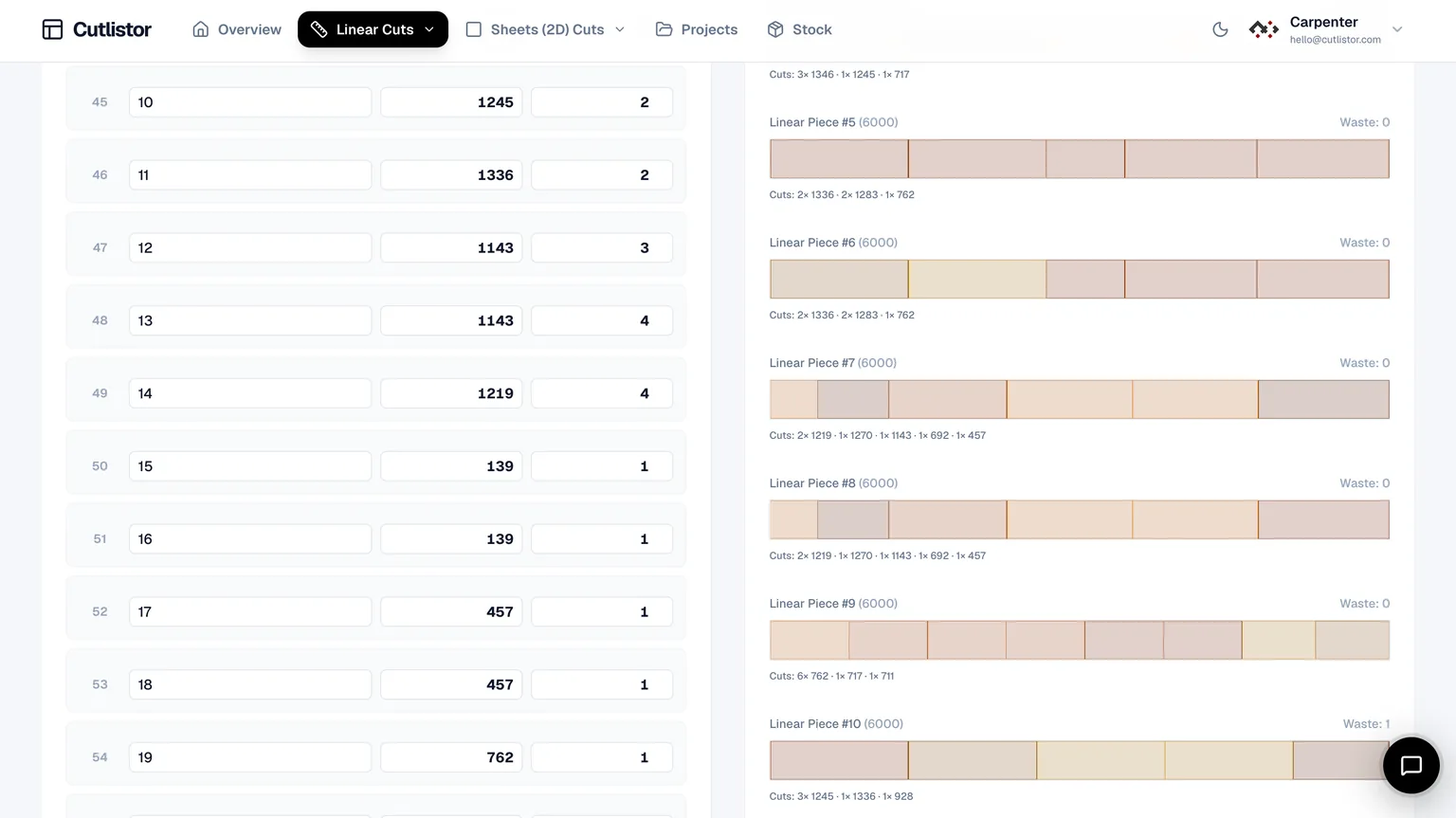
Four 3.6 m and two 2.4 m members from 6 m stock with 4 mm kerf — verify against structural drawings before cutting.
Import, export, and verification
Import linear CSV or XLSX from /samples/cutlist-import/ when Excel already holds beam and heavy timber lengths.
Export PDF cut sequences for the crew. Paid plans add saved projects and mitered ends on linear parts in the dashboard.
Free anonymous use includes 3 calculations per day, up to 20 part rows, and CSV imports of up to 5 rows.
Before you cut beam and heavy timber: checklist
Documentation does not replace engineer approval on structural members.
Export PDF for crane and layout crew coordination.
FAQ
- Is this beam and heavy timber linear calculator free?
- Yes. The linear cut list optimizer runs in the browser with free-tier daily limits.
- Can I use multiple beam and heavy timber stock lengths?
- Yes. Enter every stick length you buy — long members per engineering spec — and compare yield.
- How do I set kerf for beam and heavy timber?
- Measure once on scrap. For beam and heavy timber, circular saw or beam saw kerf per equipment is a common starting point until tooling changes.
Related calculators
- Kitchen cabinet cut list calculatorKitchen cabinet cut list calculator for sides, decks, stretchers, and backs: nest melamine or plywood panels with kerf-aware PDF export.
- 2×4 cut list calculator2x4 cut list calculator for studs and framing: optimize cuts from 8 ft and 10 ft bundles with kerf-aware linear nesting.
- MDF sheet calculatorMDF sheet calculator for raw and primed panels: nest parts, kerf-aware cuts, yield focus, free browser tool on Cutlistor.
- Plywood layout calculatorPlywood layout calculator and plywood layout tool: nest parts on standard sheets, compare methods, export PDF cut plans.