Article · 3 min read
Cutlist Pro alternative
Cutlist Pro is a separate product name in the cut planning space — often confused with CutList Plus fx or generic cut list pro searches. Cutlistor offers free online sheet and linear optimizers with real-time yield, PDF export, spreadsheet import, and optional saved projects on paid plans. Compare on a real BOM before assuming any pro-branded tool is the only path to shop-grade nesting.
Cutlist Pro vs Cutlistor
Searches for cutlist pro or cutlist optimizer pro usually want professional-grade nesting and shop documentation. Cutlistor delivers that in the browser without a desktop license.
| Feature | Cutlistor |
|---|---|
| Sheet + linear nesting | Free browser tools |
| Real-time layouts | Yes |
| PDF cut plans | Yes |
| CSV/XLSX import | Yes |
| AI plan scan | Paid quotas |
| 3D CAD import | Paid quotas |
| Saved projects | Paid plans |
Not the same as CutList Plus fx
CutList Plus fx is a long-running Windows estimating suite. Cutlist Pro as a search term may refer to different products — verify which software you are replacing before migrating.
What cutlist pro searches usually need
Professional cut planning means kerf-aware nests, readable PDFs for the floor, honest sheet and stick counts before purchase orders, and fast revision when the client changes one dimension.
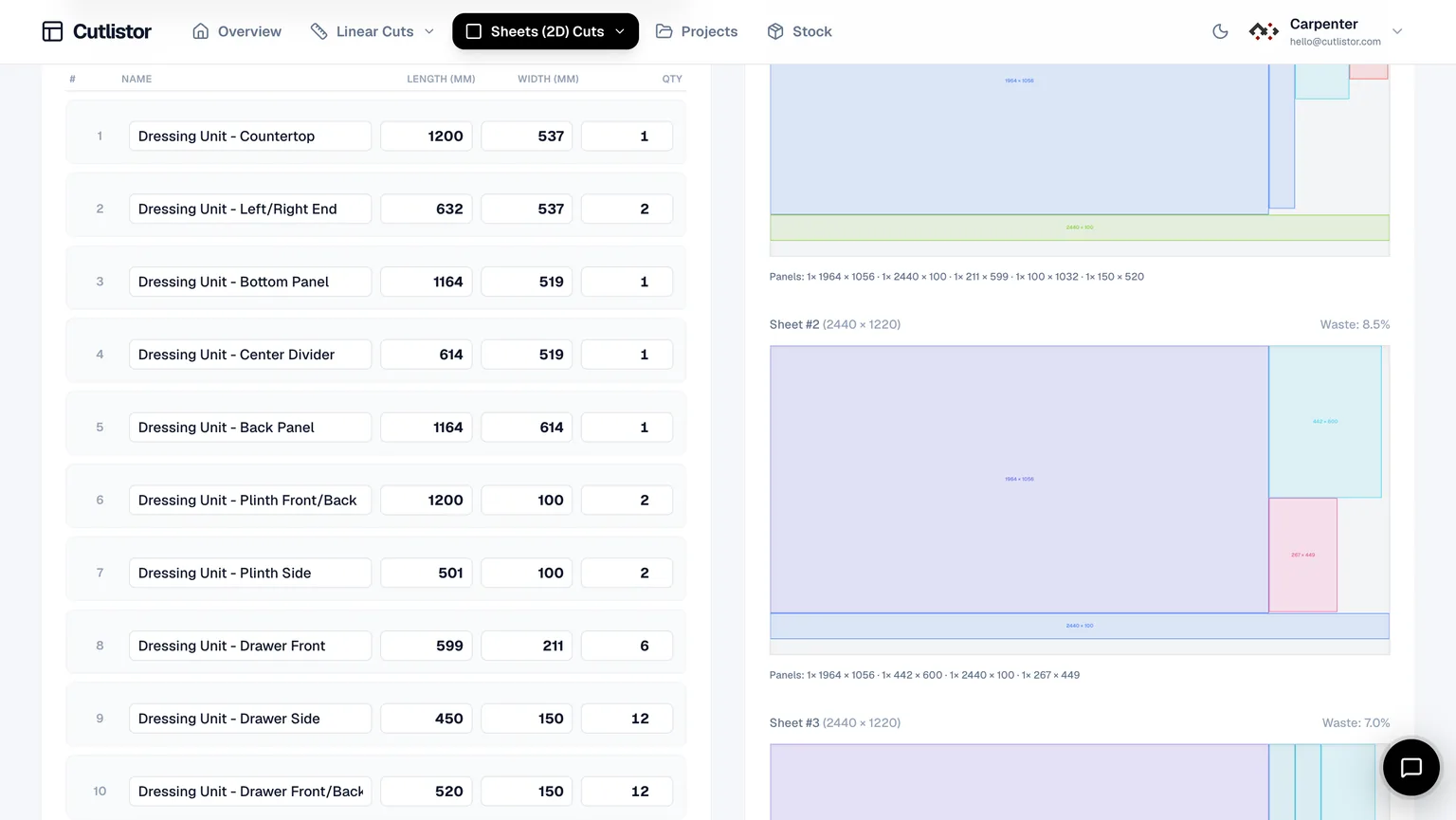
Cutlistor covers that loop in the browser: real-time layout refresh, four sheet methods, dedicated linear tool, CSV/XLSX import, and optional AI plan scanning when drawings arrive as PDFs instead of spreadsheets.
Paid tiers add AI plan scanning when jobs arrive as PDF elevations, and 3D CAD import when models live in SketchUp or Fusion instead of spreadsheets.
- No desktop license or Windows-only install
- Sheet and linear in one product
- PDF export with labeled parts
- Saved projects and inventory on paid plans
Migration checklist
Identify which product your search actually refers to — CutList Plus fx, a mobile app, or a generic pro optimizer. Import one real job, match stock and kerf, export PDF, and compare revision speed before cancelling any subscription.
Walk the exported PDF with whoever runs the saw. If labels and cut order are clearer than your current pro tool, migration is worth finishing even if the brand name differs.
Sheet and linear in one browser session
Cabinet and millwork jobs rarely stay in one material form. Nest melamine or plywood in the sheet tool, then open the linear optimizer for toe kicks, cleats, and face frames without switching products or retyping the BOM from scratch.
| Material | Optimizer | Typical output |
|---|---|---|
| Melamine carcass | Sheet | Panel nest PDF |
| Plywood backs | Sheet | Grain-aware layout |
| Hardwood face frame | Linear | Stick sequence PDF |
Independence note
Cutlist Pro is not affiliated with Cutlistor.
FAQ
- Is Cutlistor Cutlist Pro?
- No. Cutlistor is an independent web application. This page helps searches for cutlist pro find a browser alternative.
- Is there a pro tier?
- Yes. Paid plans add saved projects, stock inventory, and higher AI/CAD import quotas. Free optimizers remain available.
- Can I import spreadsheets?
- Yes. CSV and XLSX import uses the sample headers at /samples/cutlist-import/.
- Does Cutlistor export PDF cut plans?
- Yes. Kerf-aware PDFs with labeled parts for sheet and linear optimizers.
Related alternatives
- Cutlister alternativeCutlister alternative: browser-based cut list optimizer for sheet and linear stock with kerf-aware PDF export.
- CutList Plus alternative for the browserCutList Plus fx alternative: a free browser cut list optimizer for sheet and linear stock, with kerf-aware PDF export and no Windows install.
- Cutlist Ltd alternativeCutlist Ltd alternative: a free online cut list optimizer for workshops covering both sheet and linear stock, with PDF export and no download.
- OptiCutter alternative built for everyday build workflowsCutlistor vs OptiCutter for woodshops: sheet layouts, 3D CAD and AI plan import, spreadsheet BOM ingest, kerf-aware PDFs and DXF export for CNC.