Calculator page · 6 min read
Cut list calculator
A cut list calculator answers one question: given these parts and this stock, how much material does the job need and how do the pieces lay out? Everything else - diagrams, PDFs, offcut lists - follows from that. This page covers both halves of the problem, sheet goods and linear stock, explains the arithmetic well enough that you can sanity-check the output, and points you at the material-specific calculator if you would rather start from a page that already knows your stock sizes.
Two calculators, because they are two different problems
Panels are a two-dimensional packing problem: rectangles placed on a rectangle. Lumber, trim, pipe, tube and bar are one-dimensional: lengths packed onto sticks. The maths is genuinely different, and running one through the other produces nonsense rather than a slightly worse answer.
Most jobs need both. Do them separately, then combine the two PDFs into one job pack and put the material totals for both on the front page, because that is the sheet purchasing works from.
| Your material | Which calculator | What it returns |
|---|---|---|
| Plywood, MDF, melamine, chipboard, OSB | Sheet | Sheets required, nested diagrams, offcuts |
| Plate, aluminium sheet, acrylic, glass | Sheet | Same, with process kerf instead of blade kerf |
| 2×4s, studs, joists, decking | Linear | Sticks required, cut sequence, drop per stick |
| Trim, moulding, skirting, architrave | Linear | Same, with mitre handling |
| Pipe, tube, bar, angle, extrusion | Linear | Same, priced against available stock lengths |
Calculator workflow: parts in, stock counts out
Four inputs. The order matters because each one changes what the next is worth doing.
- Parts: finished sizes with quantities, one row per part type rather than one per physical piece
- Stock: the size you actually buy, from the delivery note - not the nominal name
- Kerf: blade width on a saw, cutter diameter on a CNC, process kerf on a laser or plasma
- Constraints: grain locks on visible parts, and only those
- Run it, then read the stock count first - that is the number that becomes a purchase order
- Read the diagram second, as the person who has to cut it rather than the person who paid for it
The calculator runs in the browser with no account: 20 part rows per session, CSV or XLSX import up to 5 rows, and 3 PDF exports a day with unlimited editing and re-running in between. Saved projects, stock inventory and DXF export need a paid plan.
The arithmetic, so you can check the answer
Dividing total part area by sheet area gives a floor, never an answer. Parts have to tile in whole rows and columns, and every cut destroys material.
Along any edge, the number of parts that fit is the largest n satisfying n × part + (n − 1) × kerf ≤ stock dimension. That is the whole calculation, applied twice on a sheet and once on a stick.
The consequence worth internalising: kerf costs nothing when part sizes leave slack, and costs an entire row when they divide the stock almost exactly. A 2440 mm bar cut into 405 mm pieces looks like six (2440 ÷ 405 = 6.02) and yields five, because six needs 6 × 405 + 5 × 3.2 = 2446 mm.
Start from a material-specific calculator instead
Every calculator below is the same engine with stock sizes, kerf defaults and worked examples already set for that material. If your job is one of these, starting there saves entering things you would otherwise look up.
| If your job is… | Start here | Because it presets |
|---|---|---|
| Plywood panels | Plywood cut calculator | Sheet sizes and saw kerf |
| A single 4×8 sheet | 4×8 plywood cut calculator | 48 × 96 in and strip examples |
| MDF or melamine | MDF / melamine calculators | Metric board sizes, no grain lock |
| Kitchen cabinets | Kitchen cabinet calculator | Carcass parts and panel subtractions |
| Framing lumber | 2×4 or lumber calculator | Actual PAR sizes, not nominal |
| Pipe or tube | Pipe / tube calculators | 6 m stock and metal kerf |
| Steel plate | Plate nesting calculator | Plasma and laser kerf ranges |
Same engine and same export formats throughout - only the defaults and the worked examples change.
Worked example: shelving unit, sheet and linear in one job
A 2100 mm run of workshop shelving: six shelves at 1000 × 400 mm in 18 mm plywood, two uprights at 2100 × 400, and a softwood frame from 2×4 - four legs at 2100 mm and eight rails at 940 mm.
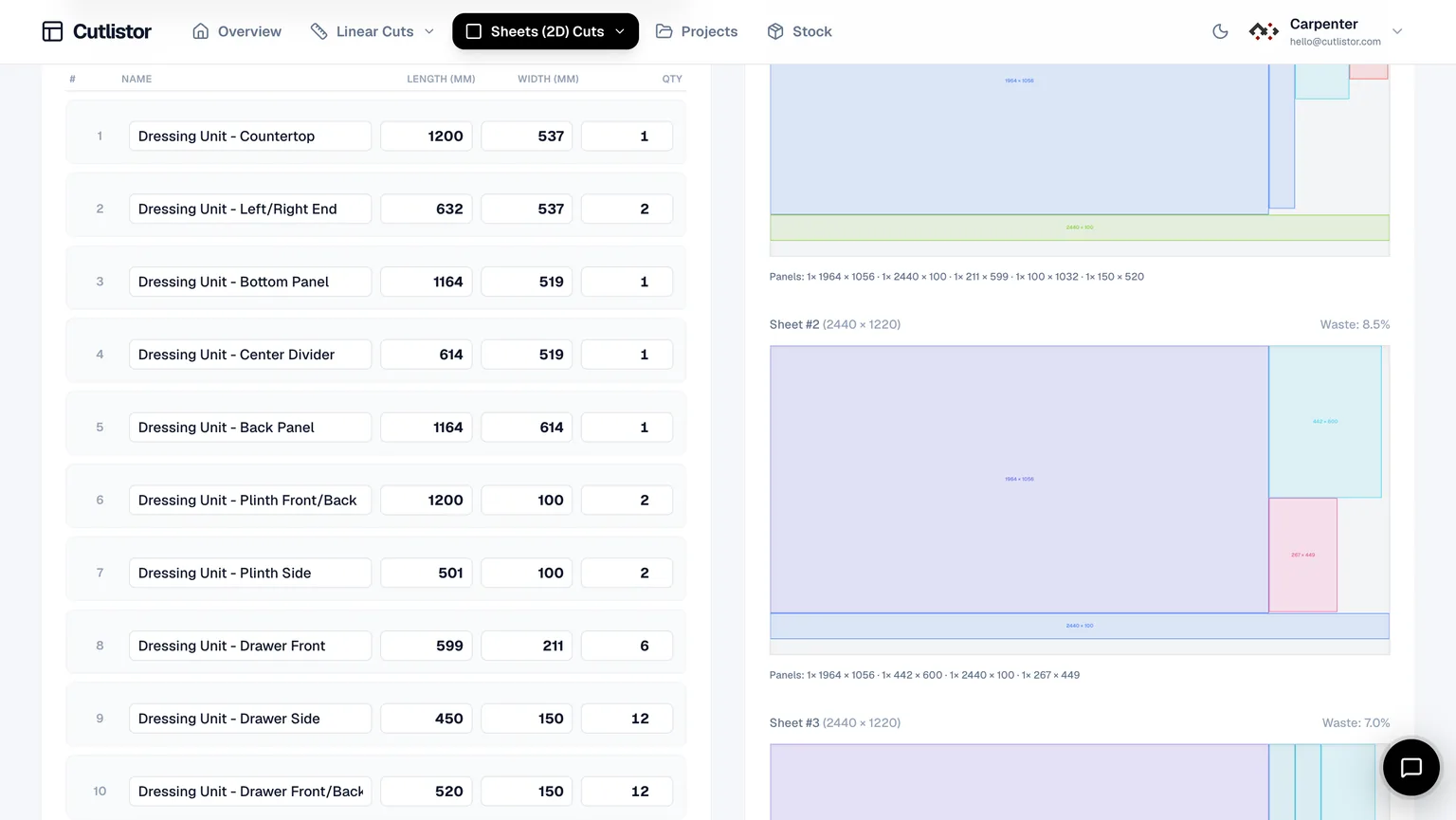
Sheet side: eight parts, all 400 mm deep, on a 2440 × 1220 sheet. Ripped into 400 mm strips with a 3.2 mm kerf, the sheet gives three strips across the width (3 × 400 + 2 × 3.2 = 1206.4 mm, which fits; four would need 1609.6 mm and does not). Two uprights at 2100 mm take a strip each, and the six 1000 mm shelves need two more strips - so this job wants two sheets, not one, and the calculator tells you that before the delivery arrives rather than after.
Linear side: twelve pieces from 2×4. Four at 2100 and eight at 940 against 4.8 m stock is a different packing question entirely, and it belongs in the linear calculator.
What the calculator will not do for you
- Fix a parts list with the wrong internal dimensions - subtracting panel thickness is still your job
- Know that your delivered sheets are 2440 × 1220 rather than a true 8' × 4'
- Guess your kerf; leaving it at zero produces layouts that are a row short in reality
- Nest irregular or profiled outlines - it packs rectangles and lengths, not true shapes
- Decide which parts genuinely need grain locked, which is usually far fewer than people set
- Split a mixed-material job into groups - do that first, or the sheet count will be one you cannot buy
FAQ
- Is the cut list calculator free?
- Yes, in the browser with no account and no download, within daily PDF export limits. Saved projects, stock inventory and DXF export require a paid plan.
- What is the difference between a cut list calculator and an optimizer?
- In practice nothing - both names describe software that places your parts on stock and reports how much you need. Calculator tends to be used for the material-specific front ends, optimizer for the general tool.
- Can it handle both sheets and lumber in one job?
- Yes, but as two runs. Panels go through the sheet calculator and lengths through the linear one, because they are different packing problems. Combine the two PDFs afterwards.
- Do I need to install anything?
- No. It runs in any modern browser on Windows, Mac, Linux, iPad and Android - there is no installer, no .exe and no APK.
- Can I import a cut list I already have in Excel?
- Yes. CSV and XLSX import matches your column headings automatically, so you rarely have to rearrange the spreadsheet first.
- How accurate is the sheet count?
- As accurate as the stock size and kerf you enter. Those two inputs, not the algorithm, are where most wrong answers come from.
Related calculators
- Cutting list calculatorFree cutting list calculator in millimetres. Enter parts, board sizes and kerf, get board counts and a printable plan for melamine, MDF and plywood.
- Cupboard cutting list calculatorFree cupboard cutting list calculator for kitchen and bedroom cupboards. Work out carcass parts in millimetres, nest them on melamine, export a cutting plan.
- Plywood cut calculator for real sheet sizesFree plywood cut calculator: nest parts on standard sheets, apply kerf, preview the cut layout, and export a PDF cut plan in your browser.
- 4×8 plywood cut calculatorFree 4×8 plywood cut calculator - enter your parts, get the sheet count and a kerf-aware cutting diagram in seconds. Grain direction, PDF export, no download.